The multikey function
59
Communicating with the multikey function
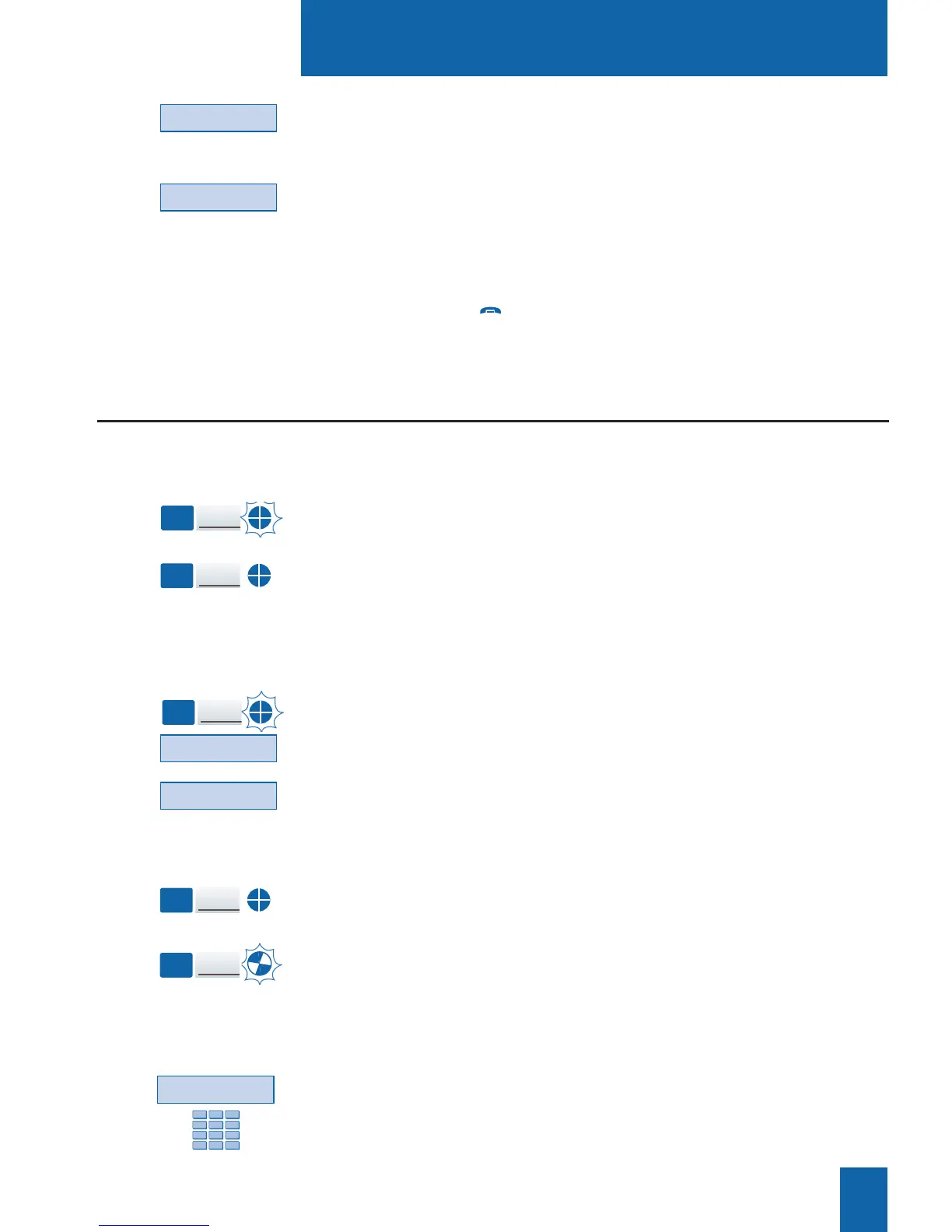
When a call arrives on your multikey-programmed telephone
set, the icon associated with the customizable key flashes.
- Press this programmed key to answer the caller.
The icon associated with this key switches to steady
illumination and the display shows the identity of the caller.
Answering a call:
If a second calling correspondent calls in, you will hear a beep
and a second key will flash.
1 - Press the Wait interactive key to view the caller's identity.
2 - Press the Answer interactive key.
You can also press the programmed key associated with the
blinking icon.
You are on-line with the second caller.
The indicator for this key switches to steady illumination and
the displays presents the on-line caller's identity.
The first correspondent is placed on hold.
The icon associated with his/her key flashes.
Answering
a second call:
You will have programmed the multikey function to at least two keys.
Wait
Key
1
Key
1
Key
2
9 - Press the Add interactive key to accept the new
programming.
10 - Press the <-Start interactive key, and then proceed
to program the multikey function to at least one other
customizable key.
When you have finished programming,
- pressing the red key twice restores the telephone set
to idle mode.
Add
<-Start
Divert
Answer
Key
2
If, after seeing the identity of the second caller, you do not
want to answer, you can divert the call.
- Press the Divert interactive key and then enter the extension
number to which you want to divert the call.
The icon associated with this call extinguishes.
Key
1










 To Next Page