The multiline function
63
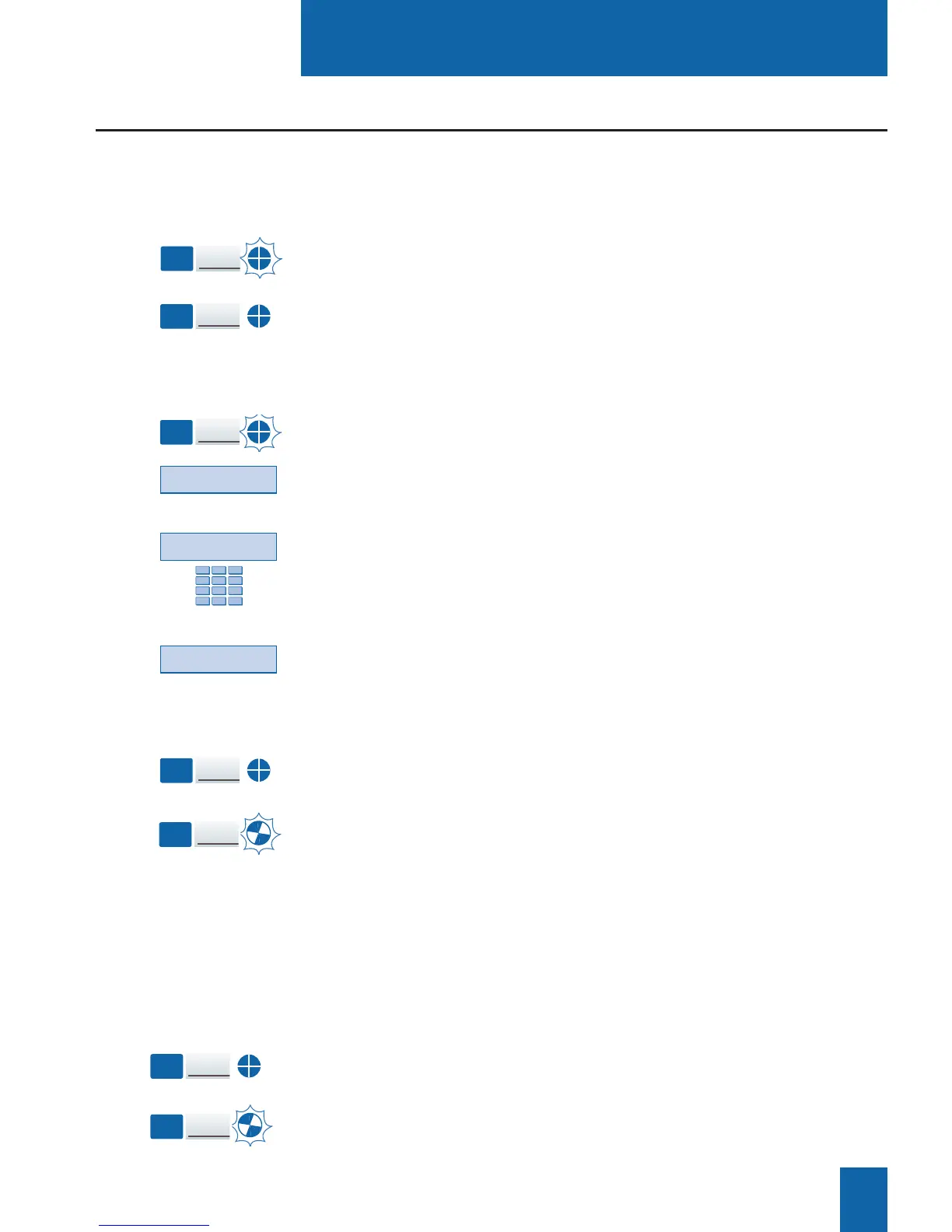
If another correspondent initiates a call on the second line, you
will hear a beep and the icon of a second key will flash.
1 - Press the Wait interactive key to view the caller's identity.
If you don't want to answer:
- press the Divert interactive key;
- then dial the extension number to which you want
to divert the call.
2 - Press the Answer interactive key.
You can also press the programmed key associated
with the blinking icon.
You are on-line with the second caller.
The icon for this key switches to steady illumination and the
displays presents the on-line caller's identity.
The first caller is placed on hold.
The icon associated with his/her key flashes.
Answering
a second call:
Key
1
Key
2
Communicating with the multiline function
When a call arrives on your set programmed in multiline mode,
the icon associated with the customized key flashes.
- Press this programmed key to talk to the caller.
The icon associated with the key switches to steady
illumination. The display presents the caller's identity.
Answering a call:
The multiline function will have been assigned to at least two programmable keys of your set.
Key
1
Key
1
Key
2
Wait
Divert
Answer
When you are talking to one correspondent and another corre-
spondent is on hold.
- Press the programmed key associated with the blinking icon.
The icon associated with the key of the correspondent in con-
versation will be illuminated steadily.
The icon associated with the key of the correspondent on hold
will flash.
Switching from one
correspondent to
another:
Key
1
Key
2










 To Next Page