DND (Do Not Disturb) function
72
Programming the DND function on a programmable key
If you use this function repeatedly, we recommend you to save the function to a programmable
key.
Feature
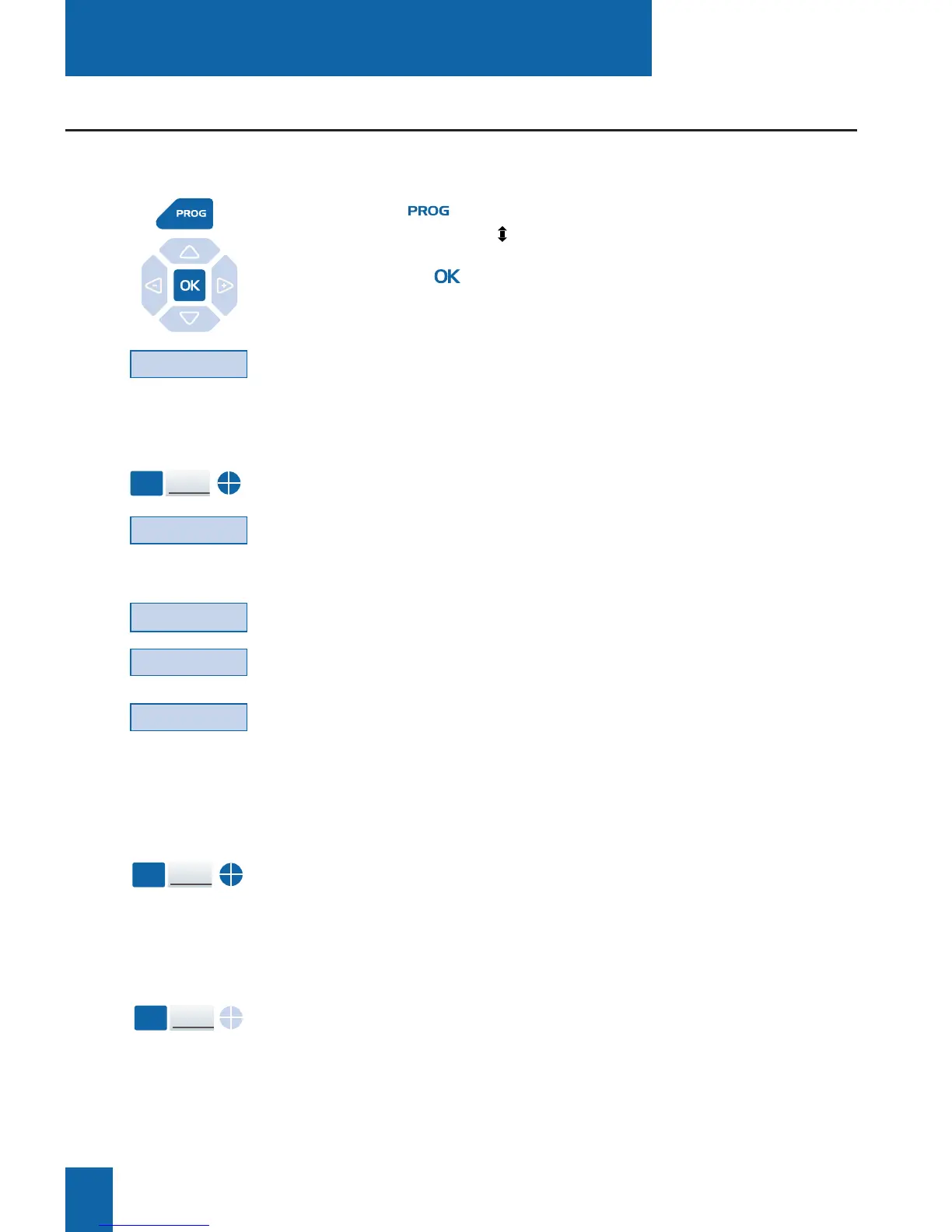
1 - Press key.
The display shows " PROGRAMMING".
2 - Press the key.
The display shows the message "WHAT DO YOU WANT
TO PROGRAM?"
3 - Press the Key interactive key
The display prompts you to select the programmable key
that you require.
4 - Press a programmable key.
The display shows the key status.
5 - Press the Modify interactive key.
The display shows the message "WHAT DO YOU WANT
TO PROGRAM?".
6 - Press the Feature interactive key.
7 - Press the - -
>
interactive key.
8 - Press the D.N.D. interactive key.
Key
Modify
-->
D.N.D.
- Press the programmed key.
The icon associated with the programmed key illuminates.
A sound message and the display confirm the activating.
You will not receive any calls.
Activating the function:
- Press the programmed key.
The icon associated with the programmed key will extinguish.
A sound message and the display confirm the deactivating.
You will now receive calls again.
Deactivating the function:
DND
Function
DND
Function










 To Next Page