The filtering function
66
Enter
Filter
This feature makes it possible to filter calls for a third person (e.g. Assistant/Manager).
This requires the use of two programmable keys on the “Assistant” extension (filtering
extension) and on the “Manager” extension (filtered extension); one to activate or deactivate
the filtering function, the other to supervise the calls from the filtered extension.
The filtering function
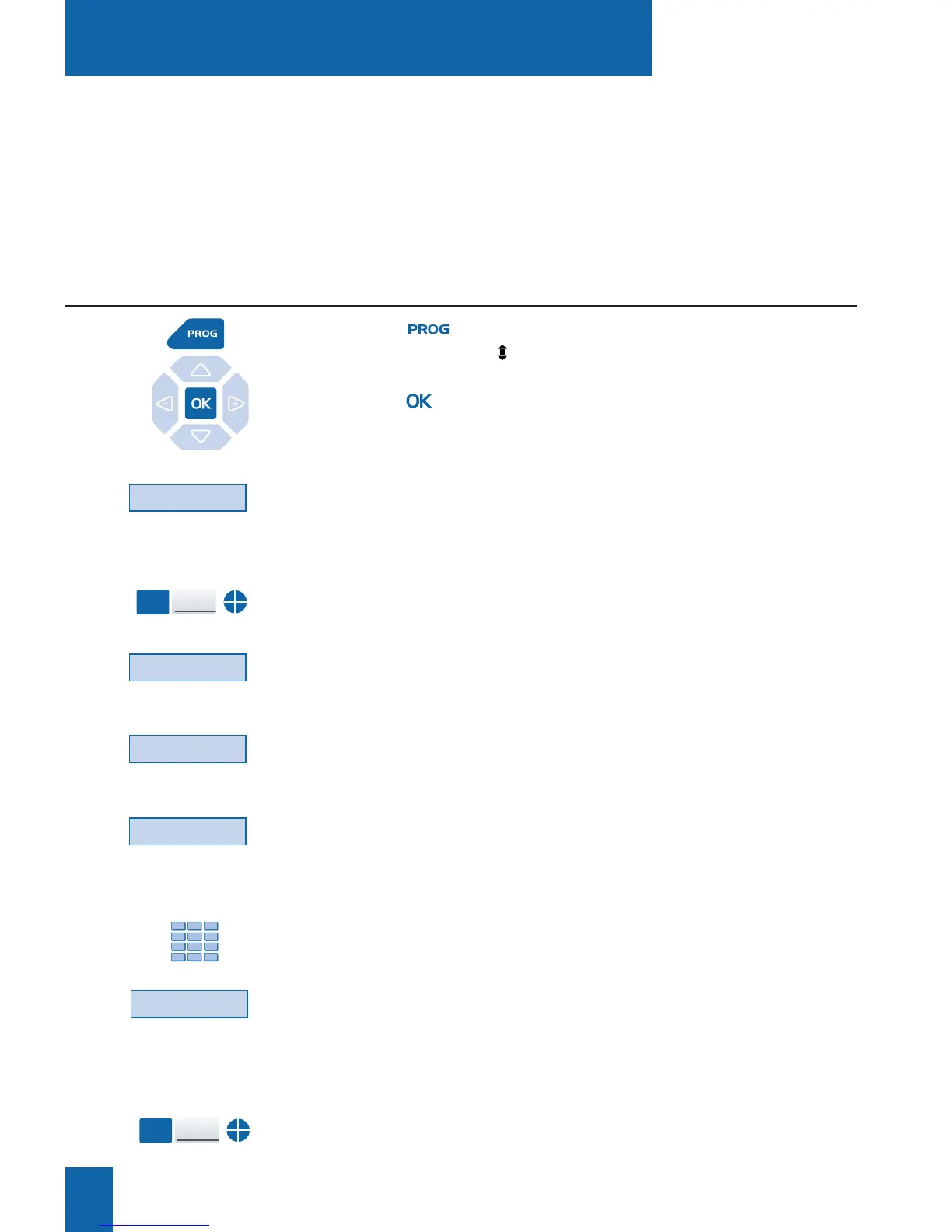
1 - Press key.
The display shows " PROGRAMMING".
2 - Press key.
The display shows the message "WHAT DO YOU WANT
TO PROGRAM?"
3 - Press the Key interactive key
The display prompts you to select the desired programmable key.
4 - Press a programmable key.
The display shows the key status.
5 - Press the Modify interactive key.
The display shows the message "WHAT DO YOU WANT
TO PROGRAM?"
6 - Press the Filter interactive key.
The display prompts you to specify if you are filtering
or being filtered.
7 - Press the interactive Activ. key if you want to filter,
for example.
The display prompts you to key-in the number of the filtered
extension.
8 - Dial the number of the extension to be filtered.
. If you make a mistake, press the Erase interactive key.
9 - Press the Enter interactive key to confirm programming.
The display confirms the key program status.
You must now program supervision of the filtered extension.
10 - Press a second programmable key.
The display shows the key status.
Programming the filtering function*
Key
Modify
Activ.
* Depending on the features provided by your system operator.
Programming
the filtering function:
Programming
the supervising function:










 To Next Page