The information directory
42
The information directory
The information directory enables you to view various shared numbers concerning the set and
the holder of the set in question.
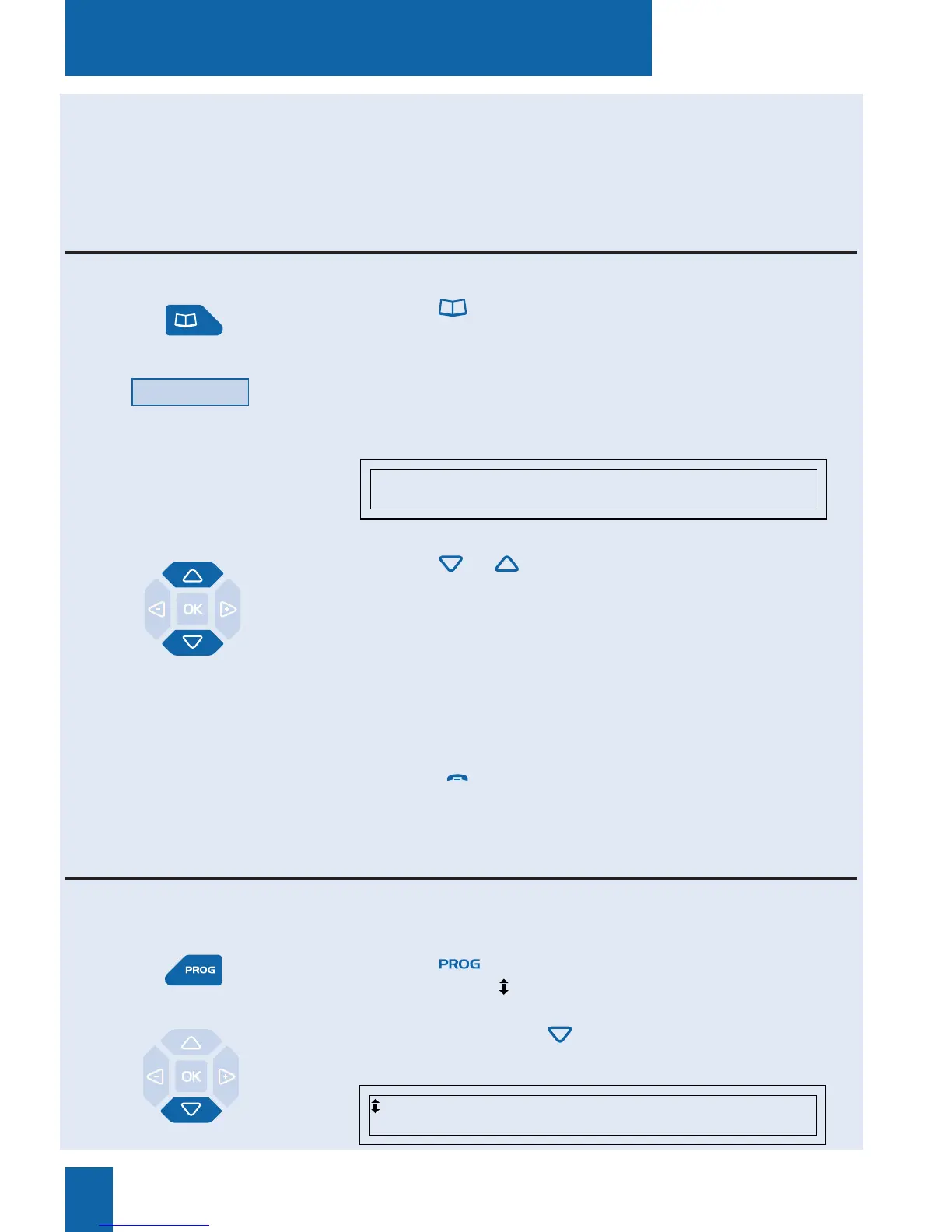
Consulting the information directory
1 - Press the key.
The display shows the directories available.
2 - Press the Info interactive key.
The display shows the first information record, namely the
number of the set concerned.
3 - Press the or keys successively in order to consult
the other information records, namely:
- FAX NUMBER,
- GSM NUMBER,
- DECT NUMBER,
- FREE NUMBER,
- SET SERIAL NUMBER,
- SOFWARE RELEASE/SET.
Note: use the red key to abort or terminate the process.
Info
When the set is idle or being used, you can consult the information log.
SET NUMBER: XXXXX
In the information directory, you can customize four headings: FAX, GSM and DECT numbers
and one free number.
Filling in the information directory
1 - Press the key.
The display shows « PROGRAMMING»
2 - Press successively the key in order to display
«PRIVATE INFO».
PRIVATE INFO










 To Next Page