NovaPro HD User's Manual
www.novastar.tech -10-
6.2 Main Interface
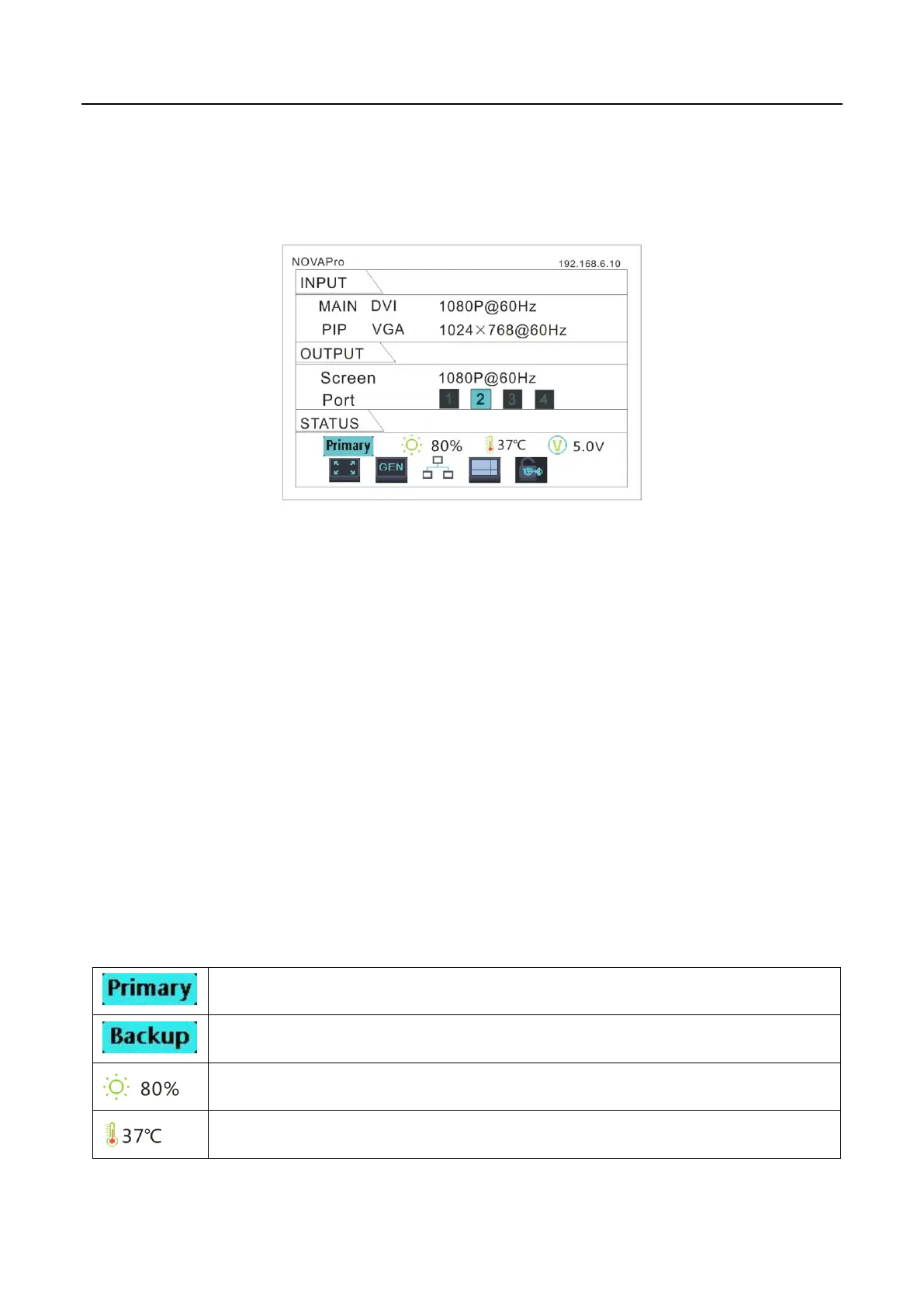
After starting the controller, the main interface of LCD display is as follows:
First row: product model, local IP/ device name (custom)
INPUT:
Main screen, signal source, input source signal format.
PIP, signal source, input source signal format.
OUTPUT:
Output signal format of LED display.
LED Output, Currently it is Port2 output.
STATE:
Status bar, meanings of each icon are described as below:
It denotes that the controller is in primary control mode.
It denotes that the controller is in backup mode.
Current brightness is 80%.
When the temperature of NovaPro HD exceeds threshold value (able



 To Next Page