MCTRL660 Independent Controller
Specifications
3 Appearance
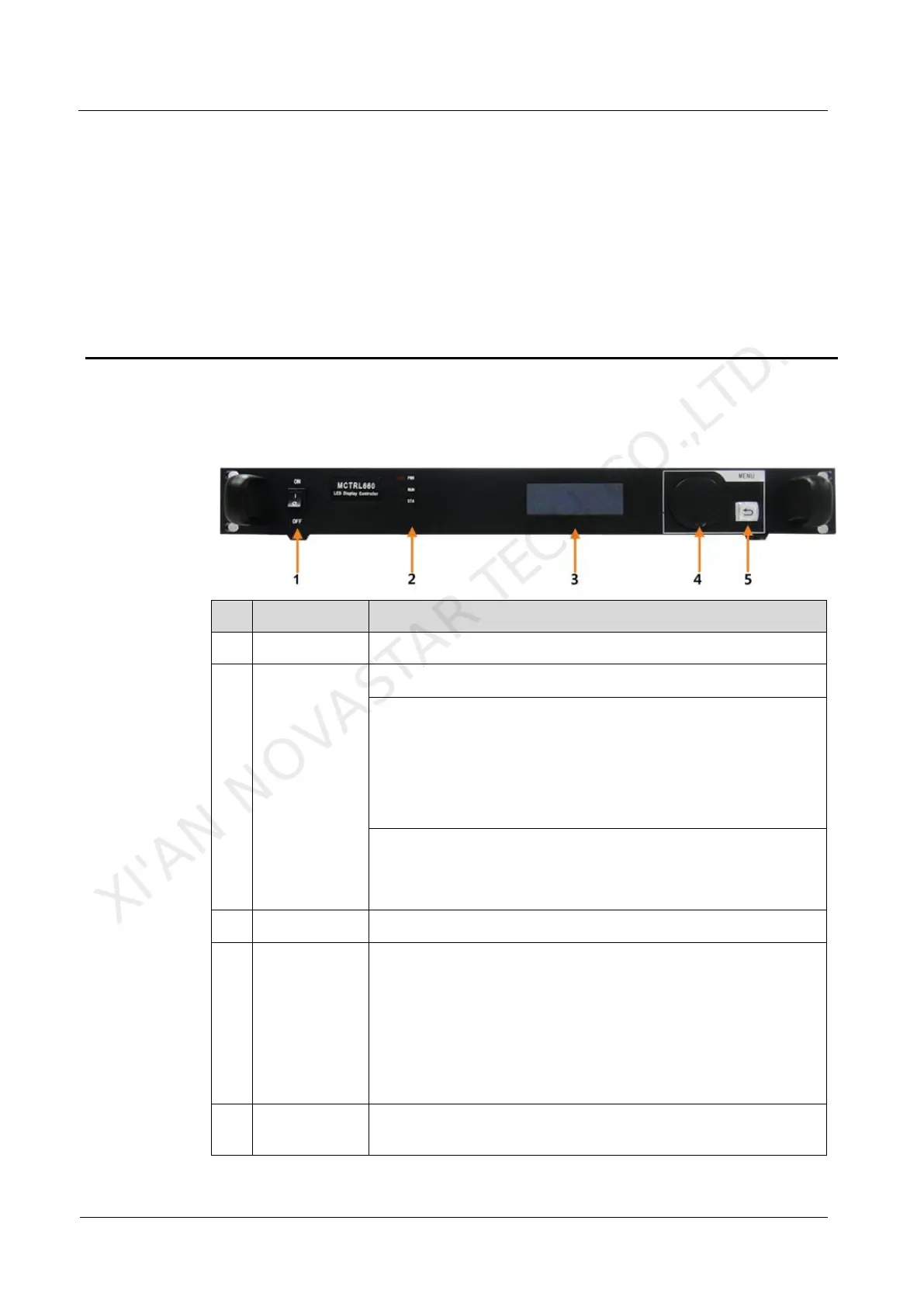
3.1 Front Panel
RUN: Device operating indicator. Working status:
Flashing slowly: Video input unavailable
Flashing normally: Video input available
Flashing rapidly: The screen is displaying startup image.
Breathing: Ethernet port redundancy has taken effect.
STA: Device operating indicator. Working status:
Always on: The device is operating normally.
Off: The device is not operating, or operating abnormally.
Operation instructions:
On the home screen, press the knob to enter the menu page.
On the menu page, press the knob to select the current menu
or enter the menu. Rotate the knob to select a menu item or
adjust a menu parameter.
Hold down the knob and BACK button simultaneously for 5
seconds to lock or unlock all the buttons.
Press to go back to the previous menu or exit the current
operation.
XI'AN NOVASTAR TECH CO.,LTD.



 To Next Page