NovaPro HD User's Manual
www.novastar.tech -25-
6.8.3 Montage
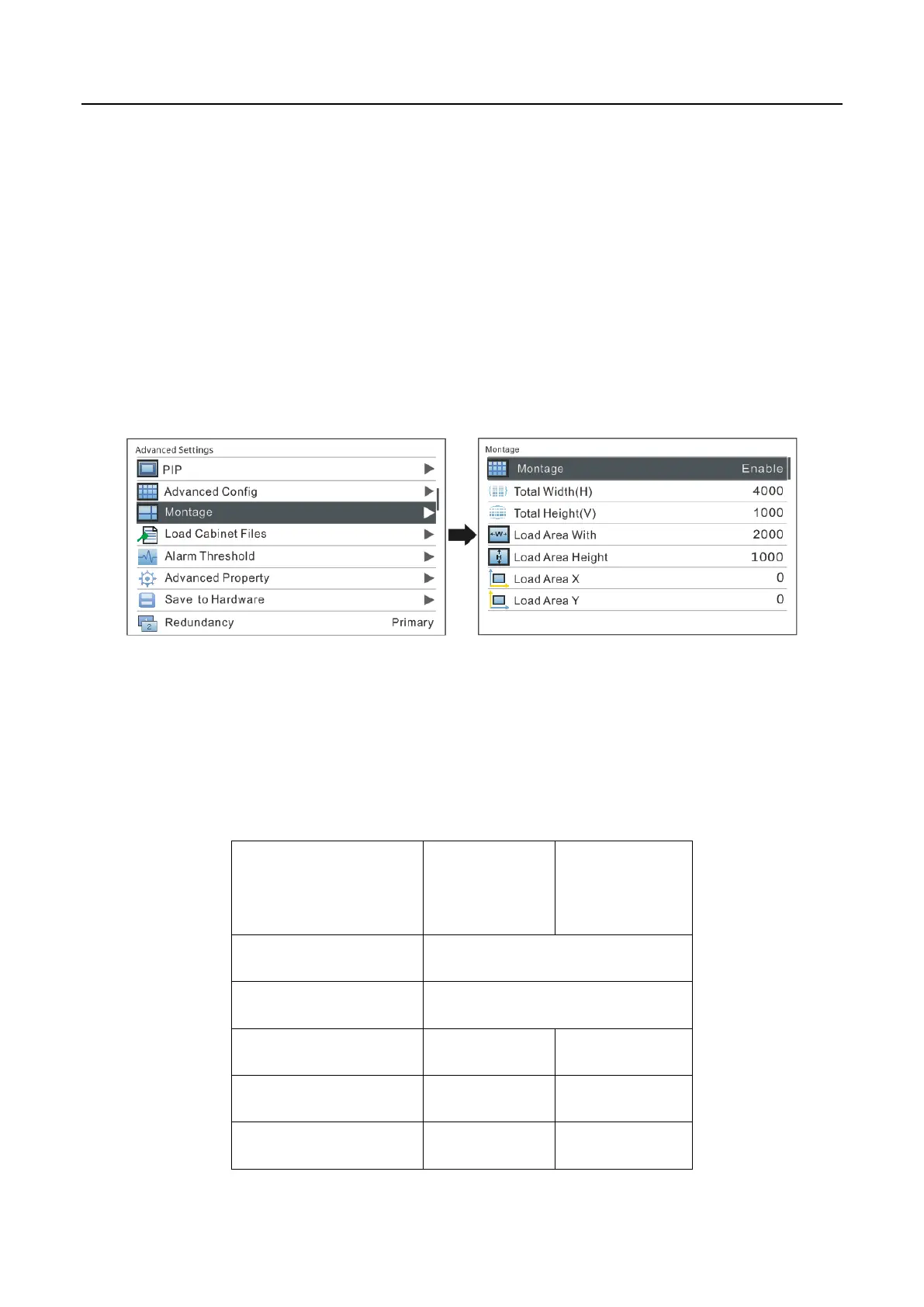
For oversized LED display, two or more NovaPro HD units are needed for montage. In
this case, the loading area of each NovaPro HD unit needs to be set respectively.
Enable Montage first and set total width and height of the LED display. Then set the
size and starting position of loading area of the NovaPro HD unit.
Total sizes of loading area of all NovaPro HD units are the total sizes of LED display.
Montage Example: the total number of pixels of the LED display is 4000×1000, which
has exceeded the load of a single Pro HD unit. Montage can be applied and two Pro
HD units can be used for montage. See detailed parameter settings and the
connections in the chart and figure below.



 To Next Page