NovaPro HD User's Manual
www.novastar.tech -35-
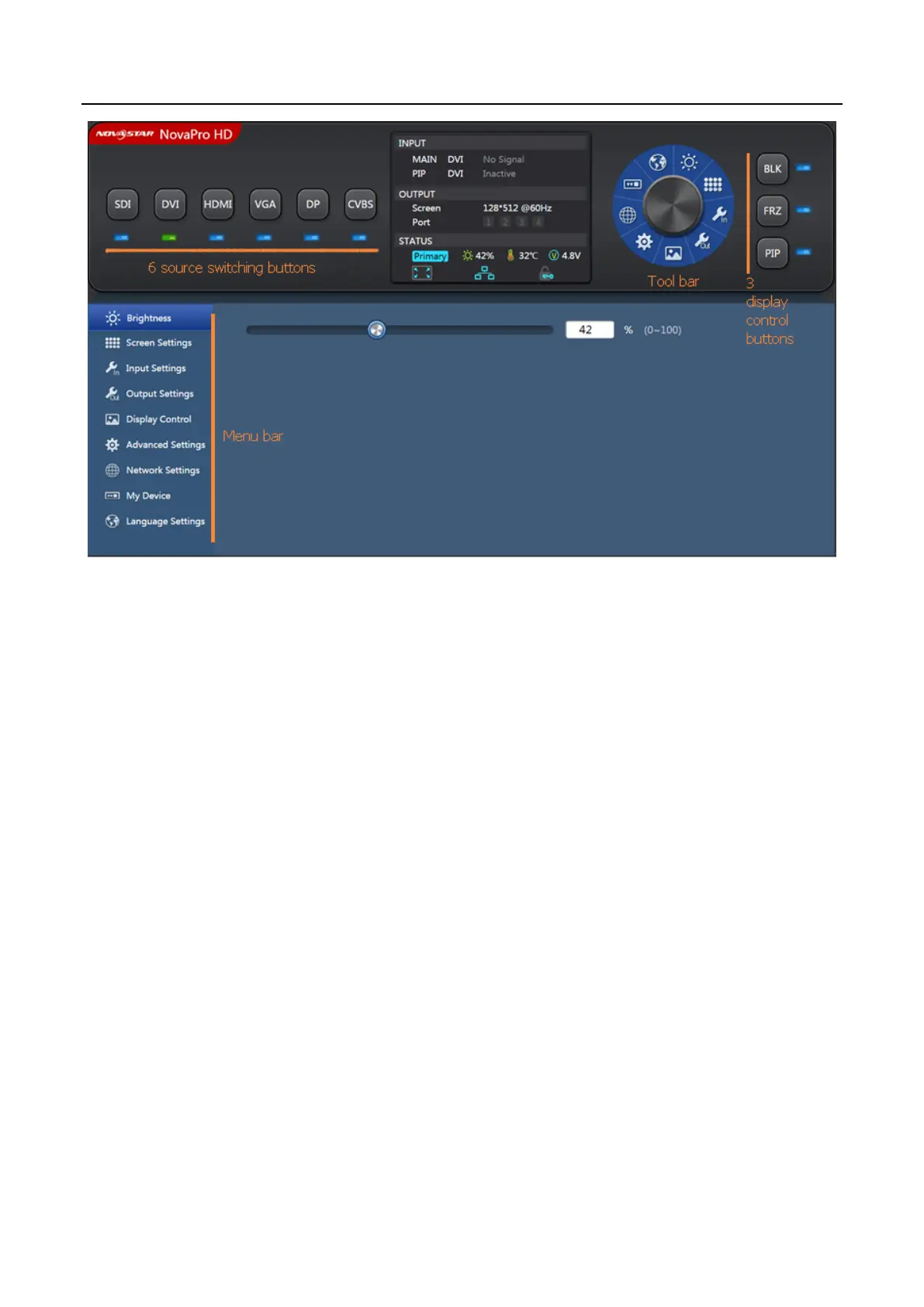
Toolbar: The toolbar will be highlighted when you move the mouse over it. By
clicking the toolbar, you can get into the configuration pages of sub menus. The
functions are the same as the menus in the bottom left of the page.
Menu bar: click the mouse and enter the parameter configuration interface in the
main menu. If there are sub menus, sub menu bar will pop out.
Six input source switching buttons: the input source of the main screen can be
switched with mouse clicking. The switching of the input source of PIP needs to
enter “Advanced Settings” → “PIP” sub menu interface settings, as shown in
the figure below.



 To Next Page