MCTRL4K LED Display Controller
User Manual 5 Hardware Structure
www.novastar.tech 7
5 Hardware Structure
5.1 Appearance
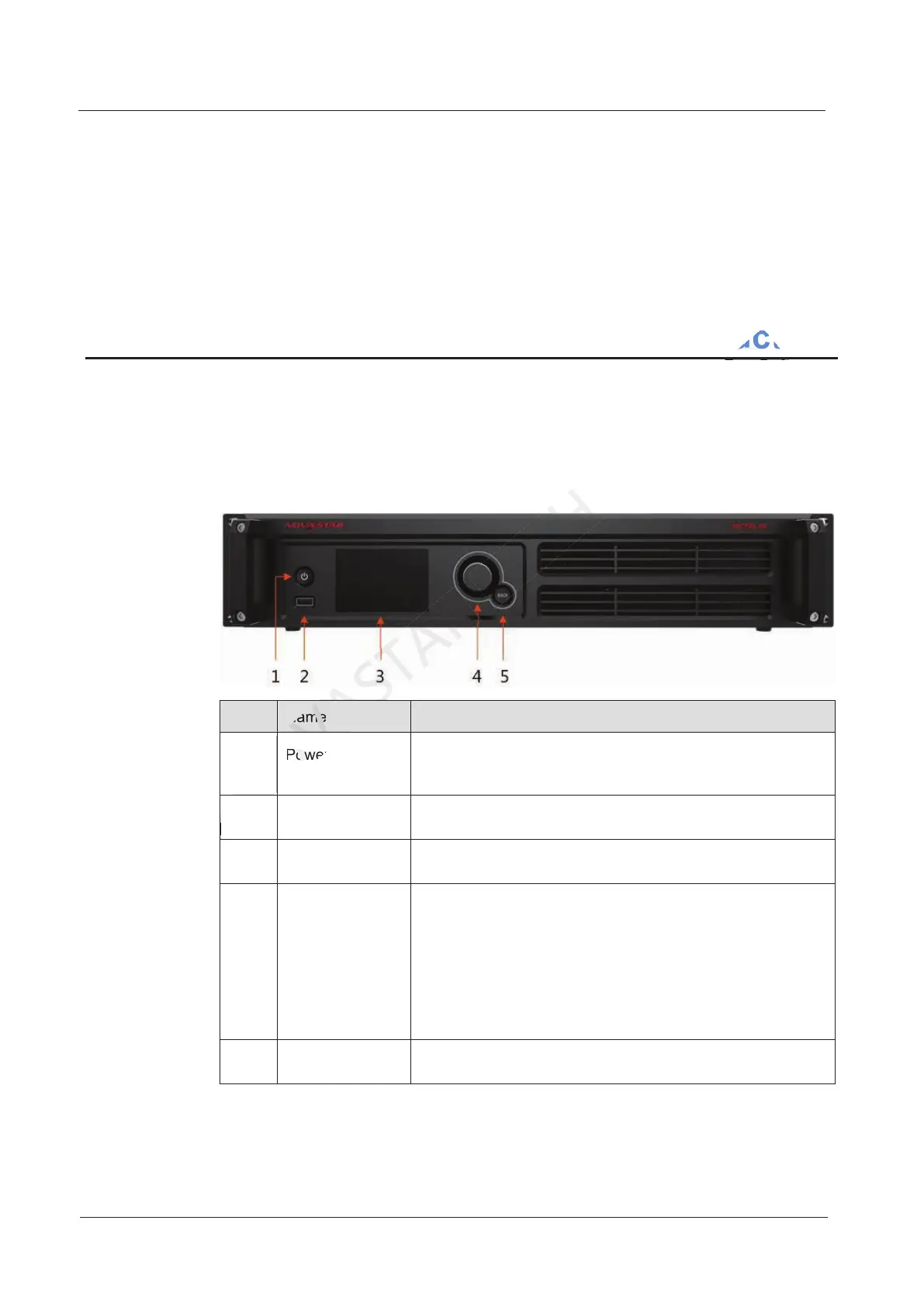
Front Panel
No. Name Description
1 Power button Press to power on the device and hold down for 4–5
seconds to power off the device.
2 USB Insert a USB drive only.
3 LCD screen Display the menu.
4 Knob
On the home screen, press the knob to enter the
operation menu screen.
On the operation menu screen, press the knob to select
the current menu item or enter the submenu. Rotate the
knob to select a menu item or adjust the parameter.
Hold down the knob and BACK button at the same time
for 5 seconds or longer to lock or unlock the buttons.
5 BACK Exit the current menu or operation.
Power button
NOVASTAR
Power button
Hardware Structure
CO.,LTD.
Hardware Structure



 To Next Page