MCTRL4K LED Display Controller
User Manual 8 Operations on PC
www.novastar.tech 38
10 bit The loading capacity of the MCTRL4K will be reduced by half.
12 bit The loading capacity of the MCTRL4K will be reduced by half.
8.4 Operations on Web Page
The MCTRL4K supports Web control functions, so the screen configurations can be
easily and quickly performed on a PC or mobile device.
Note:
For LED screen configuration via Web, the Google Chrome browser (Chrome 50 or
later) is recommended.
8.4.1 Environment Configuration
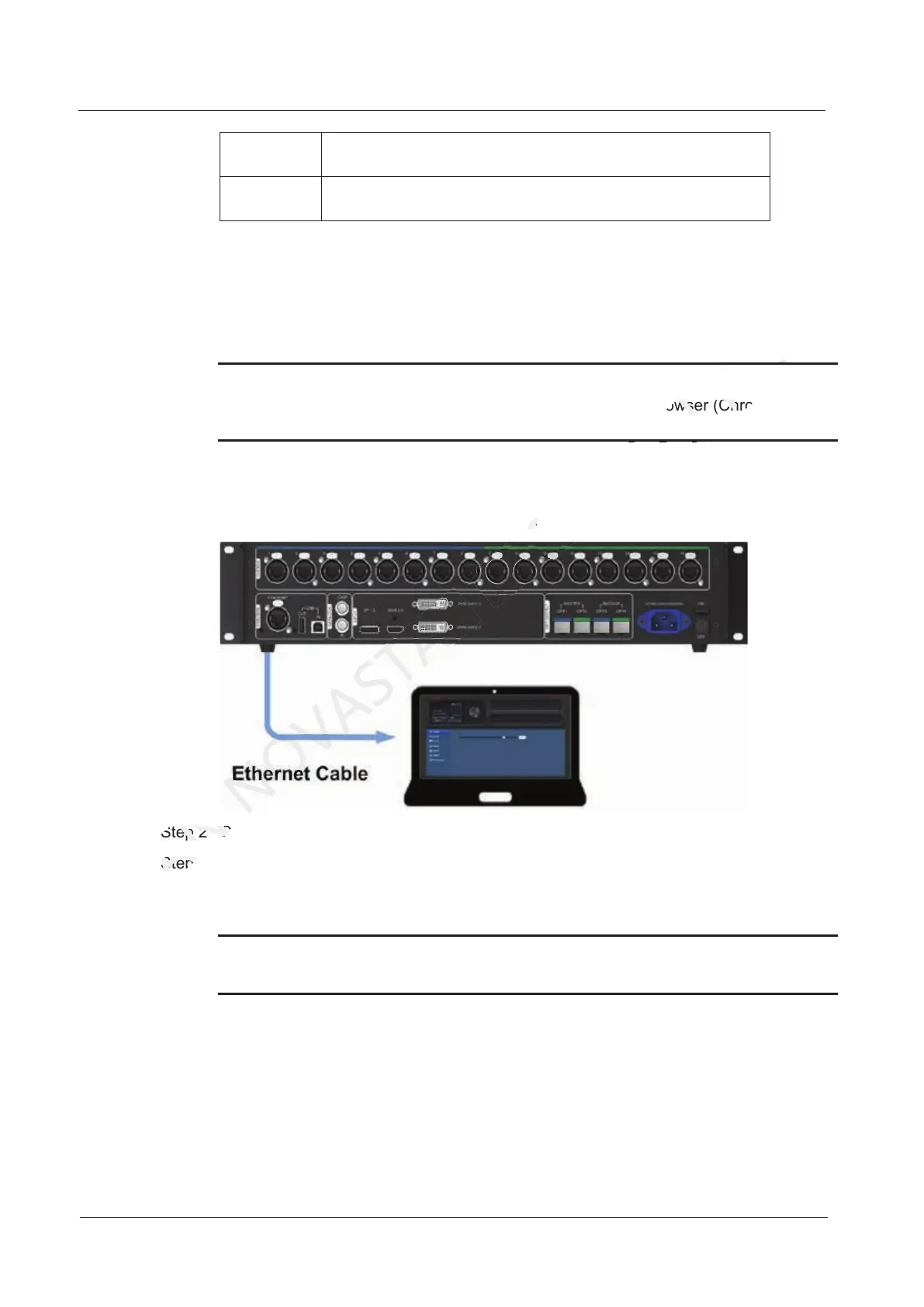
Figure 8-5 Environment configuration diagram
Step 2 Connect the MCTRL4K to a PC (or a mobile device) via Ethernet cable or router.
Step 3 Obtain the IP address of the MCTRL4K.
Step 4 On the PC (or mobile device), enter "http//the above device IP address" and press
Enter to go to the device control page automatically.
Notice:
The MCTRL4K and PC (or mobile device) must be on the same LAN.
Step 2 Connect the MCTRL4K to a PC (or a mobile device) via Ethernet cable or router.
XI'AN
Step 2 Connect the MCTRL4K to a PC (or a mobile device) via Ethernet cable or router.
Step 3 Obtain the IP address of the MCTRL4K.
XI'AN
Step 3 Obtain the IP address of the MCTRL4K.
Step 4 On the PC (or mobile device), enter "
XI'AN
Step 4 On the PC (or mobile device), enter "
Figure 8-5 Environment configuration diagram
TECH
Figure 8-5 Environment configuration diagram
The MCTRL4K supports Web control functions, so the screen configurations can be
CO.,LTD.
The MCTRL4K supports Web control functions, so the screen configurations can be
For LED screen configuration via Web, the Google Chrome browser (Chrome 50 or
CO.,LTD.
For LED screen configuration via Web, the Google Chrome browser (Chrome 50 or



 To Next Page