MCTRL4K LED Display Controller
User Manual 7 Menu Operations
www.novastar.tech 19
loaded by the first (n–1)
ports must be:
1. the same;
2. the integral multiple of
the number of rows or
columns;
3. no less than the
number of cabinets
loaded by the last port.
If Ethernet ports 1–16 are used to load the screen, the
number of cabinets loaded by ports 1–15 must be the same
and the integral multiple of the number of rows or columns.
Therefore, you need to set only the number of cabinets
loaded by port 1 according to the actual situation. The
number of cabinets loaded by port 16 must be less than or
equal to the number of cabinets loaded by port 1.
In multi-card mode, if DVI 2 is used as input, the
corresponding output ports are ports 9–16. That is, port 9 is
considered as the first port. So it is required to set the
number of cabinets loaded by port 9.
b). If there are irregular cabinets, cabinets of different sizes, or irregular screens, it is
required to connect NovaLCT software for screen configuration.
c). During data flow settings, you can view the results of different data flow presets on
LED display by rotating the knob. When you are satisfied with the LED display image
effect, press the knob to save the settings.
d). During data flow settings, you must ensure that the physical connection of each port
is along the same direction and downward to next one.
e). During data flow settings, you must ensure that the Ethernet Port 1 is at the
beginning position of the whole physical connection.
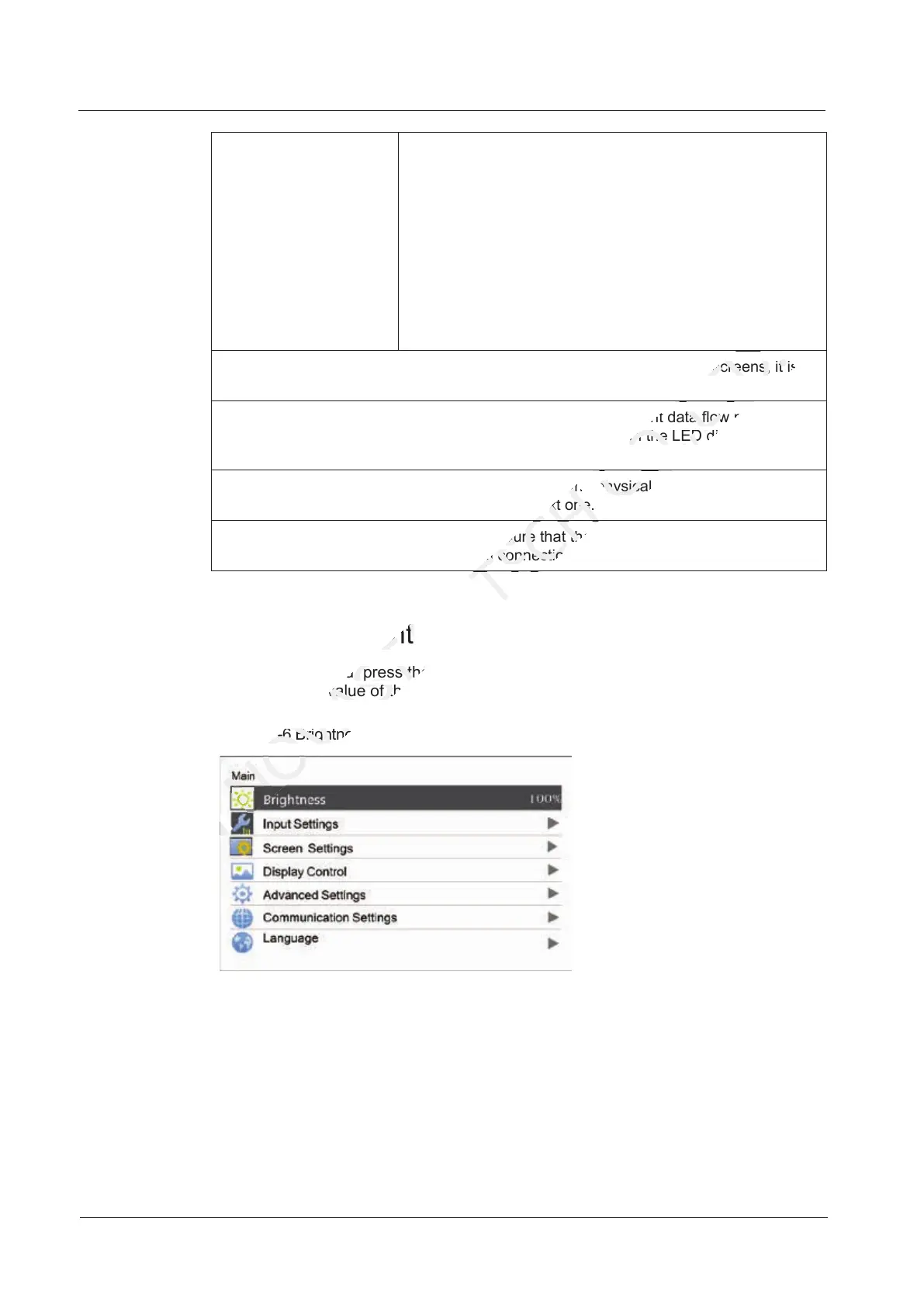
7.2 Brightness Adjustment
On the main menu, press the knob to select Brightness and rotate the knob to adjust
the brightness value of the LED display in real time.
Figure 7-6 Brightness adjustment
7.3 Screen Settings
Configure the LED screen to ensure the screen can display the entire image normally.
Screen settings methods include quick and advanced configurations. There are
constrains on these methods, explained as below.
The two methods cannot be used at the same time.
7.2 Brightness Adjustment
NOVASTAR
7.2 Brightness Adjustment
On the main menu, press the knob to select
NOVASTAR
On the main menu, press the knob to select
the brightness value of the LED display in real time.
NOVASTAR
the brightness value of the LED display in real time.
Figure 7-6 Brightness adjustment
NOVASTAR
Figure 7-6 Brightness adjustment
e). During data flow settings, you must ensure that the Ethernet Port 1 is at the
TECH
e). During data flow settings, you must ensure that the Ethernet Port 1 is at the
beginning position of the whole physical connection.
TECH
beginning position of the whole physical connection.
that the physical connection of each port
TECH
that the physical connection of each port
is along the same direction and downward to next one.
TECH
is along the same direction and downward to next one.
b). If there are irregular cabinets, cabinets of different sizes, or irregular screens, it is
CO.,LTD.
b). If there are irregular cabinets, cabinets of different sizes, or irregular screens, it is
data flow settings, you can view the results of different data flow presets on
CO.,LTD.
data flow settings, you can view the results of different data flow presets on
LED display by rotating the knob. When you are satisfied with the LED display image
CO.,LTD.
LED display by rotating the knob. When you are satisfied with the LED display image
that the physical connection of each port
CO.,LTD.
that the physical connection of each port



 To Next Page