MCTRL4K LED Display Controller
User Manual 7 Menu Operations
www.novastar.tech 23
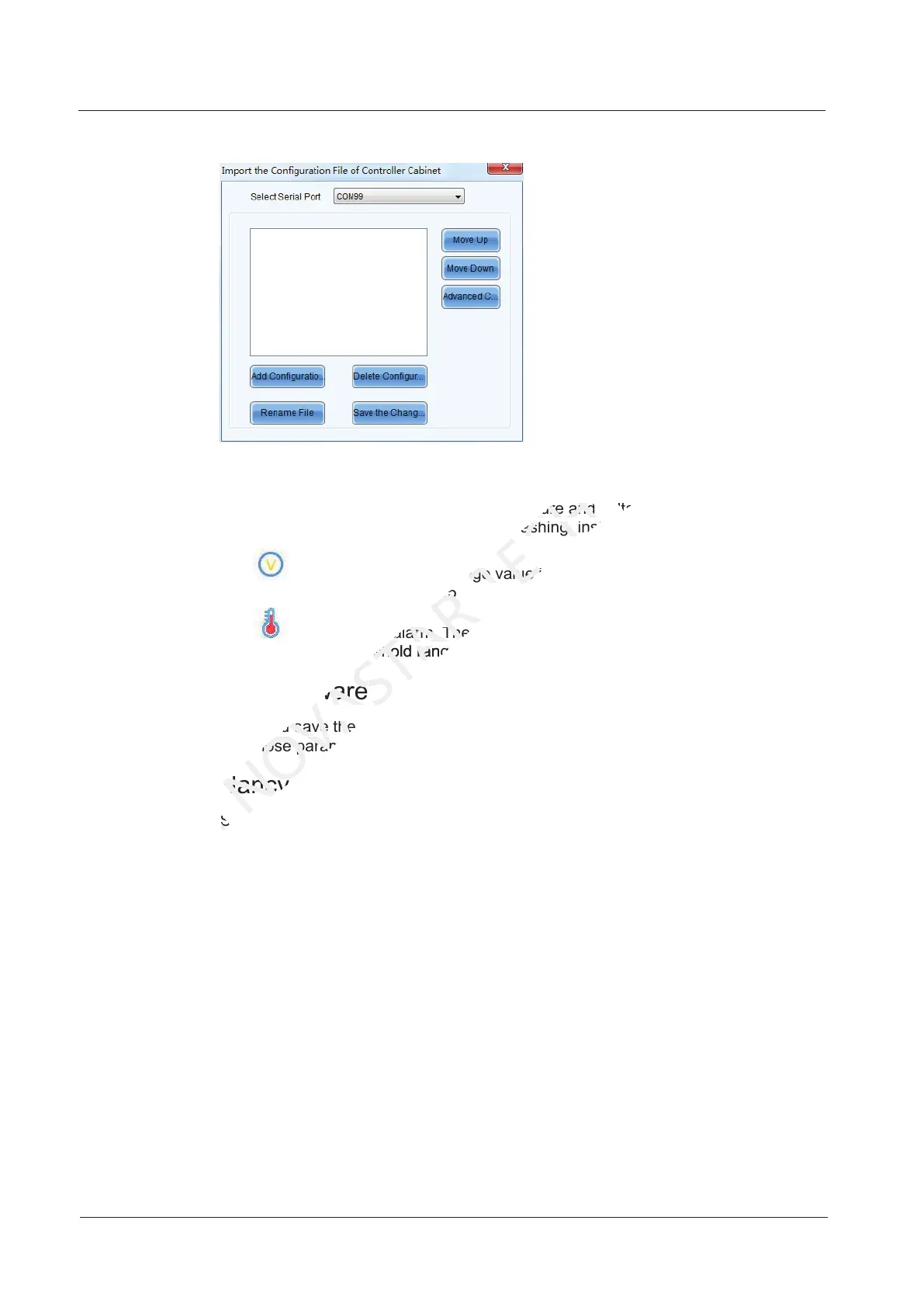
Figure 7-13 Importing cabinet configuration file
7.5.3 Alarm Threshold Settings
Set the alarm thresholds for device temperature and voltage. When a threshold is
exceeded, its corresponding icon will be flashing, instead of displaying the value.
: Voltage alarm. The voltage value is in red and flashing. The voltage
threshold range is 3.5 V–7.5 V.
: Temperature alarm. The temperature value is in red and flashing. The
temperature threshold range is -20°C–85°C.
7.5.4 Saving to Hardware
Send and save the configuration parameters of the controller to the receiving cards
and those parameters will not be lost after the controller is powered off.
7.5.5 Redundancy
Set the controller as the primary or backup device.
If the controller is set as the primary device, the target Ethernet port(s) on the
home screen will be always on.
If the controller is set as the backup device, the target Ethernet port(s) on the
home screen will be always on and a mark is displayed on top corner of the port
icon.
When the primary device fails, the backup device will immediately take over the
work of the primary device, that is, the backup takes effect. After the backup
takes effect, the target Ethernet port icons in the home screen will have marks
on top flashing once every 1 second.
7.5.6 Factory Reset
Reset the controller to factory settings.
7.5.5 Redundancy
XI'AN
7.5.5 Redundancy
Set the controller as the primary or backup device.
XI'AN
Set the controller as the primary or backup device.
: Temperature alarm. The temperature value is in red and flashing. T
NOVASTAR
: Temperature alarm. The temperature value is in red and flashing. T
temperature threshold range
NOVASTAR
temperature threshold range
7.5.4 Saving to Hardware
NOVASTAR
7.5.4 Saving to Hardware
Send and save the configuration parameters of the controller to the receiving cards
NOVASTAR
Send and save the configuration parameters of the controller to the receiving cards
those parameters will not be lost after the controller is powered off.
NOVASTAR
those parameters will not be lost after the controller is powered off.
7.5.5 Redundancy
NOVASTAR
7.5.5 Redundancy
Set the controller as the primary or backup device.
NOVASTAR
Set the controller as the primary or backup device.
Set the alarm thresholds for device temperature and voltage. When a threshold is
TECH
Set the alarm thresholds for device temperature and voltage. When a threshold is
exceeded, its corresponding icon will be flashing, instead of displaying the value.
TECH
exceeded, its corresponding icon will be flashing, instead of displaying the value.
Voltage alarm. The voltage value is in red and flashing. The voltage
TECH
Voltage alarm. The voltage value is in red and flashing. The voltage
Set the alarm thresholds for device temperature and voltage. When a threshold is
CO.,LTD.
Set the alarm thresholds for device temperature and voltage. When a threshold is



 To Next Page