MCTRL4K LED Display Controller
User Manual 7 Menu Operations
www.novastar.tech 22
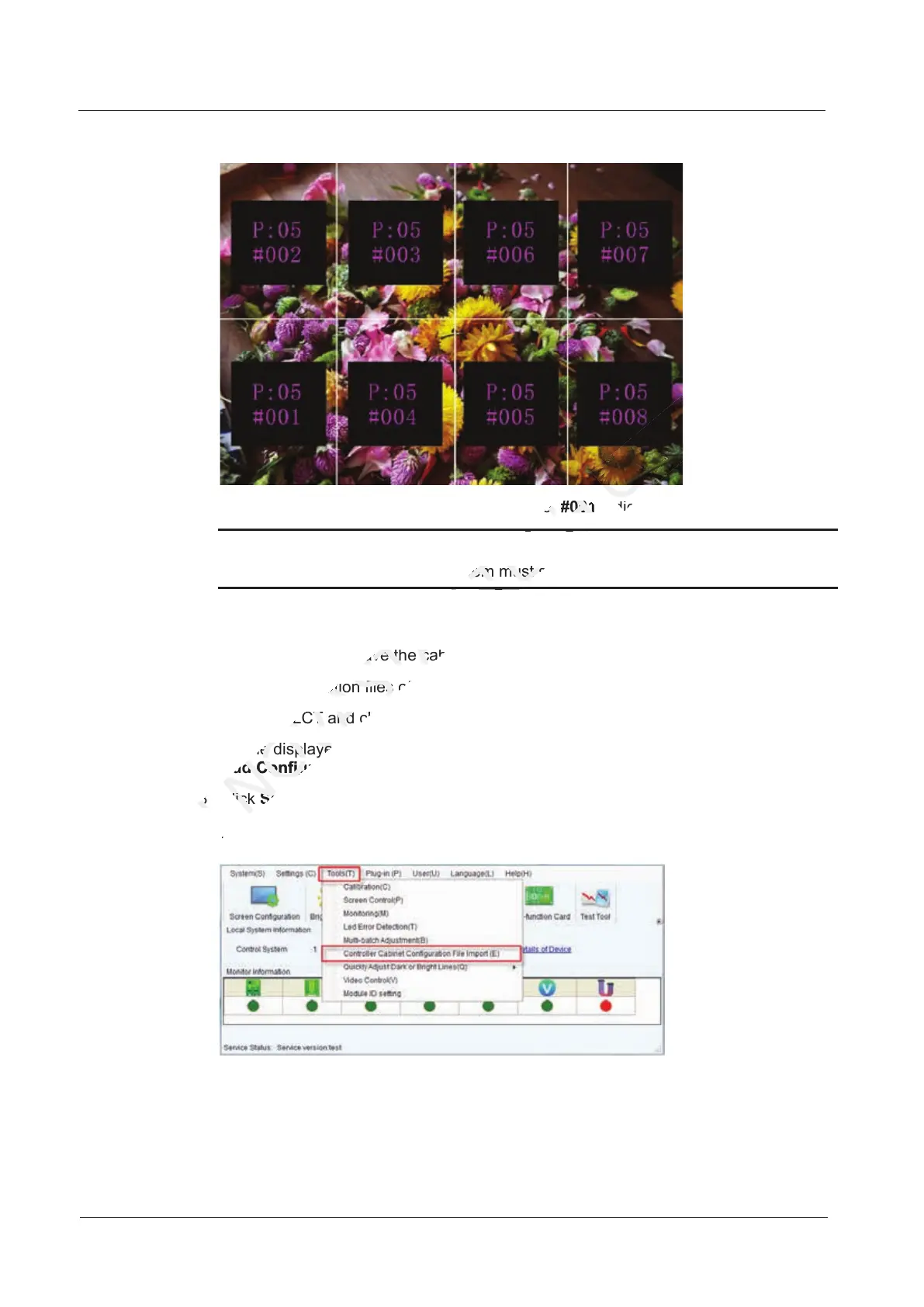
Figure 7-11 Illustration of mapping function
Example: P: 01 indicates the Ethernet port No. #001 indicates the cabinet No.
Notice:
The receiving card used in the system must support Mapping function.
7.5.2 Loading Cabinet Files
Before you begin: Save the cabinet configuration file (*.rcfgx or *.rcfg) to the local PC.
Note: Configuration files of irregular cabinets are not supported.
Step 1 Run NovaLCT and choose Tools > Controller Cabinet Configuration File Import.
Step 2 On the displayed page, select the currently used serial port or Ethernet port, click
Add Configuration File to select and add a cabinet configuration file.
Step 3 Click Save the Change to HW to save the change to the controller.
Figure 7-12 Homepage of NovaLCT
Step 3 Click
XI'AN
Step 3 Click
Before you begin: Save the cabinet configuration file (*.rcfgx or *.rcfg) to the local PC.
NOVASTAR
Before you begin: Save the cabinet configuration file (*.rcfgx or *.rcfg) to the local PC.
Note: Configuration files of irregular cabinets are not supported.
NOVASTAR
Note: Configuration files of irregular cabinets are not supported.
Step 1 Run NovaLCT and choose
NOVASTAR
Step 1 Run NovaLCT and choose
Step 2 On the displayed page, select the curre
NOVASTAR
Step 2 On the displayed page, select the curre
Add Configuration File
NOVASTAR
Add Configuration File
Step 3 Click
NOVASTAR
Step 3 Click
Save the Change to HW
NOVASTAR
Save the Change to HW
indicates the Ethernet port No.
TECH
indicates the Ethernet port No.
indicates the cabinet No.
TECH
indicates the cabinet No.
The receiving card used in the system must support Mapping function.
TECH
The receiving card used in the system must support Mapping function.
indicates the cabinet No.
CO.,LTD.
indicates the cabinet No.



 To Next Page