MCTRL4K LED Display Controller
User Manual 7 Menu Operations
www.novastar.tech 33
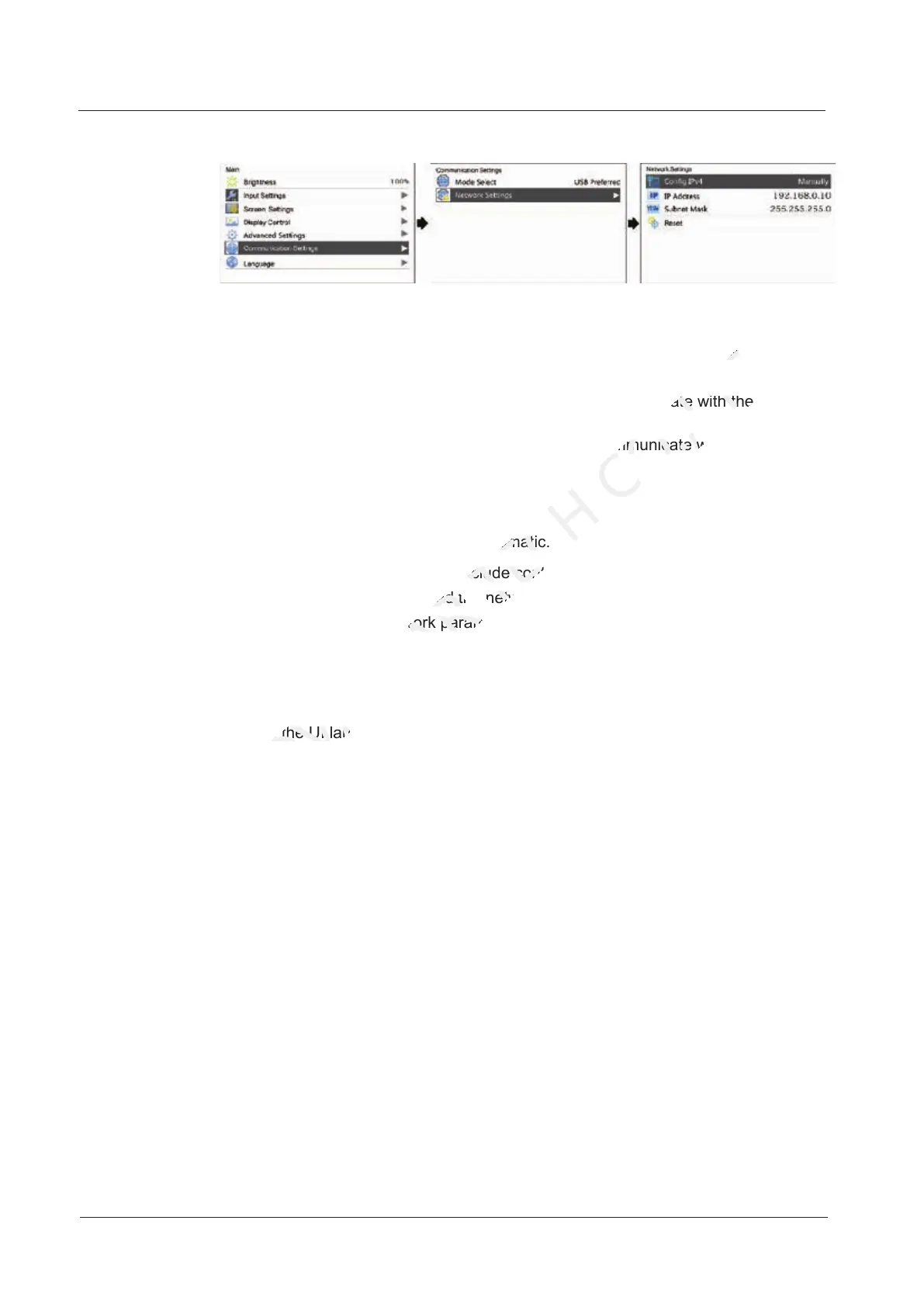
Figure 7-26 Communication settings
Communication Mode
The controller connects to PC via the USB port or ETHERNET port. The
communication modes include USB Preferred and LAN Preferred.
If USB Preferred is selected, the PC prefers to communicate with the controller
via the USB port.
If LAN Preferred is selected, the PC prefers to communicate with the controller
via the ETHERNET port.
Network Settings
Network settings can be manual or automatic.
Manual settings parameters include controller IP address and subnet mask.
Automatic settings can read the network parameters automatically.
Reset: Reset the network parameters to default values.
7.7 Language
Change the UI language of the MCTRL4K unit.
Automatic settings can read the network parameters automatically.
NOVASTAR
Automatic settings can read the network parameters automatically.
Reset: Reset the network parameters to default values.
NOVASTAR
Reset: Reset the network parameters to default values.
Change the UI language of the MCTRL4K unit.
NOVASTAR
Change the UI language of the MCTRL4K unit.
Network settings can be manual or automatic.
TECH
Network settings can be manual or automatic.
Manual settings parameters include controller IP address and subnet mask.
TECH
Manual settings parameters include controller IP address and subnet mask.
Automatic settings can read the network parameters automatically.
TECH
Automatic settings can read the network parameters automatically.
The controller connects to PC via the USB port or ETHERNET port. The
CO.,LTD.
The controller connects to PC via the USB port or ETHERNET port. The
is selected, the PC prefers to communicate with the controller
CO.,LTD.
is selected, the PC prefers to communicate with the controller
is selected, the PC prefers to communicate with the controller
CO.,LTD.
is selected, the PC prefers to communicate with the controller



 To Next Page