MCTRL4K LED Display Controller
User Manual 8 Operations on PC
www.novastar.tech 37
When the low latency function is enabled, the offset of image cannot exceed the
size of input source.
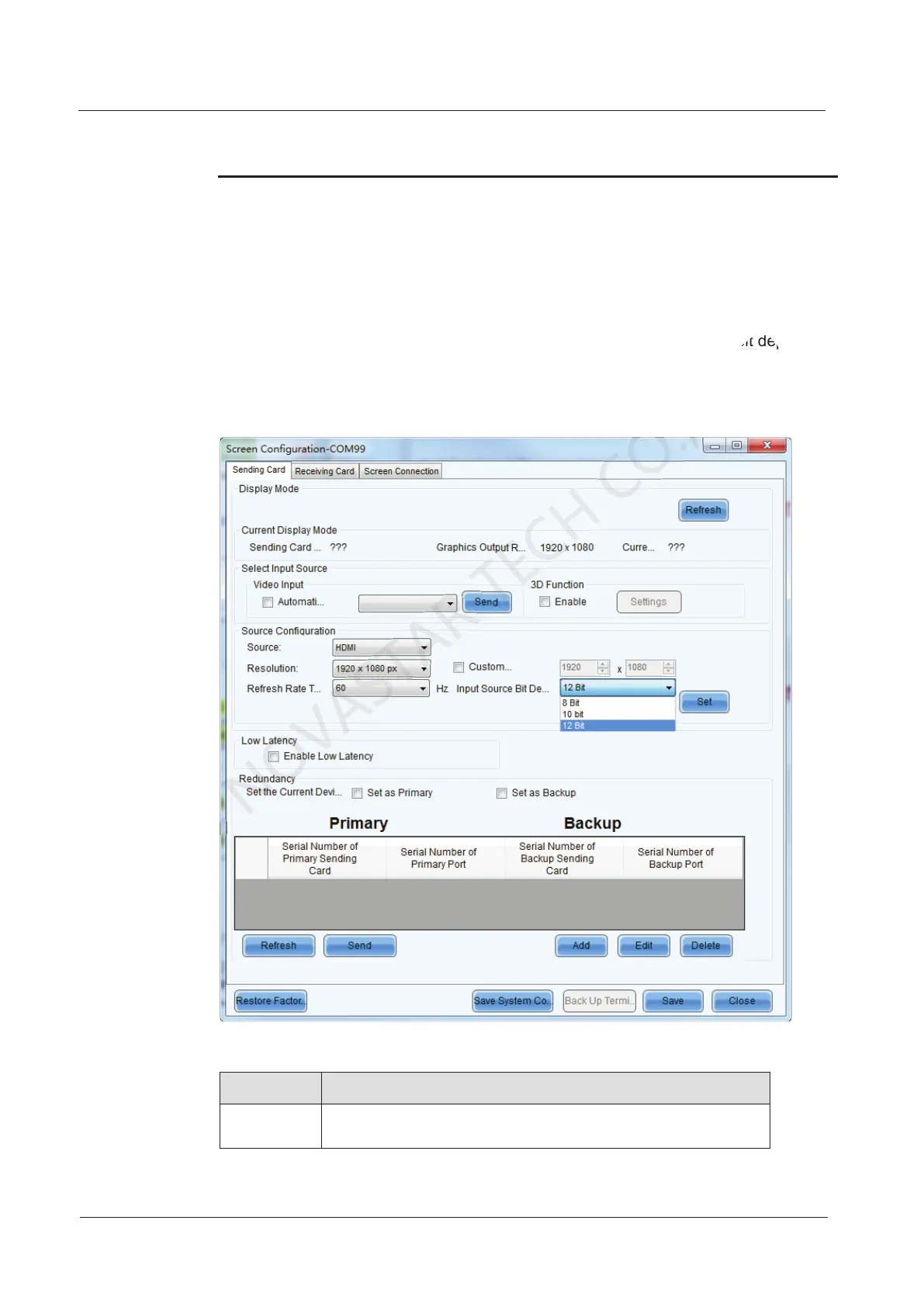
8.3 Input Source Bit Depth
Set the bit depth of input source, including 8-bit, 10-bit and 12-bit.
Step 1 Run NovaLCT and choose Screen Configuration > Sending Card.
Step 2 Click the drop-down box next to Input Source Bit Depth and choose a bit depth.
Step 3 Click Save System Configuration File and Save.
Figure 8-4 Input source bit depth
Table 8-1 Input source bit depth adjustment
Bit Depth Description
8 bit The loading capacity of the MCTRL4K will not be reduced.
and choose a bit depth.
CO.,LTD.
and choose a bit depth.



 To Next Page