MCTRL4K LED Display Controller
User Manual 7 Menu Operations
www.novastar.tech 14
7 Menu Operations
The MCTRL4K is powerful and easy to use. You can quickly configure the LED
screen to light it up and display the entire input source following steps in 7.1 Quick
Screen Configuration. With other menu settings, you can further improve the LED
screen display effect.
7.1 Quick Screen Configuration
7.1.1 Step 1 Setting Input Mode
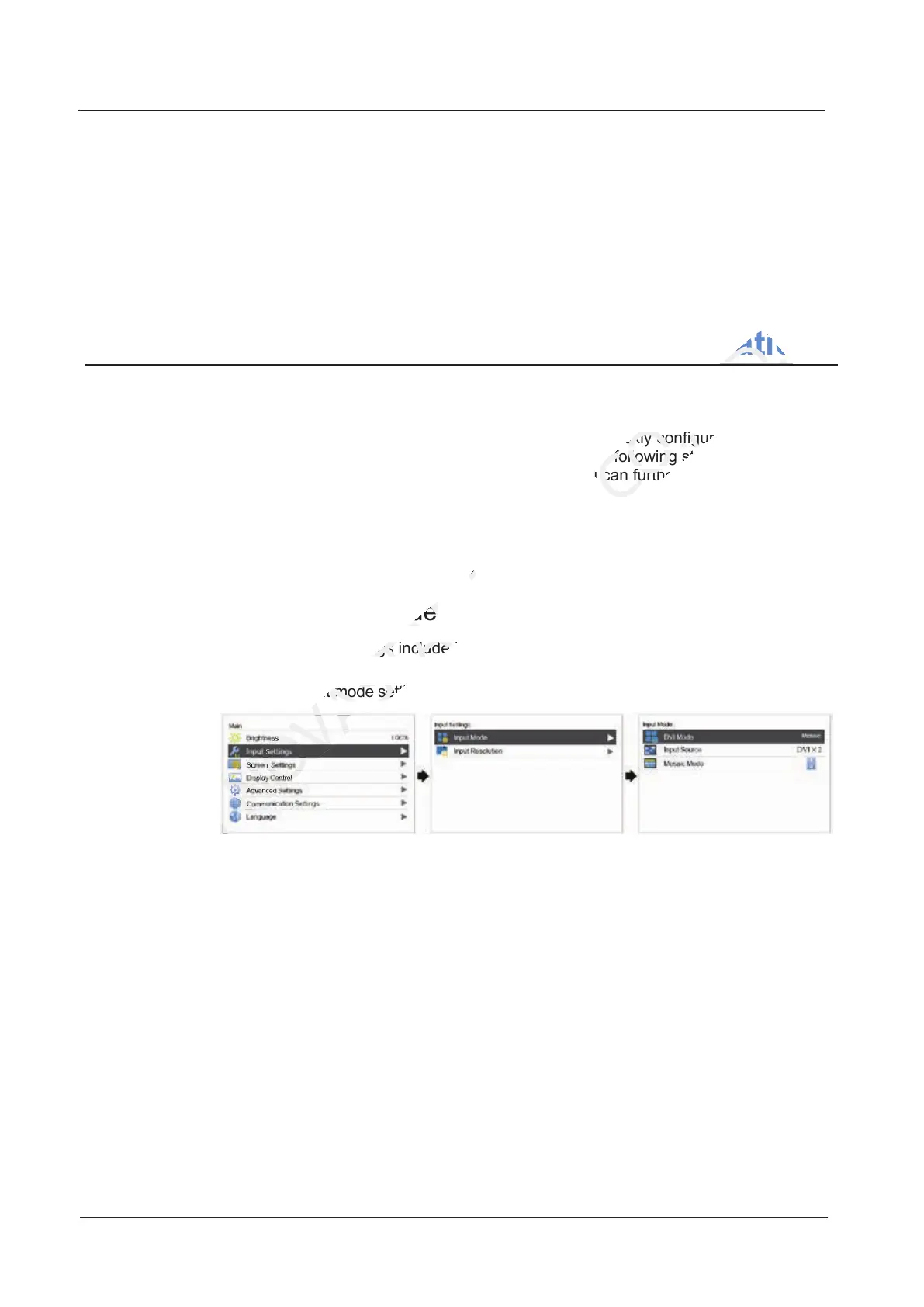
The input mode settings include DVI mode, input source and mosaic mode settings.
Figure 7-1 Input mode settings
In mosaic mode, the input source can be Auto, DP, HDMI or DVI×2.
− When the input source is Auto, the device will detect the inputs
automatically in the order of DP > HDMI > DVI.
− In this mosaic mode, you can set the DVI mosaic mode. The mosaic mode
can be "top and bottom" or "side by side".
In multi-card mode, the input sources can be DVI 1 and DVI 2.
− The MCTRL4K works as two independent sending cards and the loading
capacity of each card is up to 3840×1080@60Hz. The images of both DVI 1
and DVI 2 input sources can be displayed on LED display simultaneously,
but they cannot be set at the same time.
− The DVI 1 corresponds to Ethernet ports 1–8 or OPT1, and DVI 2
corresponds to Ethernet ports 9–16 or OPT2.
7.1.1 Step 1 Setting Input Mode
NOVASTAR
7.1.1 Step 1 Setting Input Mode
The input mode settings include DVI mode, input source and mosaic mode settings.
NOVASTAR
The input mode settings include DVI mode, input source and mosaic mode settings.
Figure 7-1 Input mode settings
NOVASTAR
Figure 7-1 Input mode settings
7.1 Quick Screen Configuration
TECH
7.1 Quick Screen Configuration
Menu Operations
CO.,LTD.
Menu Operations
The MCTRL4K is powerful and easy to use. You can quickly configure the LED
CO.,LTD.
The MCTRL4K is powerful and easy to use. You can quickly configure the LED
screen to light it up and display the entire input source following steps in
CO.,LTD.
screen to light it up and display the entire input source following steps in
. With other menu settings, you can further improve the LED
CO.,LTD.
. With other menu settings, you can further improve the LED



 To Next Page