MCTRL4K LED Display Controller
User Manual 8 Operations on PC
www.novastar.tech 35
Note:
When the bit depth of input source is 8-bit, the individual Gamma adjustment for RGB
is realized by AXs (V4.6.0.0) series receiving cards.
8.2 Low Latency
The MCTRL4K supports a low latency of less than 1 ms (when the start position of
image is 0). Low latency is used to reduce the time delay between the input of video
signal to the controller and the corresponding output. To use the low latency function,
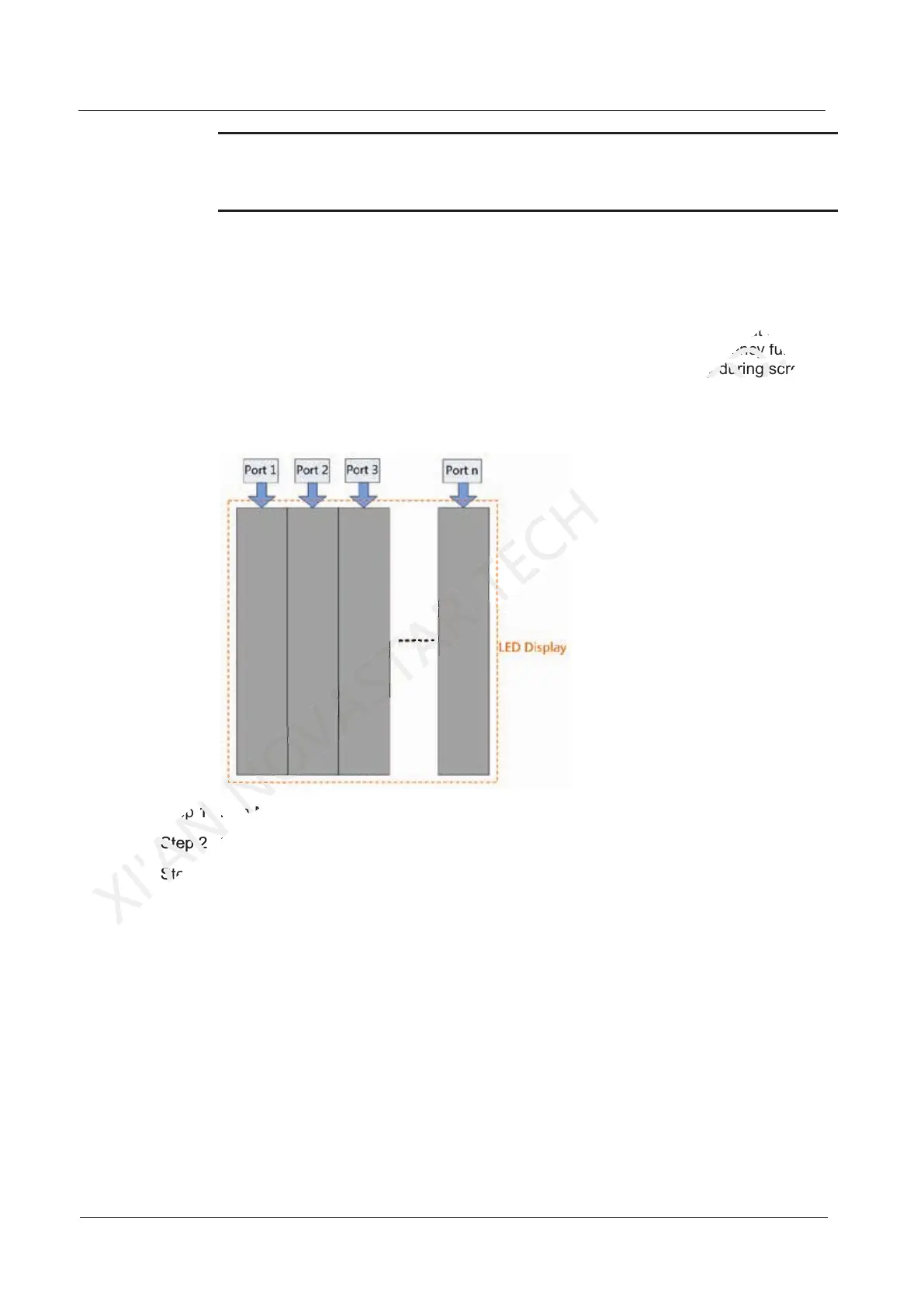
you must ensure that each Ethernet port loads the cabinets vertically during screen
configuration, as shown in Figure 8-2.
Figure 8-2 Loading vertically
Step 1 Run NovaLCT, choose Screen Configuration and enter the Sending Card tab page.
Step 2 Select Enable Low Latency.
Step 3 Click Save System Configuration File and Save.
Step 1 Run NovaLCT, choose
XI'AN
Step 1 Run NovaLCT, choose
Step 2 Select
XI'AN
Step 2 Select
Step 3 Click
XI'AN
Step 3 Click
Step 1 Run NovaLCT, choose
NOVASTAR
Step 1 Run NovaLCT, choose
image is 0). Low latency is used to reduce the time delay between the input of video
CO.,LTD.
image is 0). Low latency is used to reduce the time delay between the input of video
use the low latency function,
CO.,LTD.
use the low latency function,
you must ensure that each Ethernet port loads the cabinets vertically during screen
CO.,LTD.
you must ensure that each Ethernet port loads the cabinets vertically during screen



 To Next Page