MCTRL4K LED Display Controller
User Manual 8 Operations on PC
www.novastar.tech 39
8.4.2 Operations
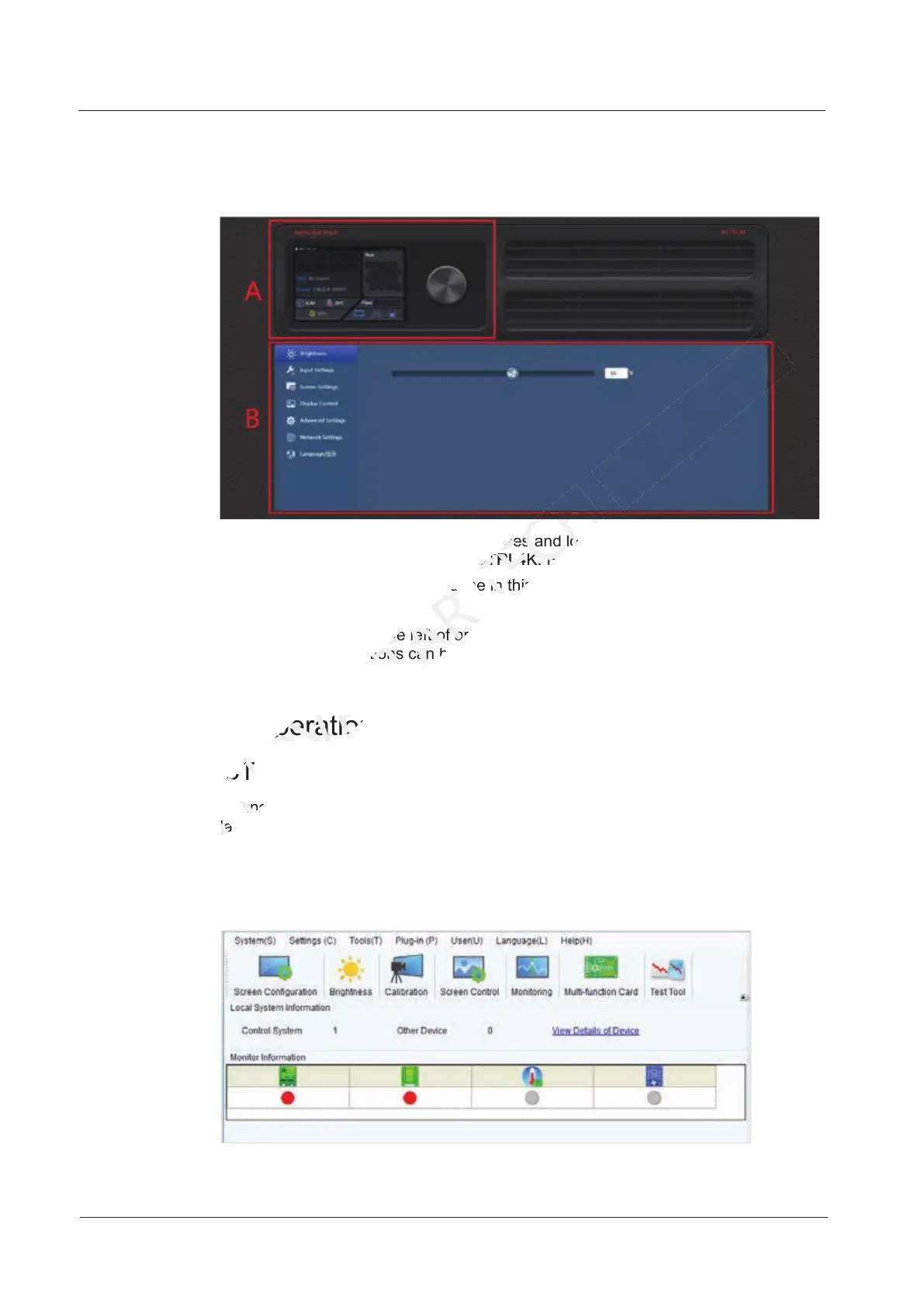
Figure 8-6 Web control page
Area A: Hardware connection statuses and loading capacities of the input, output
and other connectors on the MCTRL4K. For details, see chapter 6 Home Screen.
Area B: Operations can be done in this area. For details, see chapter 7 Menu
Operations.
Click the menu bar on the left of area B to select the option to be adjusted, and the
corresponding operations can be done on the right.
8.5 Software Operations on PC
8.5.1 NovaLCT
Connect the MCTRL4K to the control computer installed with NovaLCT (V5.2.0 or
later) with USB cable to perform screen configuration, brightness adjustment,
calibration, display control, monitoring, etc. For details on their operations, see
NovaLCT LED Configuration Tool for Synchronous System User Guide.
Figure 8-7 User interface of NovaLCT
later) with USB cable to perform screen configuration, brightness adjustment,
XI'AN
later) with USB cable to perform screen configuration, brightness adjustment,
Area B: Operations can be done in this area. For details, see chapter
NOVASTAR
Area B: Operations can be done in this area. For details, see chapter
Click the menu bar on the left of area B to select the option to be adjusted, and t
NOVASTAR
Click the menu bar on the left of area B to select the option to be adjusted, and t
corresponding operations can be done on the right.
NOVASTAR
corresponding operations can be done on the right.
8.5 Software Operations on PC
NOVASTAR
8.5 Software Operations on PC
8.5.1 NovaLCT
NOVASTAR
8.5.1 NovaLCT
Connect the MCTRL
NOVASTAR
Connect the MCTRL
Area A: Hardware connection statuses and loading capacities of the input, output
TECH
Area A: Hardware connection statuses and loading capacities of the input, output
and other connectors on the MCTRL4K. For details, see chapter
TECH
and other connectors on the MCTRL4K. For details, see chapter
Area B: Operations can be done in this area. For details, see chapter
TECH
Area B: Operations can be done in this area. For details, see chapter



 To Next Page