MCTRL4K LED Display Controller
User Manual 6 Home Screen
www.novastar.tech 13
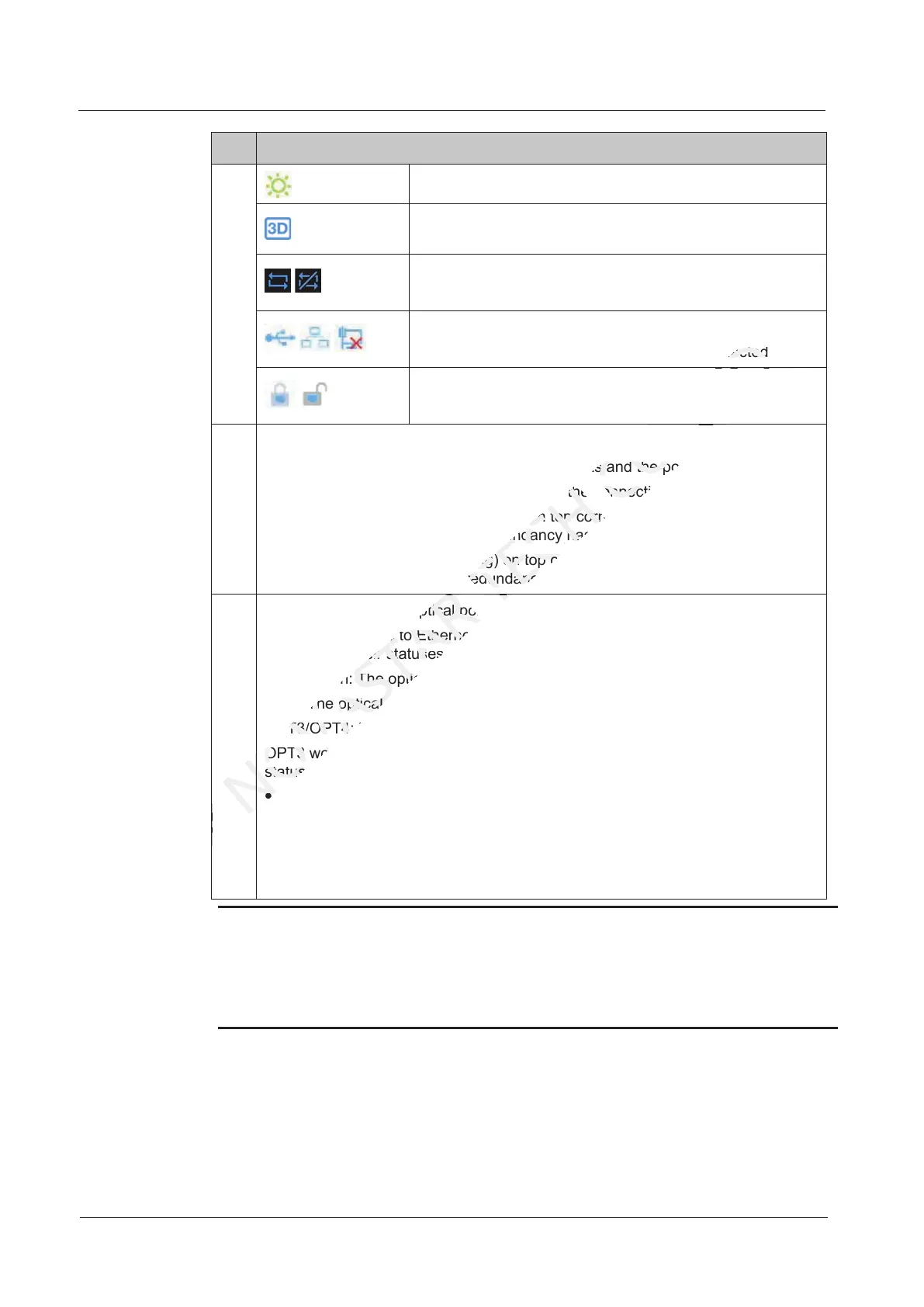
No. Description
Brightness of LED display
3D function is enabled (This icon is not displayed when
the function is disabled).
/
Status of DVI1 and DVI2 sources:
In sync/Not in sync
/ /
Status of the control port:
USB connected/Ethernet connected/Not connected
/
Stutus of buttons on the front panel:
Locked/Unlocked
E
Ethernet port connection status
Always on: The Ethernet port connection works and the port serves as master.
Off: The Ethernet port is not connected or the connection does not work.
Always on and a mark (not flashing) on top corner of icon: The Ethernet port is
in redundancy status, but the redundancy has not taken effect.
Always on and a mark (flashing) on top corner of icon: The Ethernet port is in
redundancy status and the redundancy has taken effect.
F OPT1/OPT2: Master optical ports
OPT1 corresponds to Ethernet ports 1–8 and OPT2 corresponds to Ethernet
ports 9–16. Their statuses are as below.
Always on: The optical port connection works and the port serves as master.
Off: The optical port is not connected or the connection does not work.
OPT3/OPT4: Backup optical ports
OPT3 works as the backup of OPT1, and OPT4 as the backup of OPT2. Their
statuses are as below.
Off: The optical port is not connected or the connection does not work.
Always on: The optical port connection works, but the redundancy has not
taken effect.
Always on and a mark on top-right corner of icon: The optical port connection
works and the redundancy has taken effect.
Note:
When the home screen is locked, any button operations will be disabled and an icon
will appear indicating that the device is locked.
To perform operations on the home screen, hold down the knob and BACK button for
5 seconds or longer at the same time to unlock the buttons.
OPT1/OPT2: Master optical ports
NOVASTAR
OPT1/OPT2: Master optical ports
corresponds to Ethernet ports
NOVASTAR
corresponds to Ethernet ports
. Their status
NOVASTAR
. Their status
Always on: The
NOVASTAR
Always on: The
Off: The
NOVASTAR
Off: The
port is not connected or the connection does not work.
NOVASTAR
port is not connected or the connection does not work.
OPT3/OPT4
NOVASTAR
OPT3/OPT4
: Backup optical ports
NOVASTAR
: Backup optical ports
OPT3 works as the backup of OPT1, and OPT4 as the backup of OPT2. Their
NOVASTAR
OPT3 works as the backup of OPT1, and OPT4 as the backup of OPT2. Their
statuses are
NOVASTAR
statuses are
Off: The
NOVASTAR
Off: The
redundancy status and the redundancy has taken ef
NOVASTAR
redundancy status and the redundancy has taken ef
OPT1/OPT2: Master optical ports
TECH
OPT1/OPT2: Master optical ports
Off: The Ethernet port is not connected or the connection does not work.
TECH
Off: The Ethernet port is not connected or the connection does not work.
mark (not flashing) on top corner of icon: The Ethernet port is
TECH
mark (not flashing) on top corner of icon: The Ethernet port is
in redundancy status, but the redundancy has not taken effect.
TECH
in redundancy status, but the redundancy has not taken effect.
mark (flashing) on top corner of icon: The Ethernet port is in
TECH
mark (flashing) on top corner of icon: The Ethernet port is in
redundancy status and the redundancy has taken ef
TECH
redundancy status and the redundancy has taken ef
connected
CO.,LTD.
connected
connection works and the port serves as master.
CO.,LTD.
connection works and the port serves as master.
Off: The Ethernet port is not connected or the connection does not work.
CO.,LTD.
Off: The Ethernet port is not connected or the connection does not work.



 To Next Page