Chapter 2 Installation of OEM7 Family Receiver Cards
OEM7 Installation and Operation User Manual v1 35
3.
INTERFACEMODE USB2 NOVATEL NOVATEL
4.
INTERFACEMODE USB3 NOVATEL NOVATEL
5.
SAVECONFIG (optional)
To enable EVENT1, issue the following commands:
1.
INTERFACEMODE COM3 NONE NONE
2.
MARKCONTROL MARK1 ENABLE
3.
SAVECONFIG (optional)
OEM729 RS-422 Port
On the OEM729 card, COM1 can be configured as either RS-232 (optionally with hardware flow
control, if the cable used supports it) or RS-422 (with no hardware flow control), by setting pin 2
of P1802 (USER1) LOW or HIGH respectively at boot time.
The OEM729 receiver samples pin 2 during the boot sequence to determine the mode for
COM1.
By default, RS-232 is selected since the pin 2 input, if open, is pulled LOW by an internal pull
down resistor.
To select RS-422, pull pin 2 of P1802 to 3.3 VDC during start-up.
Do not apply 3.3 VDC directly to pin 2. NovAtel recommends using a 1 kΩ resistor to pull
pin 2 high.
See OEM729 Interface Connectors on page142 for pin-out details for COM1 RS-232 and RS-422
configurations.
OEM729 Multiplexed Port
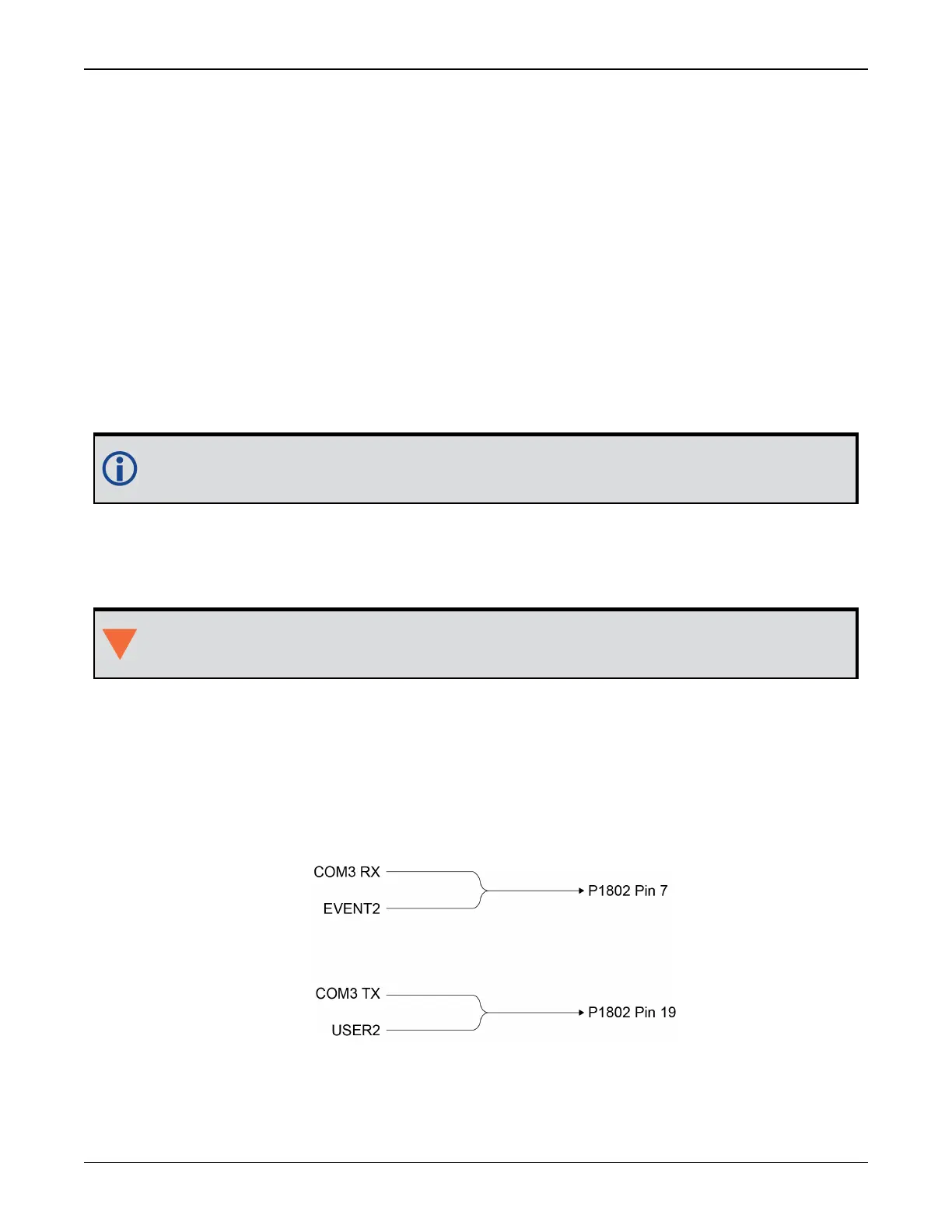
A third serial port, COM3, is also available on pin 7 (RXD) and pin 19 (TXD). By default, COM3 is
enabled. COM3 is multiplexed with both EVENT2 and USER0.
Figure 13: OEM729 COM3 Multiplexed with EVENT2 and USERGPIO
To enable COM3:



 To Next Page