and RAID level.
Advanced Mode: configure all settings manually: network, license,
camera, Date/Time, upgrade notification, and RAID level
“Add license” function is supported in v1.0.0.20 and later version.
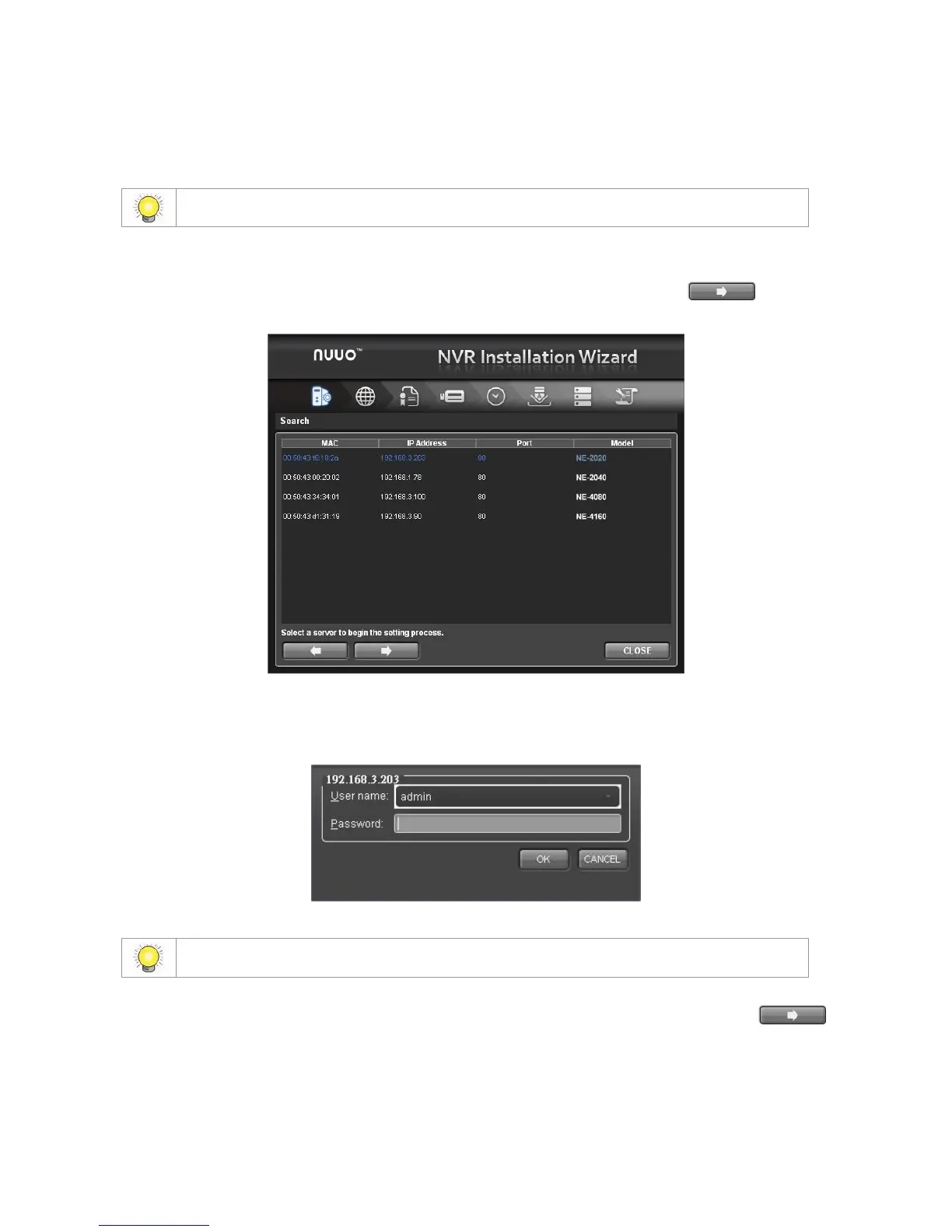
4. The Installation Wizard program starts searching for all the units on the
internet currently. Choose one of them, and then click the button.
5. Type in the password, and then click the OK button.
The default Administrator password is “admin”.
6. Name this server and select the network type, and then click the
button.



 To Next Page