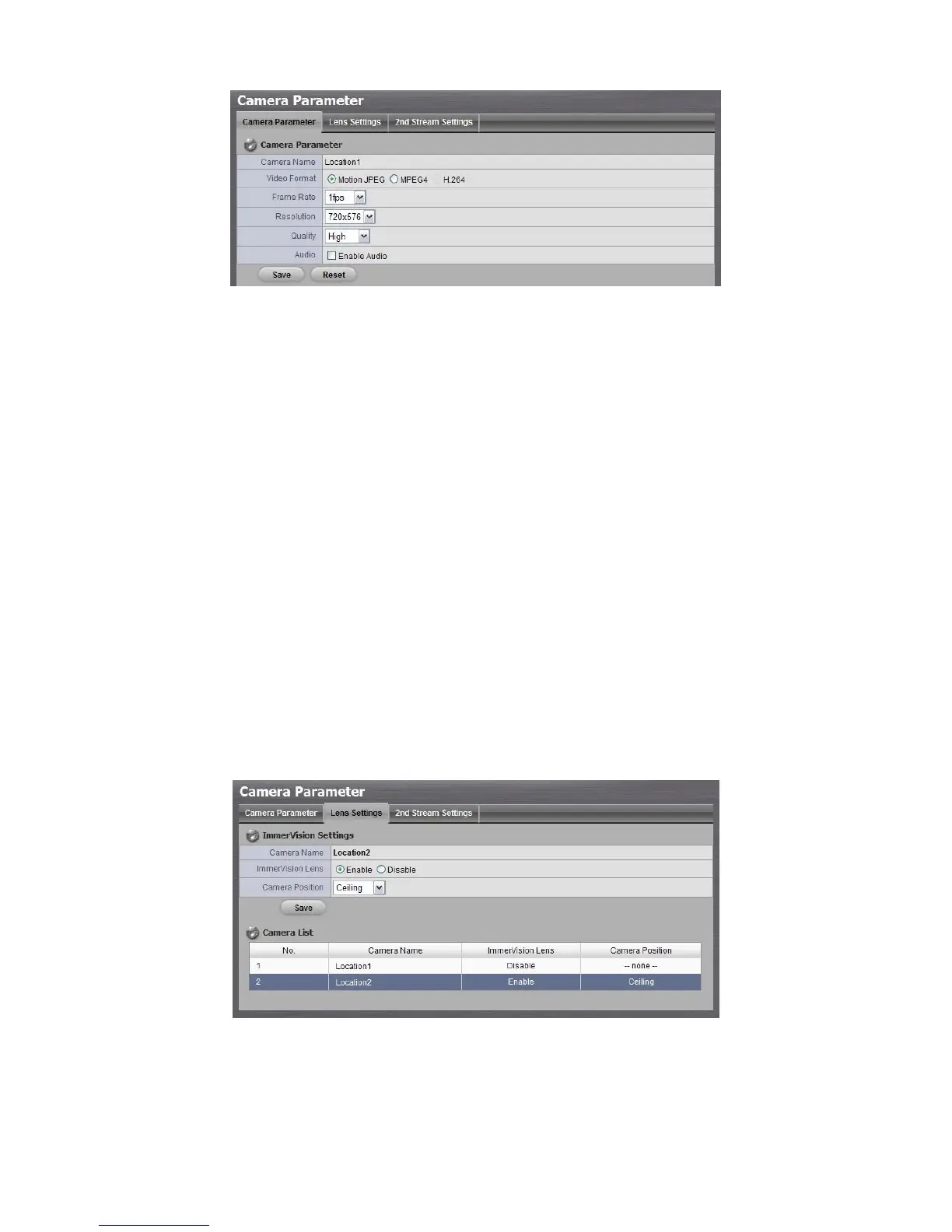
Camera Name: The name of the camera.
Video Format: Choose the type of format which this camera supports.
Frame rate: Select the frame rate of the camera.
Resolution: Select the resolution of the camera.
Quality: Select the image quality of the camera.
Audio: Check the Enable Audio option to view and enable audio
recording.
2.1.5 Set up Lens Settings
1. Open Internet Explorer and log in to the unit.
2. Click IP Camera / Camera Parameters.
3. Click the Lens Settings tab.
4. Click the camera which you want to modify in the camera list.
5. Modify the information of this camera.
6. Click the Save button.
Camera Name: The name of the camera.
ImmerVision Lens: Enable the option if ImmerVision lens is installed.
Camera Position: Select the position of the camera.



 To Next Page