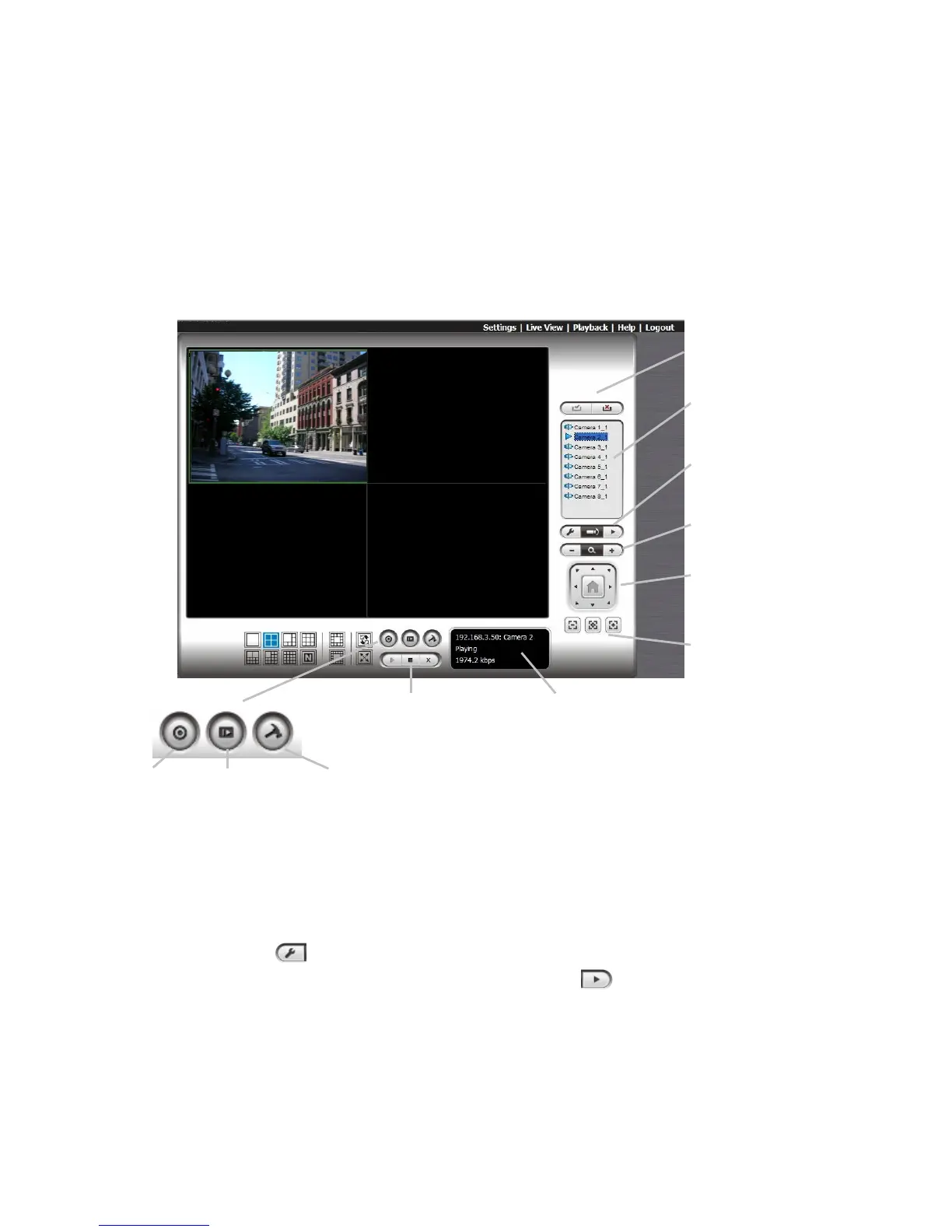
5. Live view
There are two ways to execute the live view function: with Internet Explorer or
with the Remote Live Viewer application.
5.1 Internet Explorer
5.1.1 Live View Control Panel
PTZ Camera Control: You may control the camera view by using the
PTZ camera control panel to adjust the camera’s view. This is only
available with cameras that support the PTZ function.
Set Preset Point / Go to Preset Point: Adjust the camera view and
click the button to set up this view as preset point. Repeat the
process to add more preset points. Click the button to see the preset
view.
Zoom: Click the + or – button to zoom in or zoom out the view.
Play / Stop / Drop: Select a camera / video and click this button to
play/stop/disconnect a particular channel.
Information Display Window: Display video information including



 To Next Page