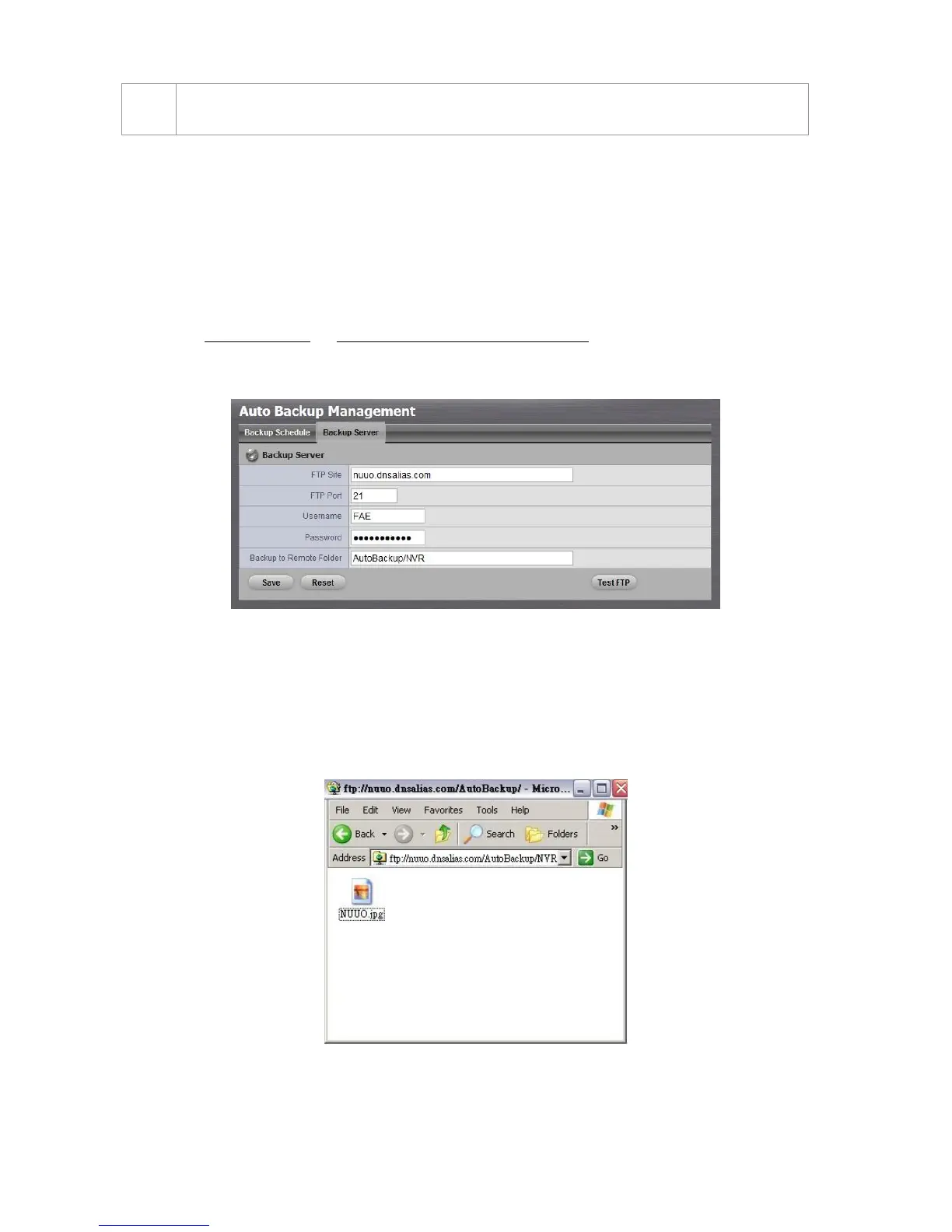
2.4.2 Set up Backup Server
1. Open Internet Explorer and log in to the unit.
2. Click RAID & File System / Auto Backup Management.
3. Click the Backup Server tab.
4. Set up the FTP server and create a folder for backup files. The folder format
is “FolderName”, “FolderName/SubFolderName”, and so on.
For example: AutoBackup/NVR
5. After setting up all the information, click the Test FTP button and the
system will create a folder to FTP. Check it after testing. In this case, the
route of the tested file will be:
ftp://nuuo.dnsalias.com/AutoBackup/NVR/NVRmini2_ComputerNa
me
6. Click the Save button.



 To Next Page