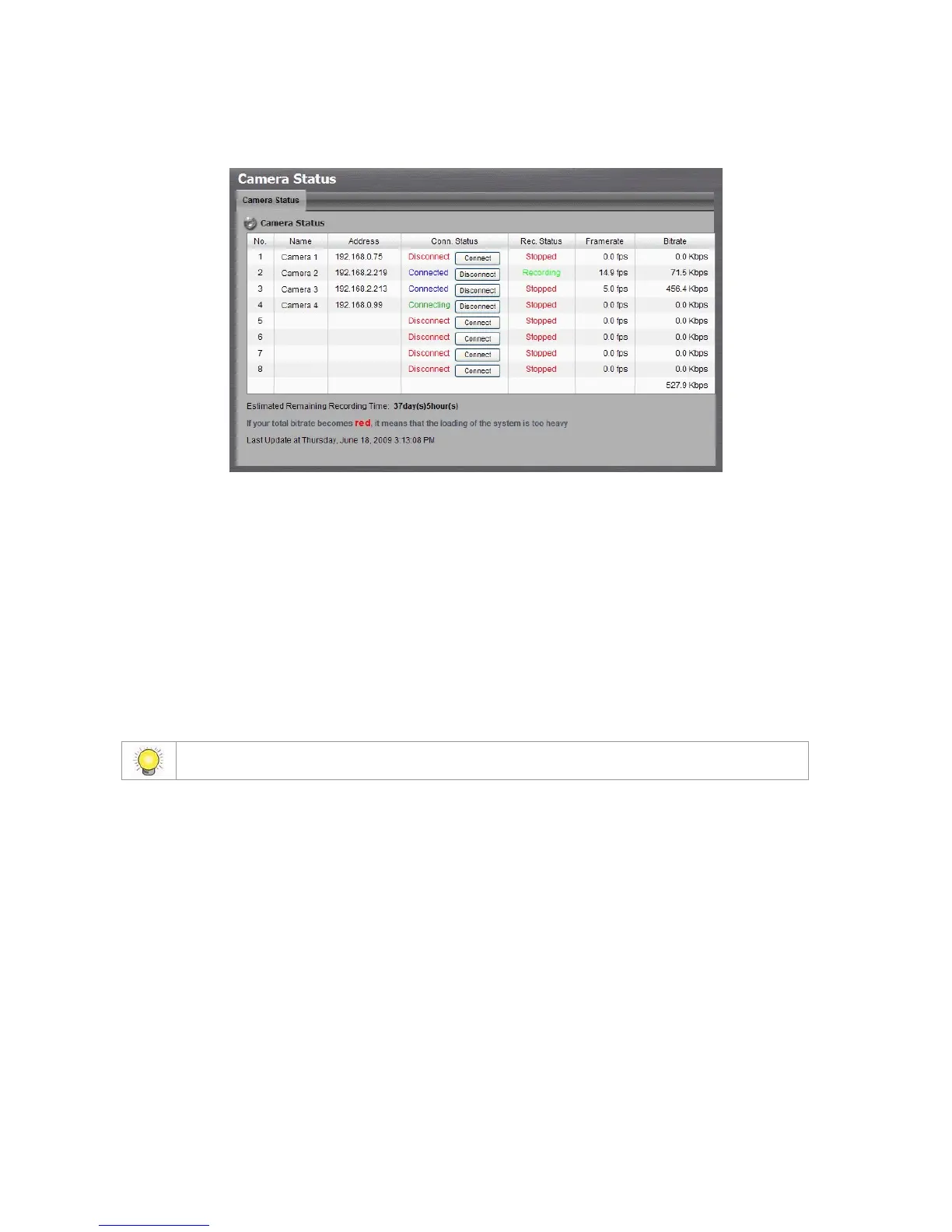
1. Open Internet Explorer and log in to the unit.
2. Click IP Camera / Camera Status.
Conn. Status: The status of the connection. Click the Connect or
Disconnect button to change the connection status.
Rec. Status: The set recording schedule of this camera in this time.
Framerate: The frame rate of this camera.
Bitrate: The transmission bit rate of this camera.
Estimated Remaining Recording Time: Estimated remaining
recording time is dividing the current free capacity by dynamic total
bitrate.
2.2 Recording & Event Setup
2.2.1 Recording Mode Setup
1. Open Internet Explorer and log in to the unit.
2. Click Recording & Event / Recording settings.
3. Click the Recording Mode tab.
4. If selecting Always Recording, the chosen cameras will begin to record
immediately.



 To Next Page