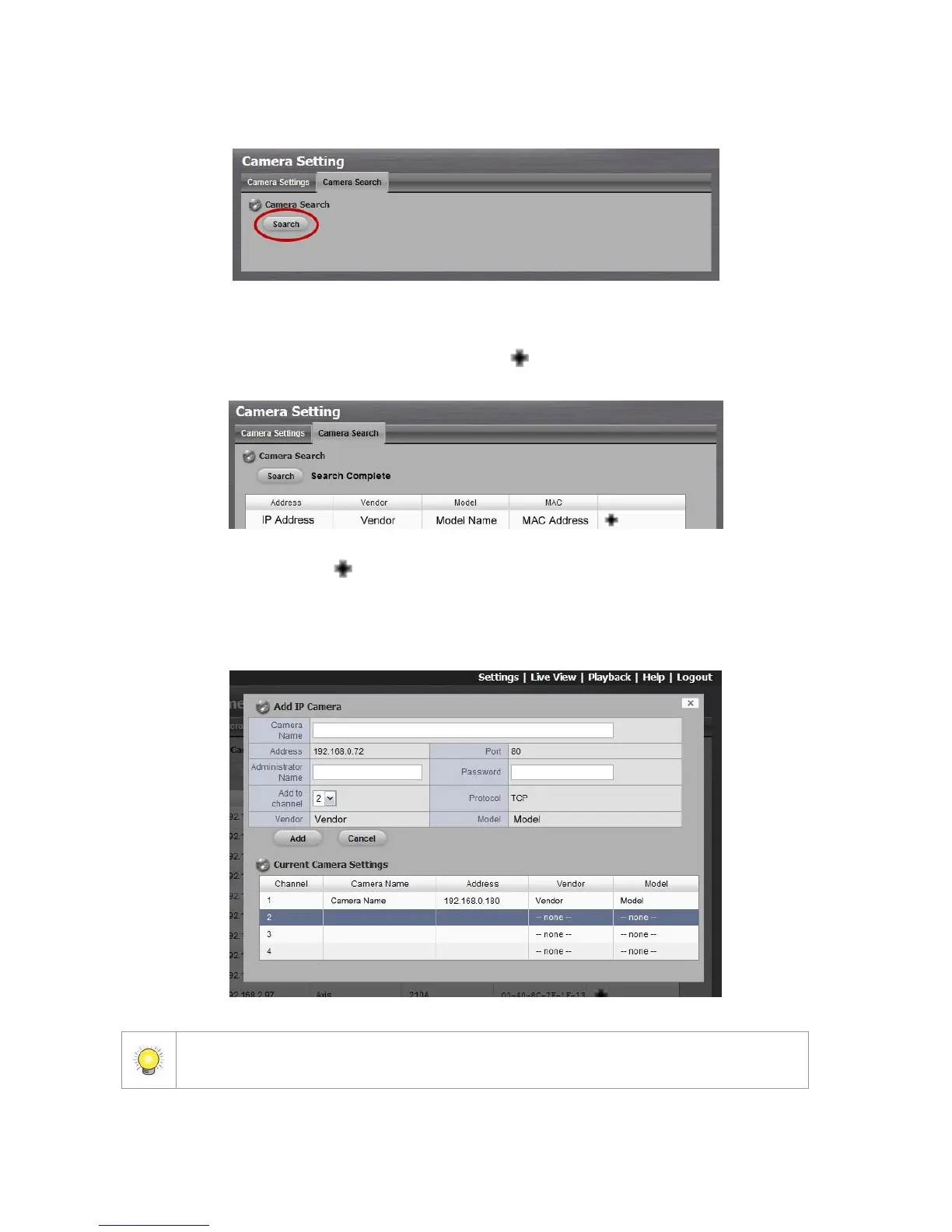
4. Click the Search button.
5. The system will list all the currently available cameras. The inserted
cameras are shown in blue. Click the icon to add a camera into your
camera list.
6. After clicking the icon, the camera setting page will pop up. Click the
item to which you want to add a camera.
7. Insert the camera name, user name, and password.
To have better compatibility between camera and system, please make sure the
privilege of camera credential is admin-level.



 To Next Page