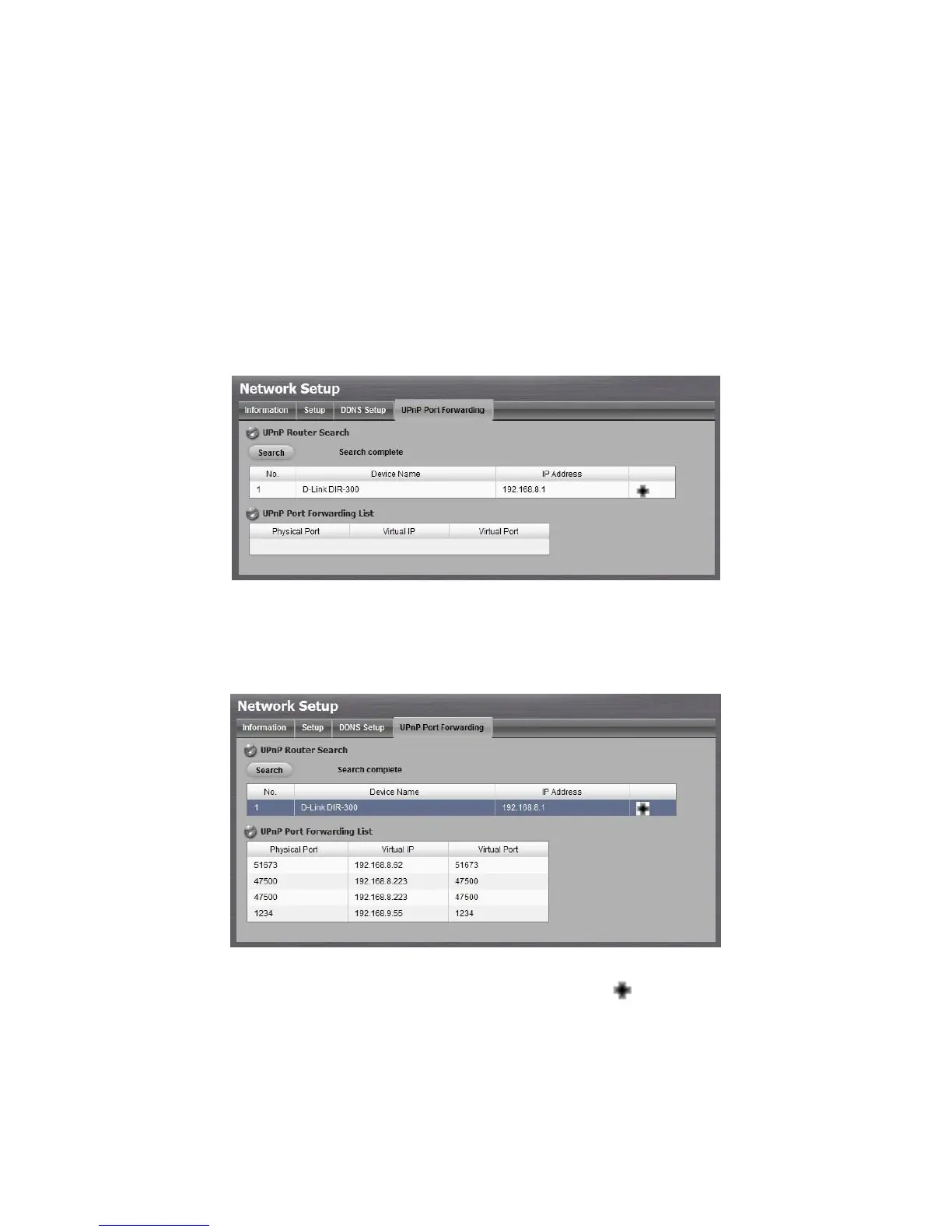
This function is designed for saving time in port configuration on router if users
want to access the unit (in LAN) from WAN. Once enabling UPnP Service on
router, users can do port-forwarding for setting page (default: 80), liveview
(default: 5150), playback (default: 5160), and CMS (default: 5170)
automatically.
1. Open Internet Explorer and log in to the unit.
2. Click Network Setup / Network Setup.
3. Click the UPnP Port-Forwarding tab.
4. Click the Search button, and the searched routers will be listed.
5. Select the searched router, and all UPnP ports configured on this router will
show under the UPnP Port Forwarding List.
6. After selecting one of searched routers, click the icon to set up
port-forwarding to this router automatically. You will find ports of setting,
liveview, playback and CMS are listed.



 To Next Page