OJMAR 32
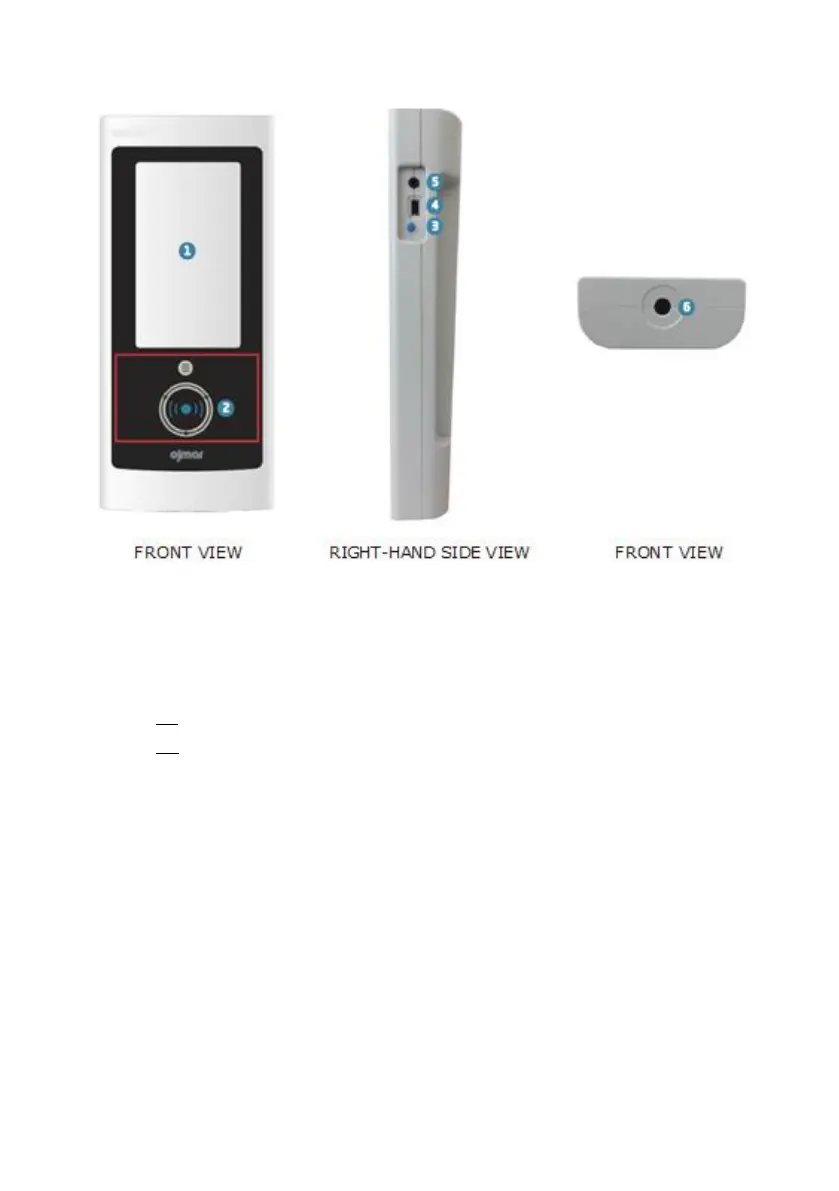
1. Touch screen.
2. Key reading zone: The keys must be placed in this zone so they can be
read/recorded by the programmer.
3. Screen On/Off.
On: Press the button quickly (a beep will be heard).
Off: Keep the button pressed down for 4 seconds.
4. PC Connection: USB socket used to connect the programmer to the Computer
to download data collected by it.
NOTE: A USB cable is supplied with the programmer.
5. Jack Connection.
6. NFC Reader: Allows for the programmer to connect to the lock. To do so:
Bring the programmer reader towards the knob of the lock and press it
inwards.



 To Next Page