4_OTS MANAGEMENT SOFTWARE OJMAR 87
Closing: The locker may be opened but not closed as of the expiry
date/time.
Opening and closing: The locker may be neither opened nor closed as of
the expiry date/time.
8. Time zones: This allows for up to a total of 5 time zones per key to be defined
(See Section 4.10).
NOTE: The time restriction will only apply to Free locks that may have the
multifunction key assigned.
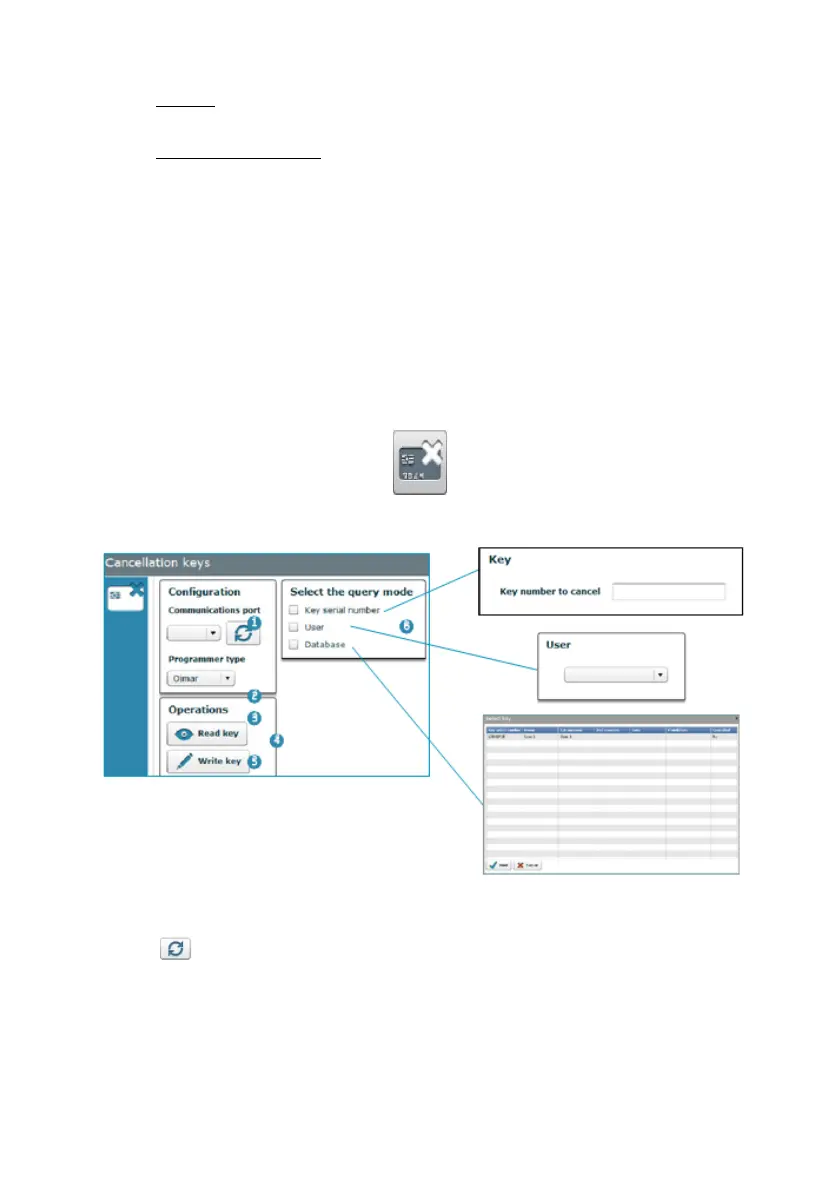
4.13 CANCELLATION KEYS
Access this screen via the “Keys / Cancellation keys" menu or by clicking on the
following button on the main screen:
The main cancellation keys screen displays the following information:
1. Configuration: This displays the configuration defined in Section 4.15 or
establishes a new connection with the programmer by clicking on the following
icon (See Section 4.16).
2. Read key: This allows for the key to be read, displaying its contents on the
screen.
3. Write key: Records the value selected in Point (6) on the key.



 To Next Page