OJMAR 46
3. Plates: These are used to connect the Infoterminal to the bracket.
NOTE: All bracket measurements are shown in millimetres.
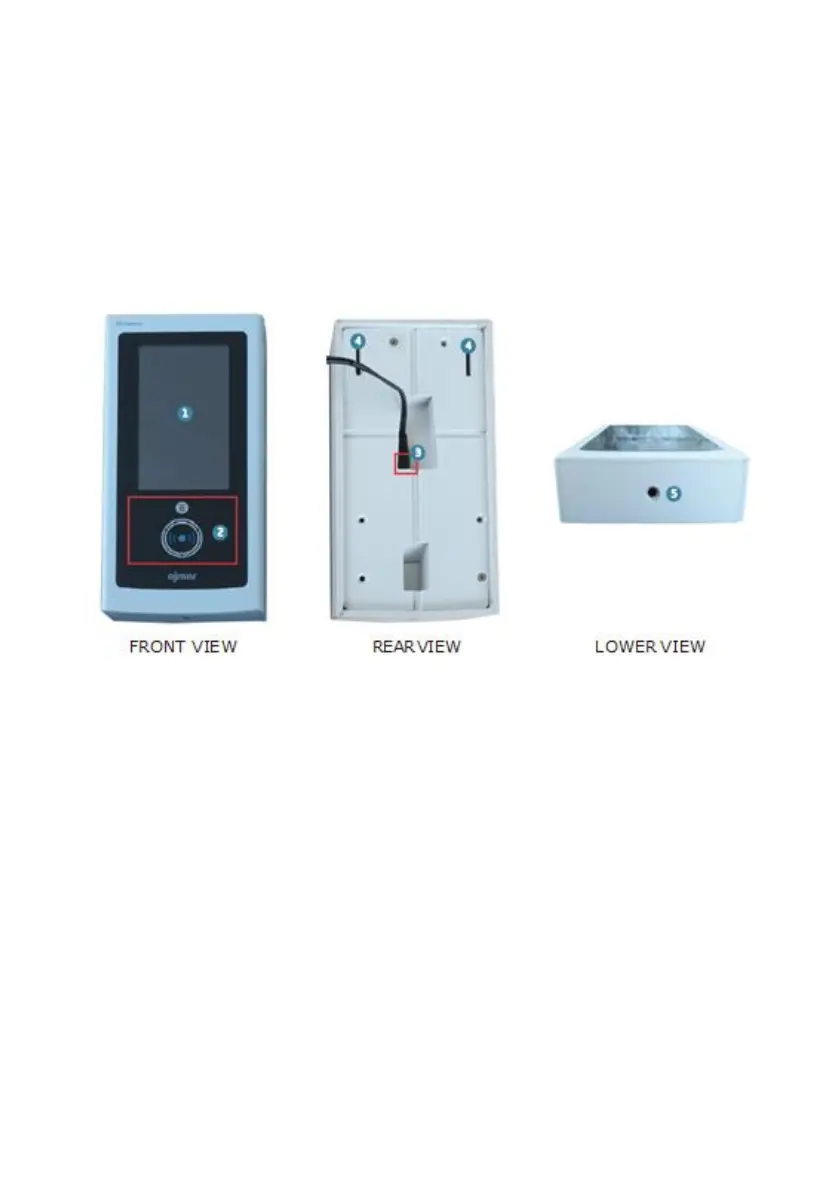
3.1.2 Infoterminal Features
The features of the Infoterminal are indicated below:
1. Touch screen.
2. Key reading zone: The keys must be placed in this zone so that they can be read
by the Infoterminal.
3. Power connector: The power cable must be connected to this connector.
4. Mounting points: The support plates (see previous page) must fit into these
mounting points.
5. Screw hole: Hole for the screw adjusting the Infoterminal on the bracket.
NOTE: A power cable is supplied with the Infoterminal.



 To Next Page