OJMAR 76
4.9.1 Add User
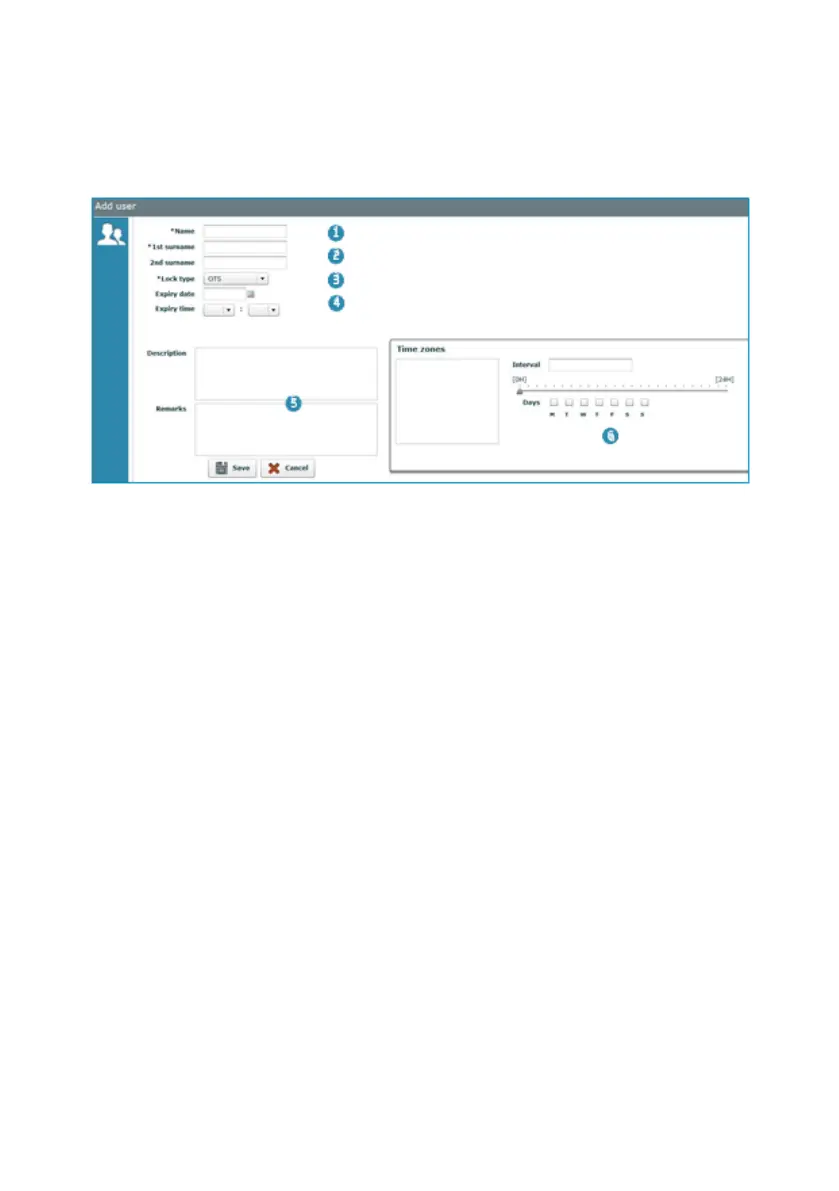
Fill in the following fields to add a new user.
NOTE: All of the fields marked with an * must be filled in.
1. Name: User name.
2. 1st and 2nd surname: User's Surnames, the first being mandatory.
3. Lock type: Type of lock associated to the user.
4. Expiry date and time: Precise date and time when the user account will expire.
NOTE: The keys associated to the user will be disabled from this time and may not
be used in any lock.
NOTE: The expiry date and time must be entered.
5. Description and remarks: Optional fields to add extra information on the user.
6. Time Zones: Displays the time zones assigned to the user (See Section 4.10).
NOTE: Up to a maximum of 5 time zones can be assigned to each user.



 To Next Page