3_INFOTERMINAL OJMAR 45
3. INFOTERMINAL
3.1 INFOTERMINAL
The Ojmar Infoterminal provides users information about the locker number or
numbers assigned or occupied by a key. It is wall mounted to give users easy access
to key information.
The Infoterminal unit includes:
One bracket.
One Infoterminal.
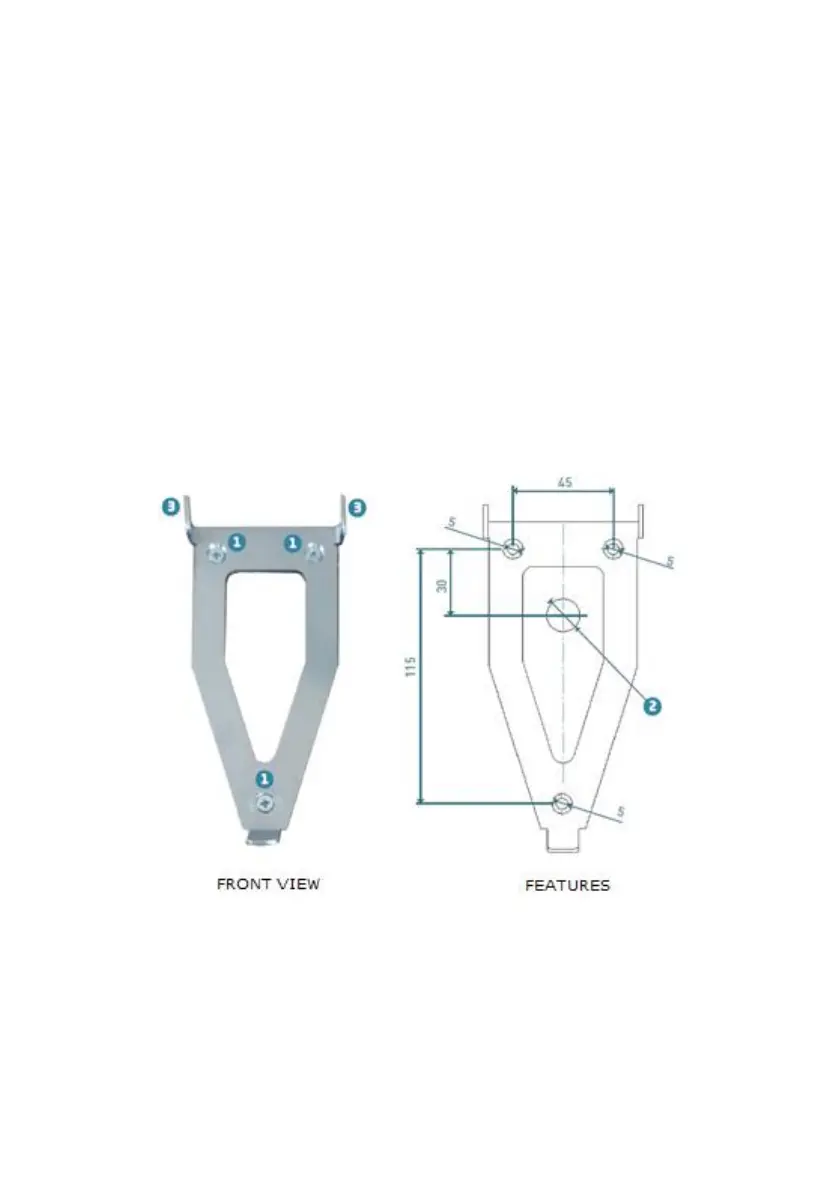
3.1.1 Bracket Features
The measurements (in mm) and locations of the mounting points are shown in the
figures below:
1. Holes: These are used to mount the bracket on the wall with screws.
2. Cable lead-through hole: This is the hole that the power cable passes through
to the Infoterminal.
WARNING: It must be at least 15 mm in diameter.



 To Next Page