OJMAR 88
4. Search key ID: Displays a detailed list of stored users of the facility. Select the
key to be cancelled from the database and click on .
5. Clear: Clears the fields ticked on the screen.
6. Query mode: Allows search and selection of the type of cancellation key to be
recorded:
Key serial number: Enter the serial number of the key to be cancelled.
NOTE: This code may be between 8 and 14 characters in length (depending on the
key technology).
User: Select the user to be cancelled from the drop-down list.
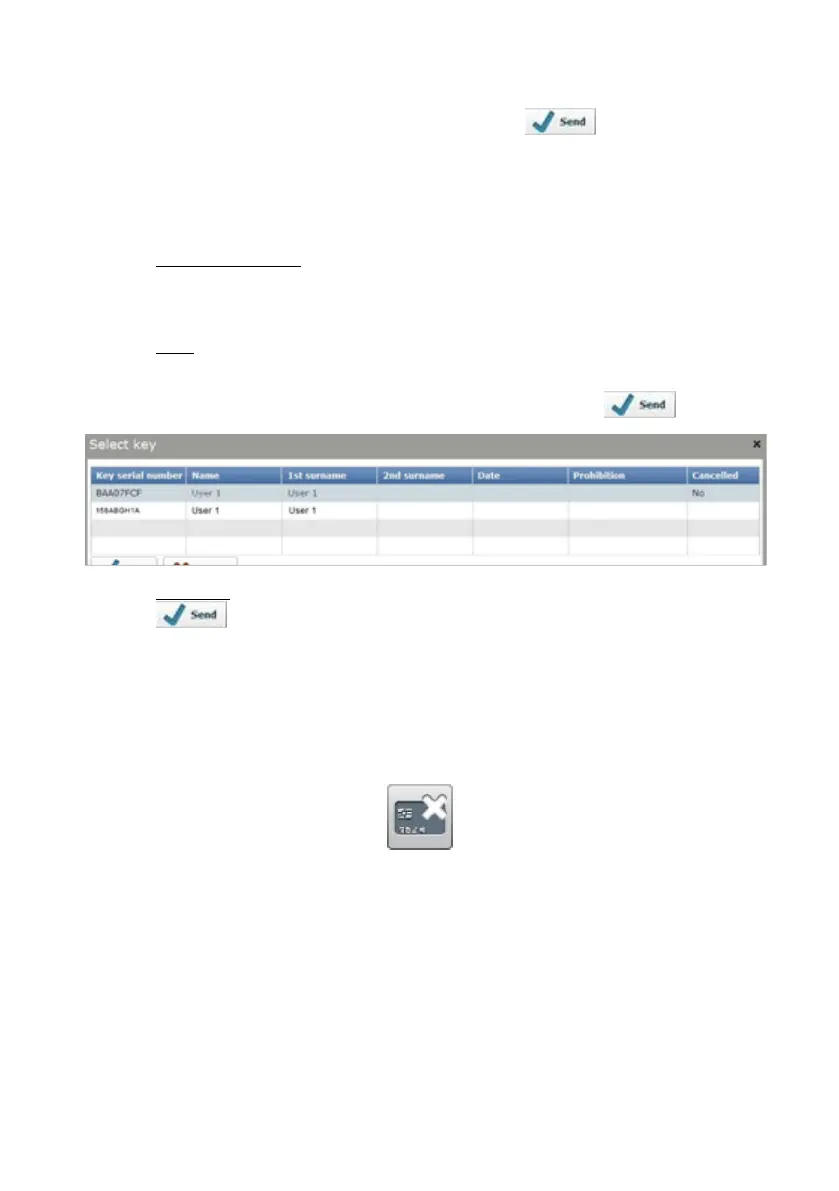
NOTE: Where the user has more than one key, a list with all those available will be
displayed. In this case, select the key to be cancelled and click on .
Database: Select the key to be cancelled from the database and click on
. This database contains all of the records stored for the facility
and displays a detailed list of them.
4.14 MAINTENANCE KEYS
Access this screen via the “Keys / Maintenance keys" menu or by clicking on the
following button on the main screen:
The main cancellation keys screen displays the following information:



 To Next Page