2_PORTABLE PROGRAMMER OJMAR 37
1. and (2): Displays the following submenu for OTS type locks (RT and Advance):
Test: Performs a test on the lock and displays the results on the screen.
NOTE: The test must be performed in line with Step 6 of Section 2.2 of this manual.
Read events: Reads the events recorded on the lock. These events may be
subsequently viewed from the Events screen of the OTS Management
Software (See Section 4.8.1).
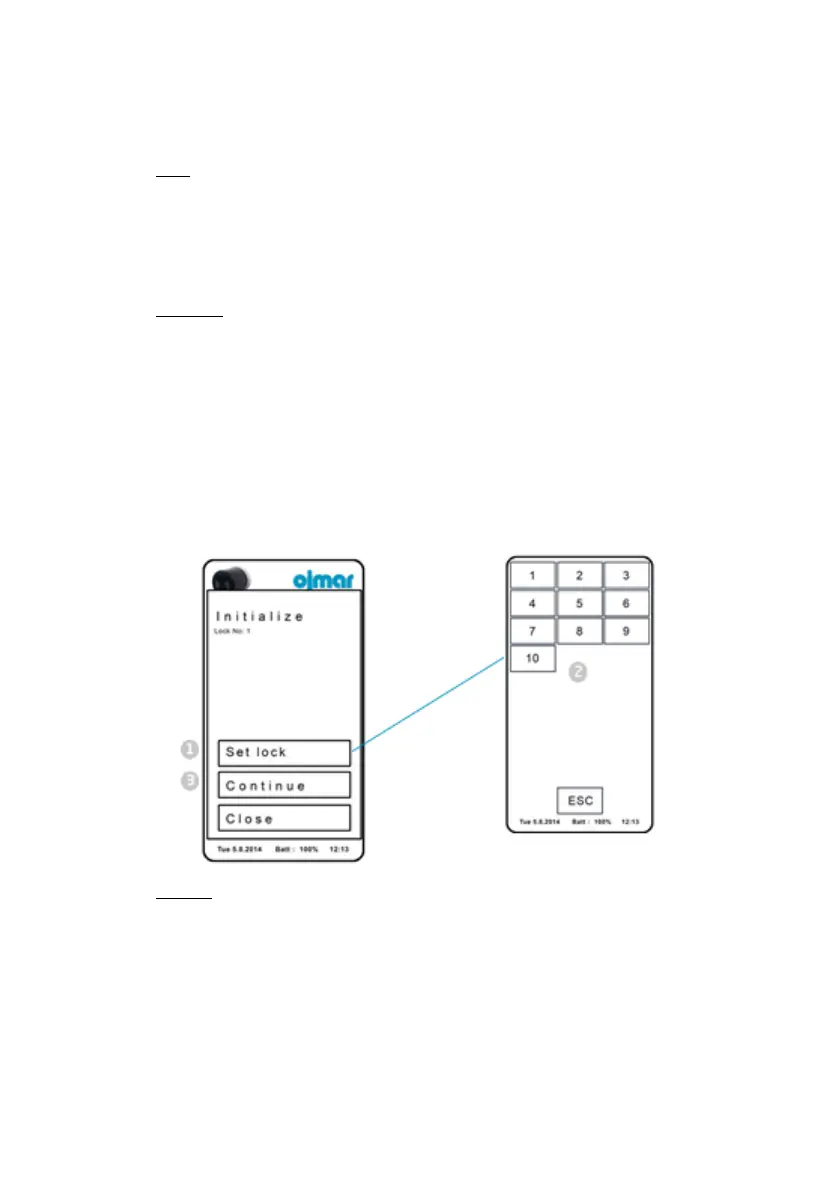
Initialise: This menu option allows for locks to be initialised.
NOTE: The locks must be previously loaded in the programmer (See Point (5) of
Section 4.6.
To do so:
1. Press "Set lded".
2. Select a lock previously loaded in the NFC programmer.
3. Press “Continue” and connect the programmer to the lock as indicated in Step
(6) of Section 2.2.
Update: This option allows for the lock memory to be updated when a
property has been modified. To do so:
1. Load the locks to be modified into the Ojmar NFC programmer (See
Point 5 of Section 4.6).
2. Update the locks in line with Step 6 of Section 2.2.
3. Back: Returns to the main menu.



 To Next Page