OJMAR 48
1. Infoterminal mounting holes.
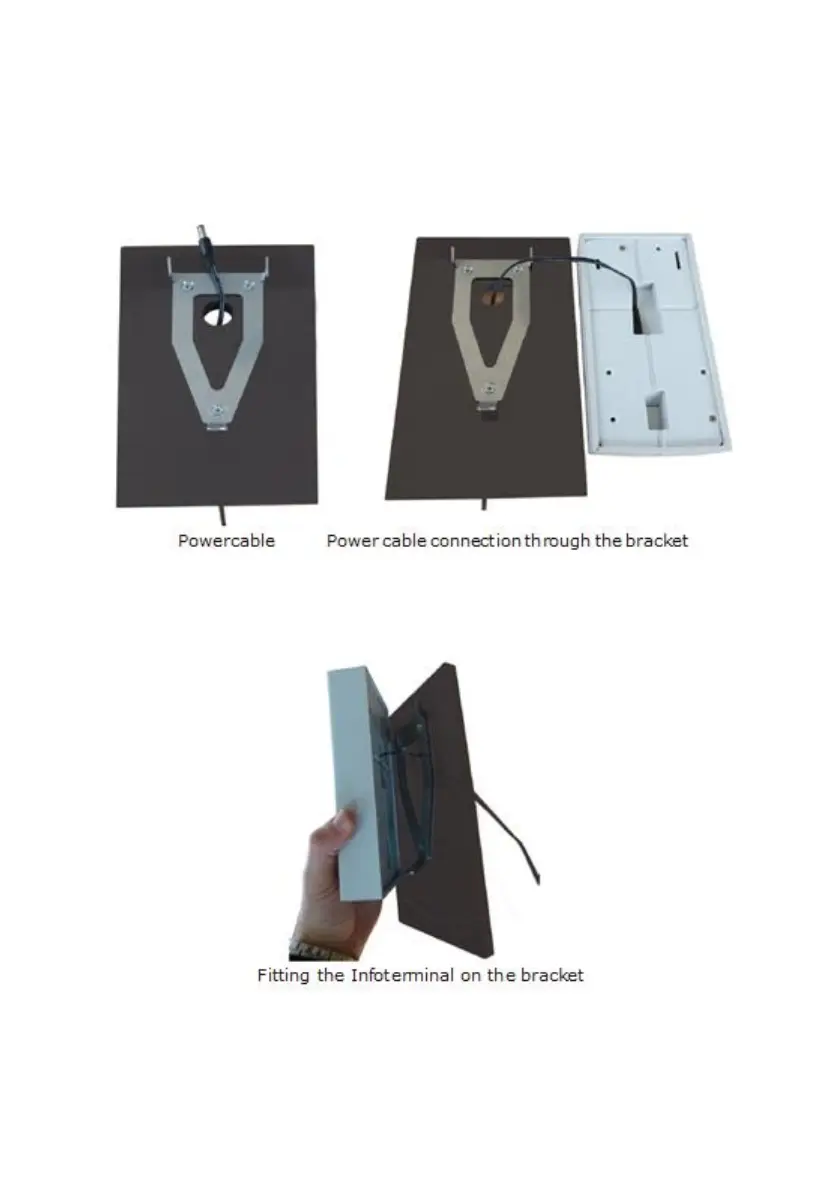
2. Hole to pass the power cable (minimum 15 mm in diameter).
2. Once the bracket is in place, pass the power cable through the central hole and
connect it to the rear of the Infoterminal.
3. Once the power cable is connected to the Infoterminal, fit it on the bracket. To
do so, slide it in from above, inserting the upper plates of the bracket into the
grooves on the Infoterminal.



 To Next Page