4_OTS MANAGEMENT SOFTWARE OJMAR 59
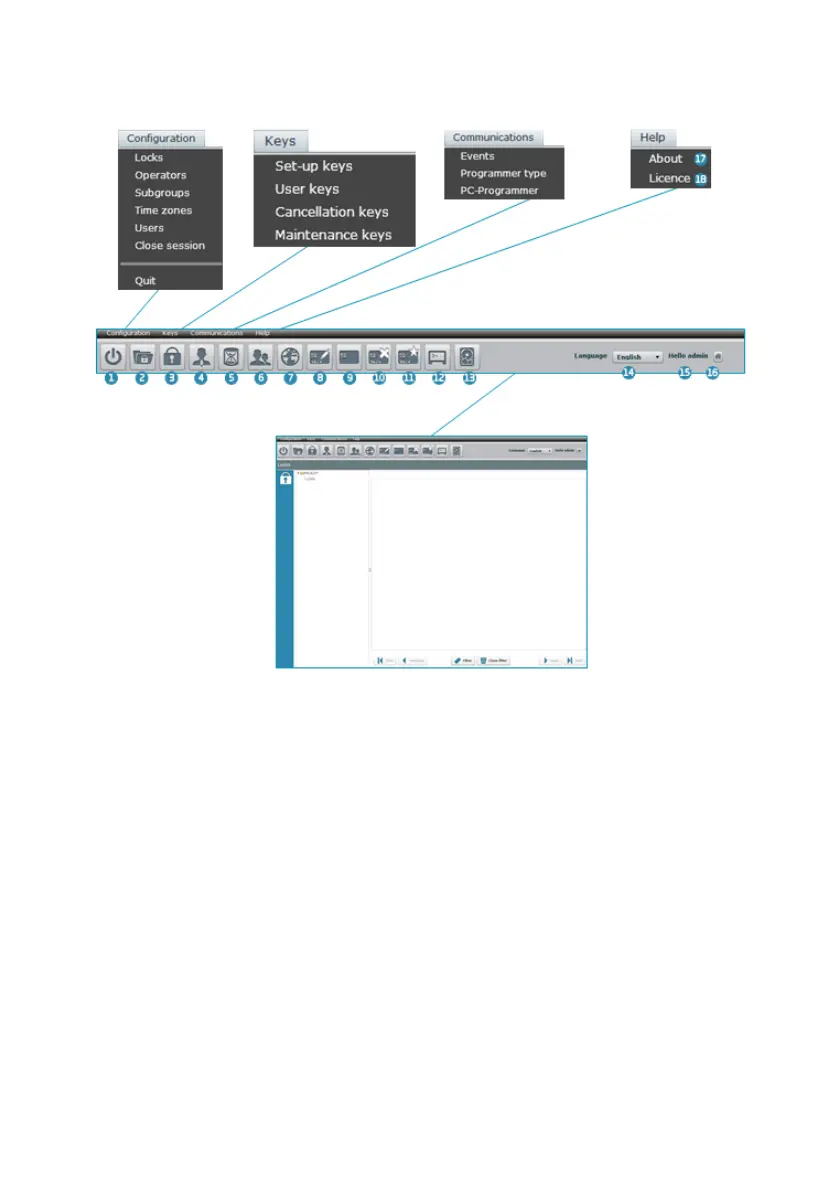
Once inside the application, the following main screen is displayed:
NOTE: The main screen displays the locks screen by default (3). See Section 4.6.
1. Quit: Closes the session and the application.
2. Subgroups: (See Section 4.5)
3. Locks: (See Section 4.6)
4. Operators: (See Section 4.7)
5. Events (with NFC Programmer only): (See Section 4.8)
6. Users: (See Section 4.9)
7. Time Zones: (See Section 4.10)
8. Set-up Keys: (See Section 4.11)
9. User Keys: (See Section 4.12)
10. Cancellation Keys: (See Section 4.13)



 To Next Page