4_OTS MANAGEMENT SOFTWARE OJMAR 61
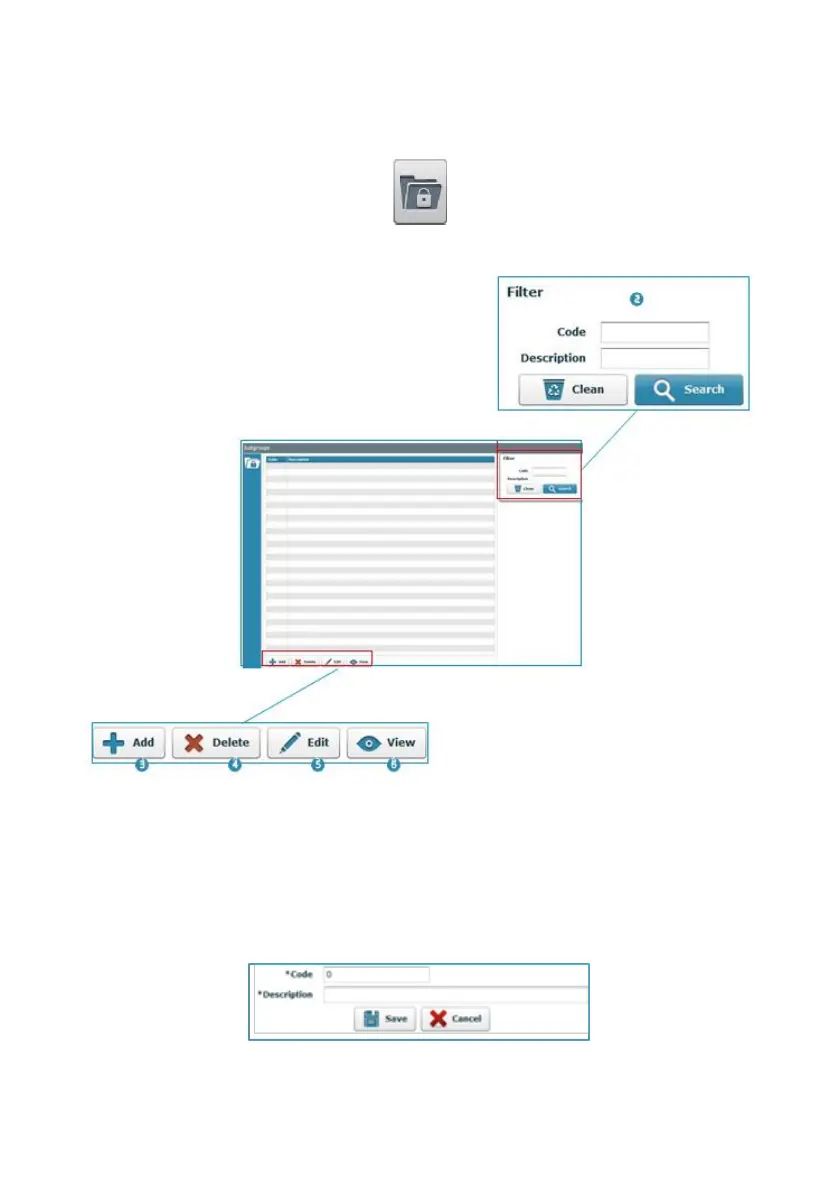
Access this screen via the “Configuration / Subgroups" menu or by clicking on the
following button on the main screen:
The main Subgroup screen displays the following information:
1. List of the subgroups created: This list displays the code and name of the
groups created.
2. Filter: This allows for the results of the window (1) to be filtered, displaying only
the criteria ticked in the fields described here.
3. Add: Adds a new subgroup to the list. Add a name to the description field and
click on “Save”.
NOTE: The program will automatically fill in the "Code" field.



 To Next Page