OJMAR 78
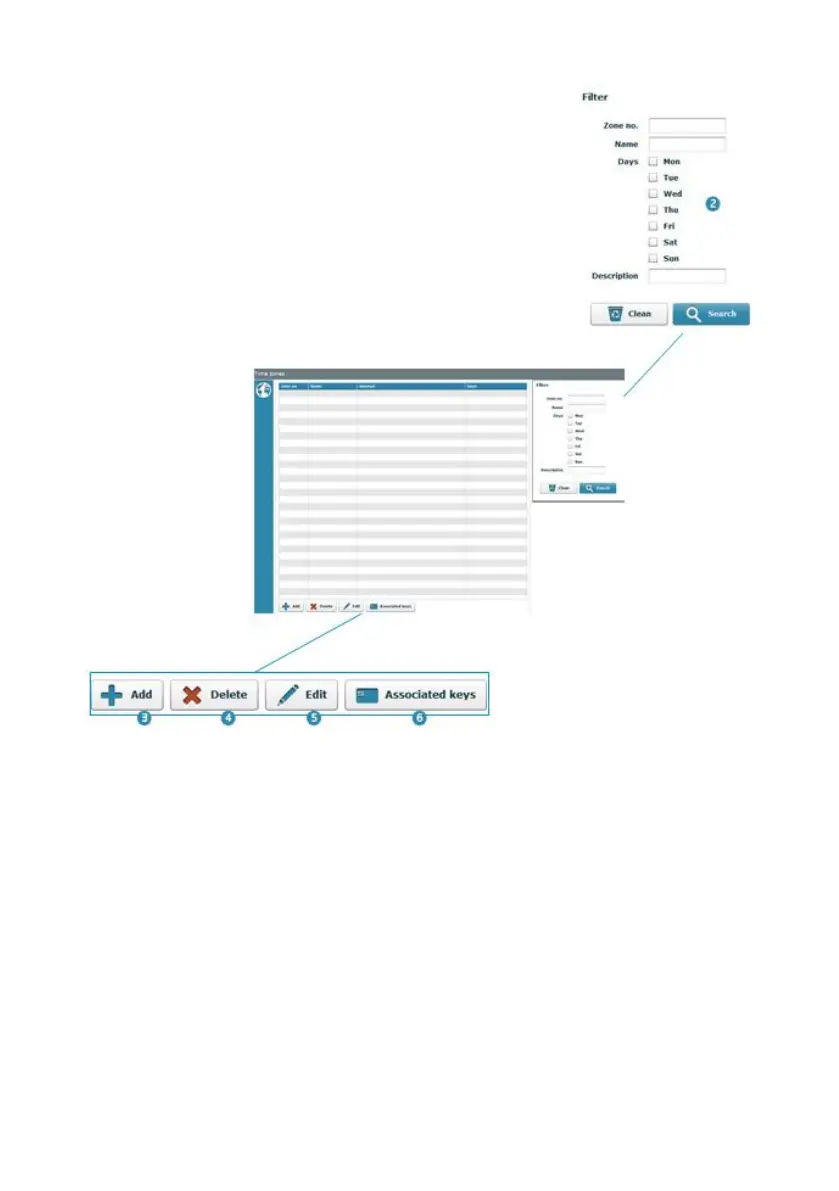
1. List all time zones created: This list displays the number and name of the zone,
time period and days of the week when it is operational.
2. Filter Window: This allows for the results of the window (1) to be filtered,
displaying only the criteria ticked in the fields described here.
3. Add: Adds a new Time Zone (See Section 4.10.1).
4. Delete: Deletes a Time Zone from the list. To do so, select it and click on this
button.
5. Edit: Allows for the Time Zone parameters to be modified (See Section 4.10.1).
To do so, select a Time Zone from the list and click on this button.
6. Associated keys: Displays a full list of all keys associated to the Time Zone.
NOTE: Whenever a key is programmed and a Time Zone assigned to it, this list is
updated.



 To Next Page