4_OTS MANAGEMENT SOFTWARE OJMAR 81
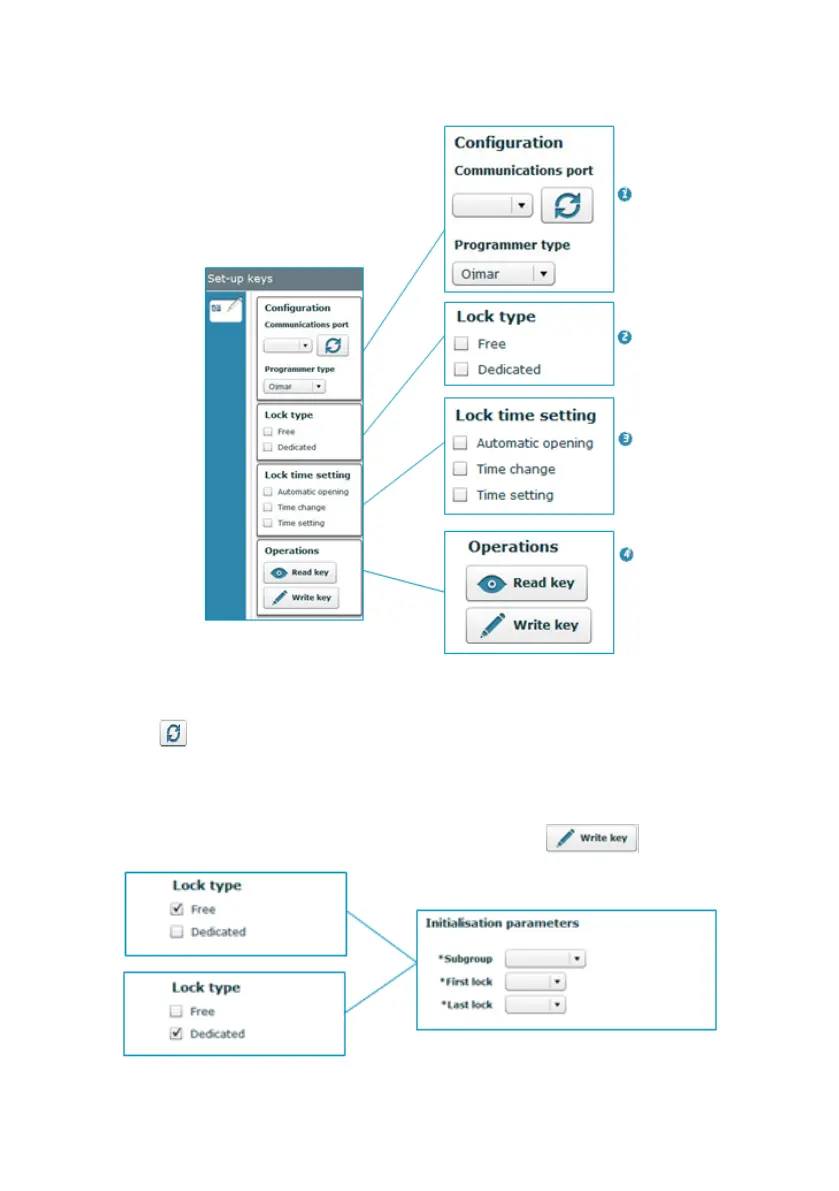
The main set-up keys screen displays the following information:
1. Configuration: This displays the configuration defined in Section 4.15 or
establishes a new connection with the programmer by clicking on the following
icon (See Section 4.17).
2. Lock type: Set-up keys can be programmed from here for:
"Free" and "Dedicated" type locks: To do so, select the lock type, a
subgroup, the start and end lock and click on the button.



 To Next Page