4_OTS MANAGEMENT SOFTWARE OJMAR 83
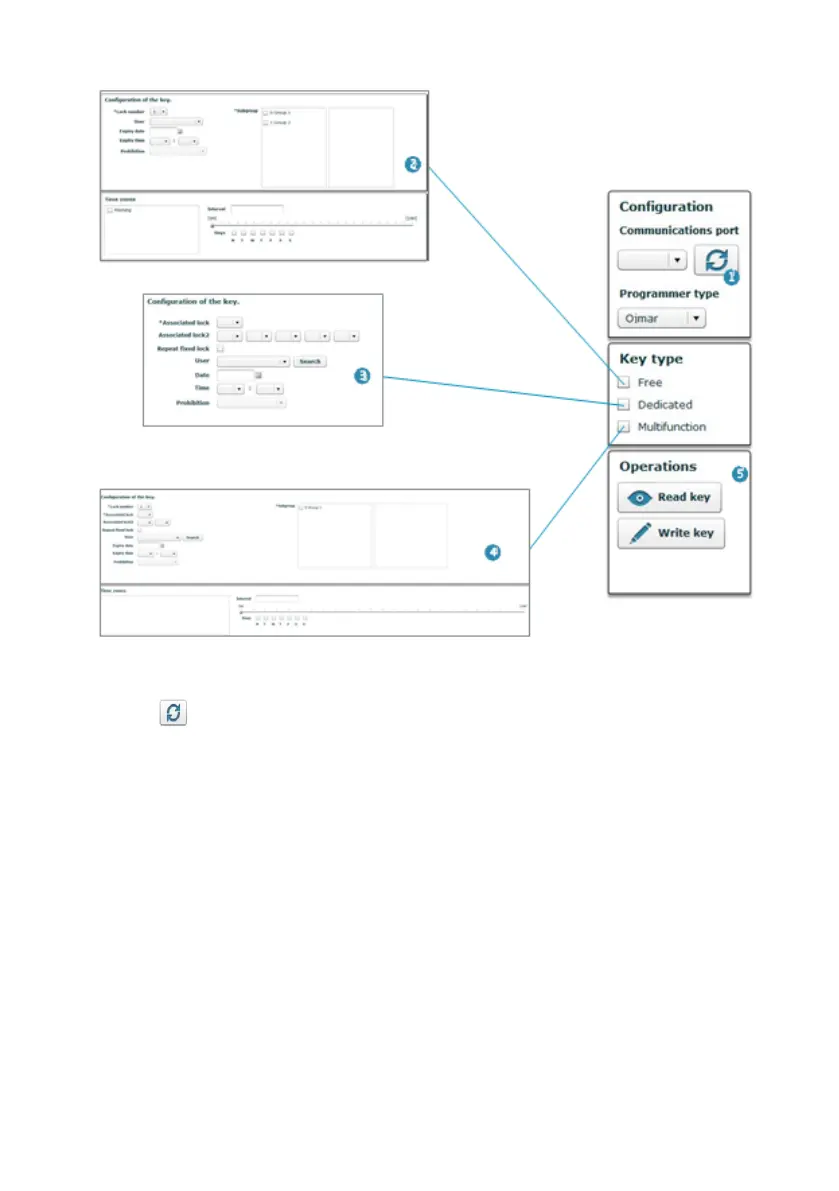
1. Configuration: This displays the configuration defined in Section 4.15 or
establishes a new connection with the programmer by clicking on the following
icon .
2. Free key type: See Section 4.12.1.
3. Dedicated key type: See Section 4.12.2.
4. Multi-function key type: See Section 4.12.3.
5. Operations: This allows the contents of the key to be read or the values entered
in Points (2), (3) and (4) to be recorded.



 To Next Page