51
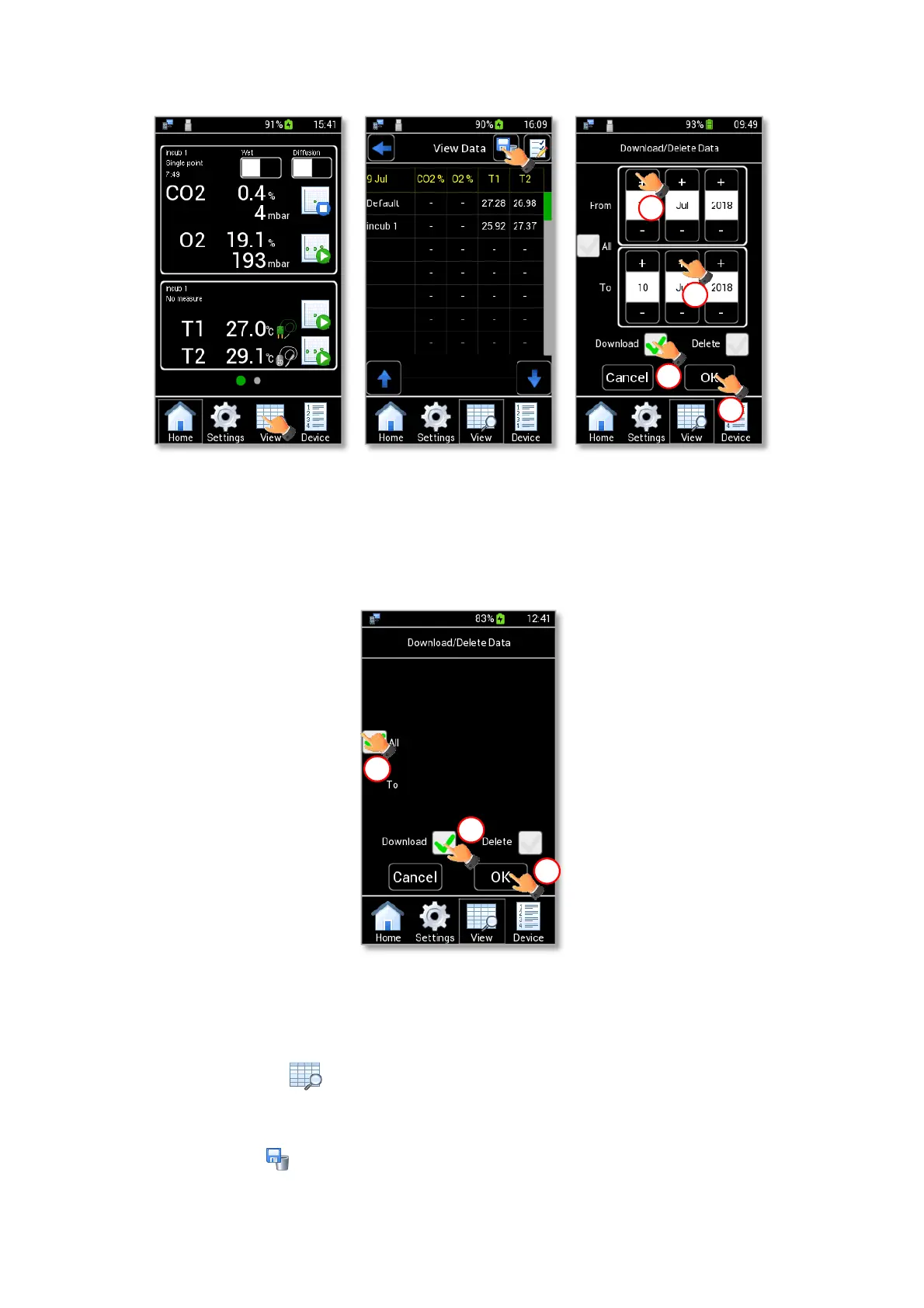
Figure 64. How to Download Data (a – b – c).
Tip ► To download all the data stored on LEO internal memory, flag All checkbox (1 in Figure 65) and
Download checkbox (2 in Figure 65). Then press OK to confirm (3 in Figure 65).
Figure 65. How to download all data stored on LEO.
To download all the readings of a single device, connect the USB key to the MINI-USB port (see Figure 62)
and follow the instructions below:
1. Press the View icon to open the View Data page (see Figure 64 a).
2. Press the device name (see Figure 66 a).
3. Press the icon (see Figure 66 b) in the page that opens. A pop-up dialog box appears.



 To Next Page