EasyManua.ls Logo

Okolab LEO - Page 60

Okolab LEO
101 pages
Print Icon
To Next Page IconTo Next Page
To Previous Page IconTo Previous Page
Loading...
56
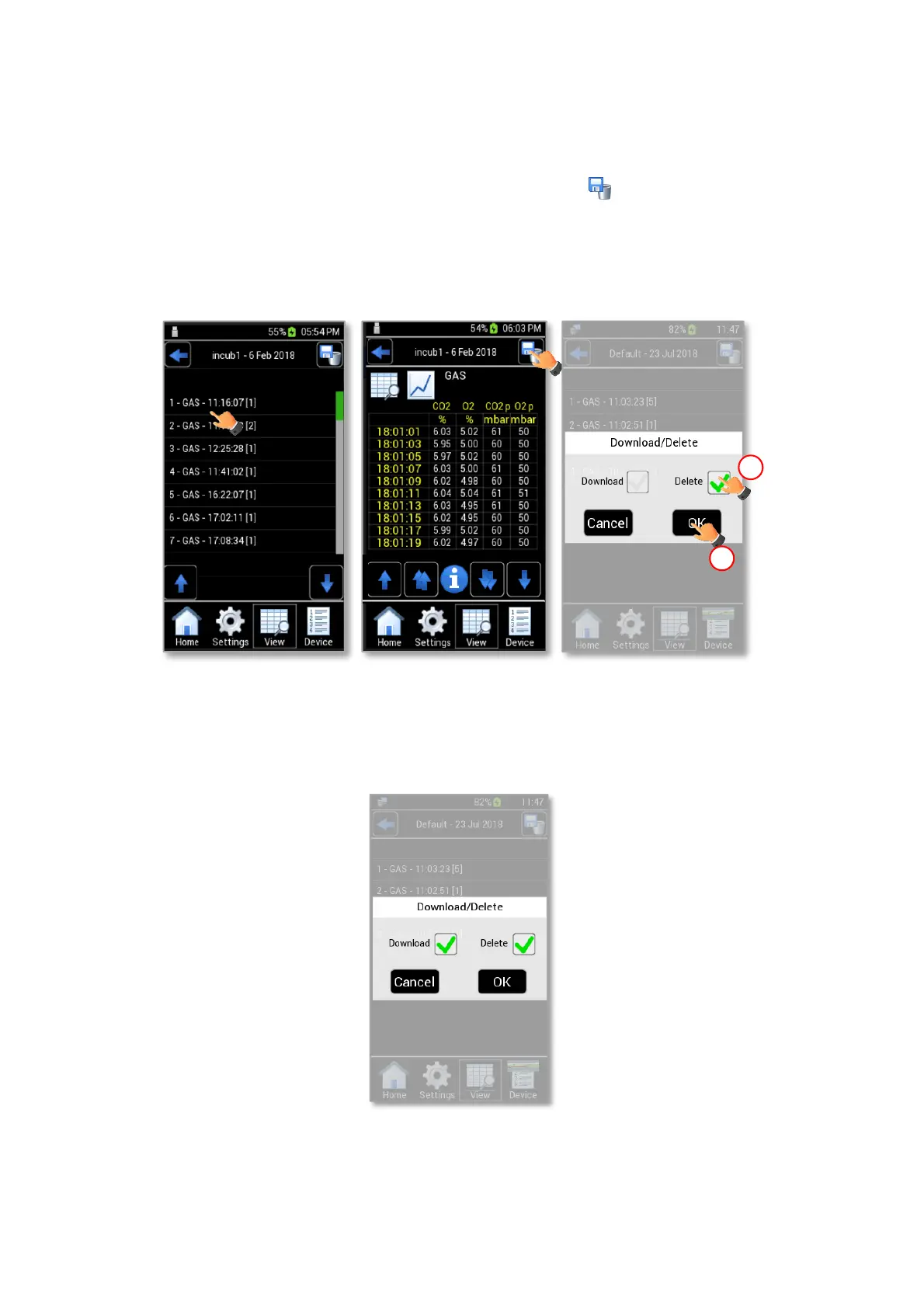
To delete a single reading of a single device follow the instructions below:
1. Press the device name (see Figure 72 a).
2. Press a single reading (see Figure 73 a) and then press the icon in the page that opens (see Figure
73 b). A pop-up dialog box appears.
3. Enable the Delete check box (1 in Figure 73 c) and then press OK to delete the selected data (2 in
Figure 73 b).
a
b
1
2
c
Figure 73. How to Download Data for a single reading (a b).
Tip You can download and delete simultaneously collected data by enabling both Download and Delete
checkboxes, as shown in Figure 74.
Figure 74. How to Delete and Download Data simultaneously.

Other manuals for Okolab LEO