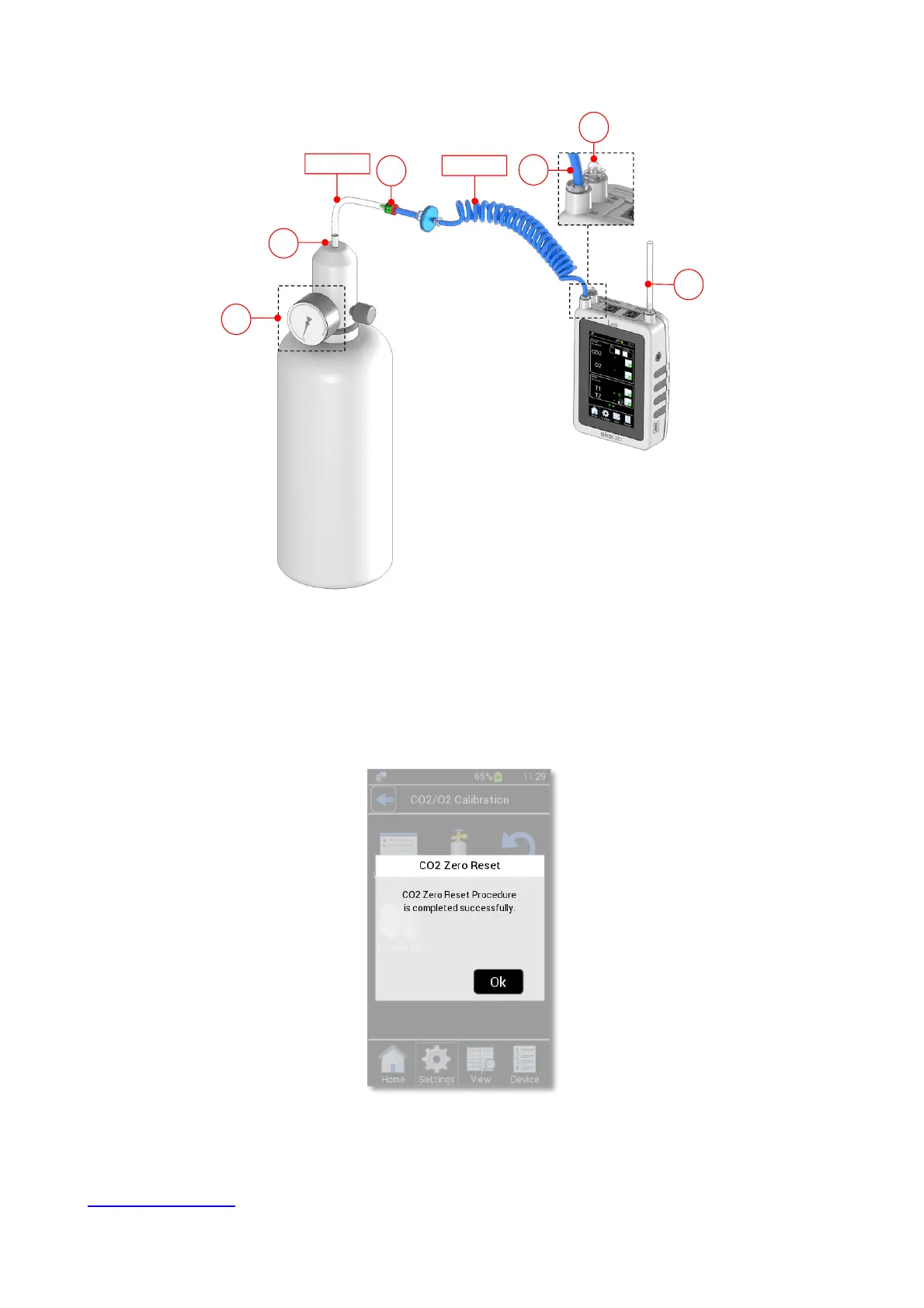
Figure 100. How to connect LEO to N2 cylinder with flow regulator.
After connecting LEO to N2 cylinder, press Ok (see Figure 97 b). A pop-up with the procedure progress
appears, see Figure 97 c.
At the end of the CO2 Zero Reset procedure with N2, a pop-up message is shown as in Figure 101. Press Ok
to return to the CO2/O2 Calibration page.
Figure 101. CO2 Zero Reset procedure with N2 completed.
If the CO2 Zero Reset procedure has failed the message shown in Figure 102 appears. In this case Okolab
recommends to repeat the CO2 Zero Reset procedure and if it fails again please contact Okolab support at
support@oko-lab.com.



 To Next Page