77
14 T1 and T2 modules Calibration
LEO is equipped (on request) with one or two factory calibrated temperature modules (T1-MODULE
and/or T2 Module). The factory calibration certificate is included in electronic format in the T1 and T2 modules
and can be seen in the T1/T2 calibration pages (see paragraph 14.1).
T1 and T2 modules do not require frequent calibrations. However, you can calibrate them if you are
uncertain of their accuracy.
To calibrate T1 (or T2) module follow the instructions below:
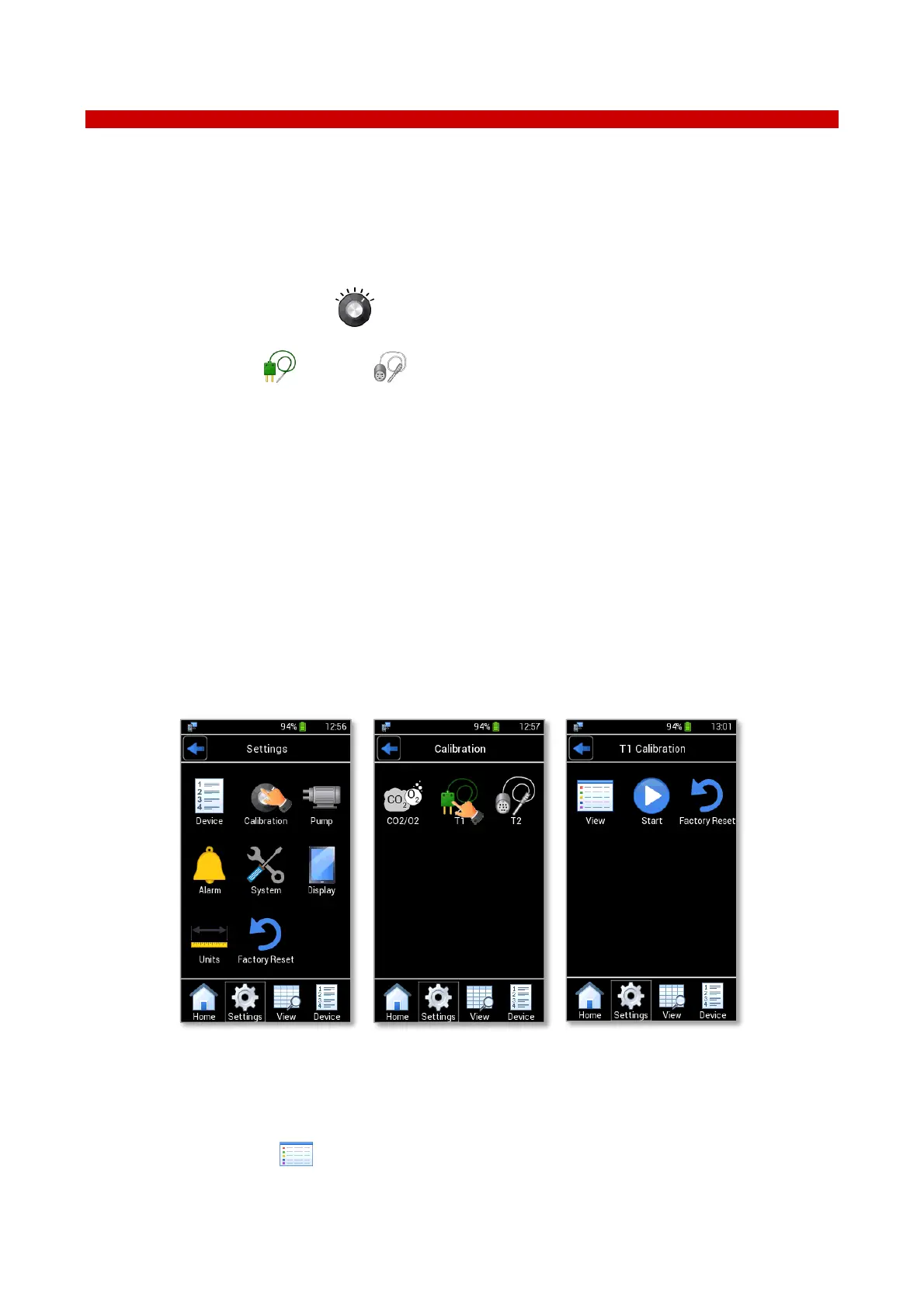
1. Press the Calibration icon in Settings menu (see Figure 106 a).
2. Press T1 icon (or T2 icon ) to access to the T1 Calibration page (or T2 Calibration page) (see
Figure 106 b)
T1 Calibration page (T2 Calibration page) contains three subpages (see Figure 106 c):
− View. To view the factory calibration data or verify if there are offsets on the temperature
− Start. To calibrate the temperature sensor using a calibration procedure
Tip ► You can set until to five temperature values as points for the calibration procedure.
− Factory Reset. To cancel the last user calibration on T1-MODULE and restore the factory
calibration
Figure 106. T1 Calibration
14.1 View Calibration
Press the View icon (see Figure 107 a) to view the factory calibration data and verify if there are
offsets on the temperature sensor readings, as shown in Figure 107 b. If no user calibration was made, there is
only the T1 (or T2) Factory Calibration subpage, as in the example shown in Figure 107 b.



 To Next Page