83
17 CO2-O2-MODULE extraction
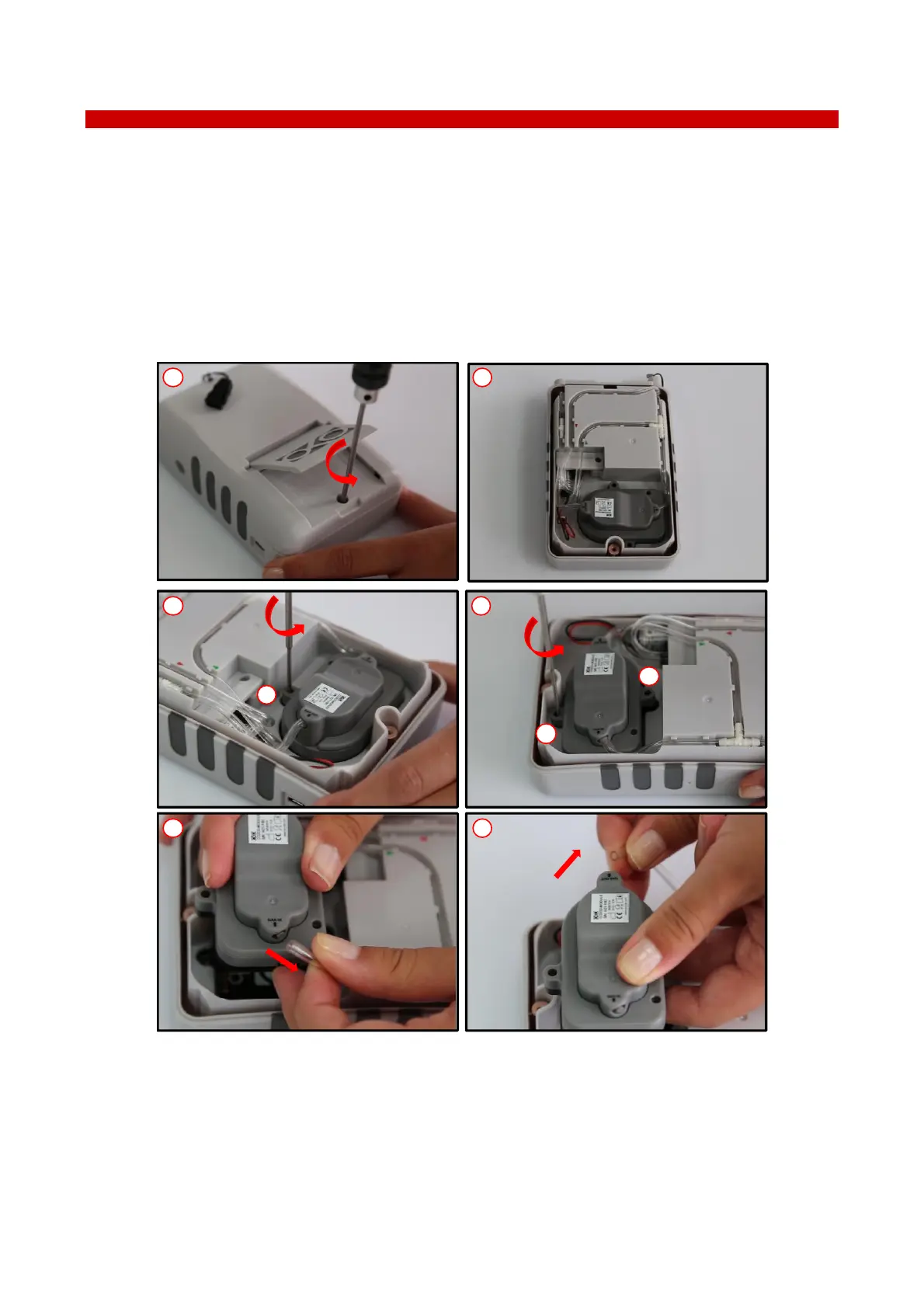
The CO2-O2-MODULE is designed for easy extraction from LEO.
The CO2-O2-MODULE has to be extracted from LEO for the replacement or the re-calibration. Follow the
instructions below to extract the CO2-O2 MODULE from LEO:
1 Loosen the screw by using a hexagonal key (2.5mm), as shown in Figure 113, a. Then lift up and remove the
rear cover of LEO (see Figure 113, b).
2 Loosen the screws (1 in Figure 113, c and 2 in Figure 113,d) by using a hexagonal key (1.5 mm).
3 Disconnect inlet (see Figure 113, e) and outlet tube (see Figure 113, f) from the CO2-O2-MODULE. Then lift
up and remove the CO2-O2-MODULE.
Figure 113. CO2-O2-MODULE extraction.
Follow the instructions below to insert the new CO2-O2-MODULE:
4 Connect inlet (see Figure 114, a) and outlet tube (see Figure 114, b) to CO2-O2-MODULE.
5 Fasten the screws (1 in Figure 114, c and 2 in Figure 114, d) by using a hexagonal key (1.5mm).
6 Put the rear cover on LEO and fasten the screw by using a hexagonal key (2.5mm), as shown in Figure 114,f.



 To Next Page