94MS20 Rev. B4 9-15
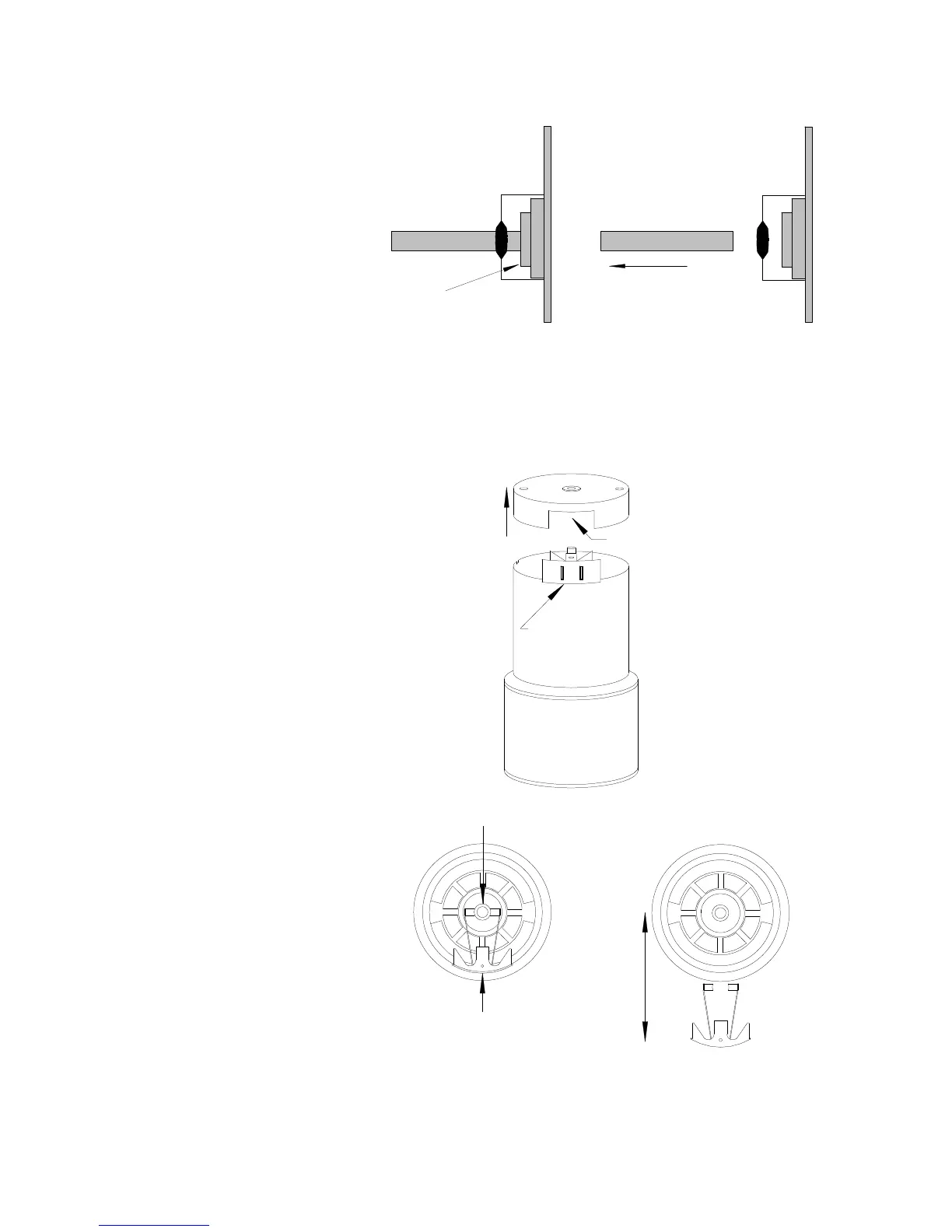
PC Board
Photocell
Mount
Photocell Rod
Filtration
layers
• Locate the shutter motor and remove the orange wire from terminal No.
1 and the brown wire from terminal No. 2. Remove the two Phillips
screws from the top section of the motor. Use a knife or razor blade to
cut any tape or labels holding section 1 to section 2. Usually they are
just terminal labels marked 1 and 2.
Brush Assembly
Cut-out
Section 1
Section 2
Section 3
Commutator
Brush Assembly
Install
Remove
• Apply a downward pressure with your thumbnail on the brush assembly.
While keeping the brush assembly on section 2 of the motor, lift off
section 1 with a rocking motion.


 To Next Page