2-13
Before Using the Fax Machine > Local FAX Information Entry
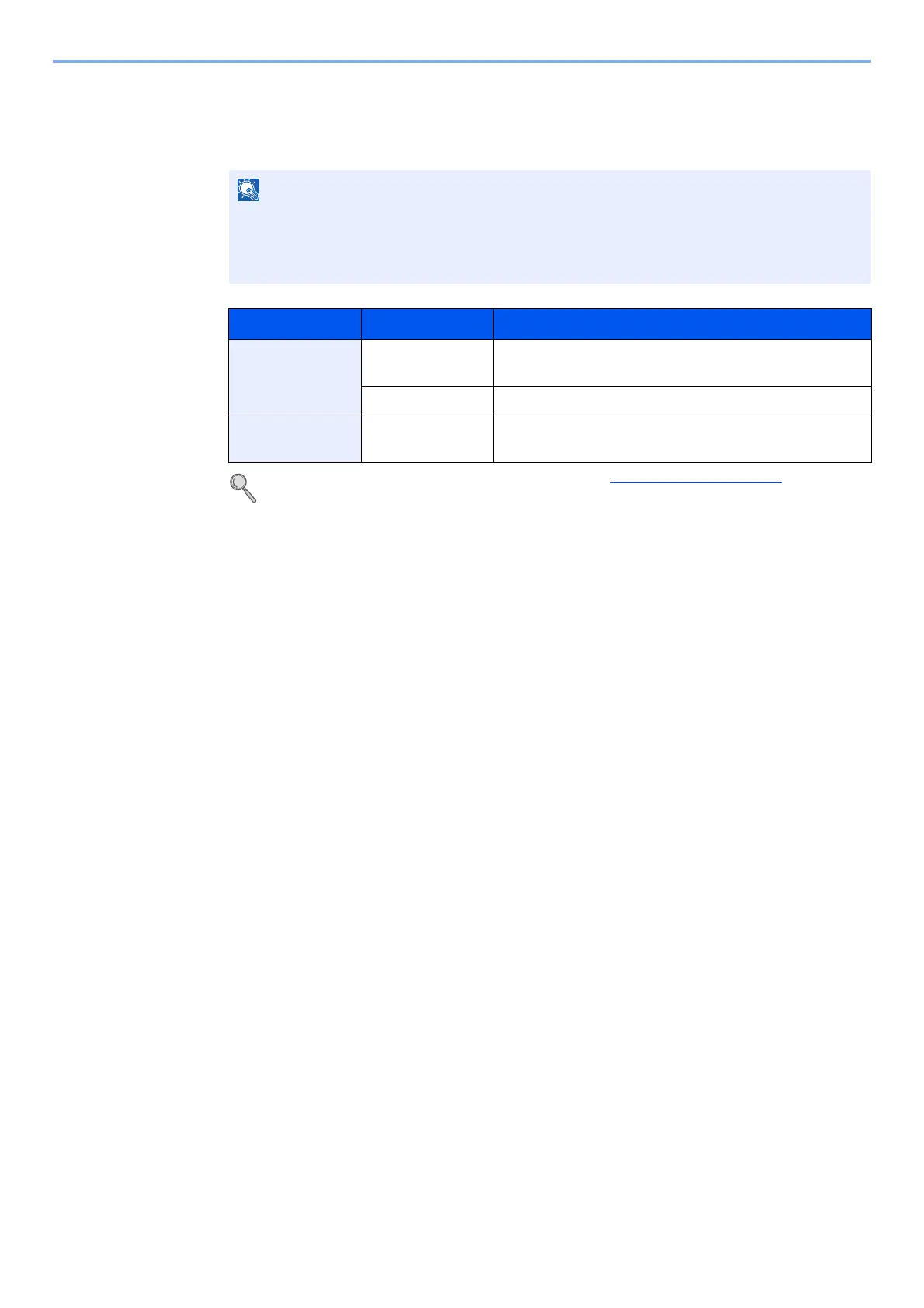
PBX Setting (Europe only)
When using this machine in environment in which PBX for connection to multiple phones for business use is installed,
perform the following PBX setting.
For more information about configuring settings, refer to Service Setting on page 8-8.
Before connecting this machine to PBX, it is recommended to contact the company that
installed the PBX system to request connection of this machine. Note that correct operation
cannot be guaranteed in environment in which this machine is connected to PBX because
the functions of this machine may be restricted.
Item Setting value Description
Exchange Select. PSTN Use when connecting this machine to a public switched
telephone network (default).
PBX Use when connecting this machine to PBX.
Dial No. to PSTN 0-9
00-99
Set a number to access an outside line. For the number,
contact the PBX administrator.



 To Next Page