3-3
Sending Faxes > Basic transmission procedure
5
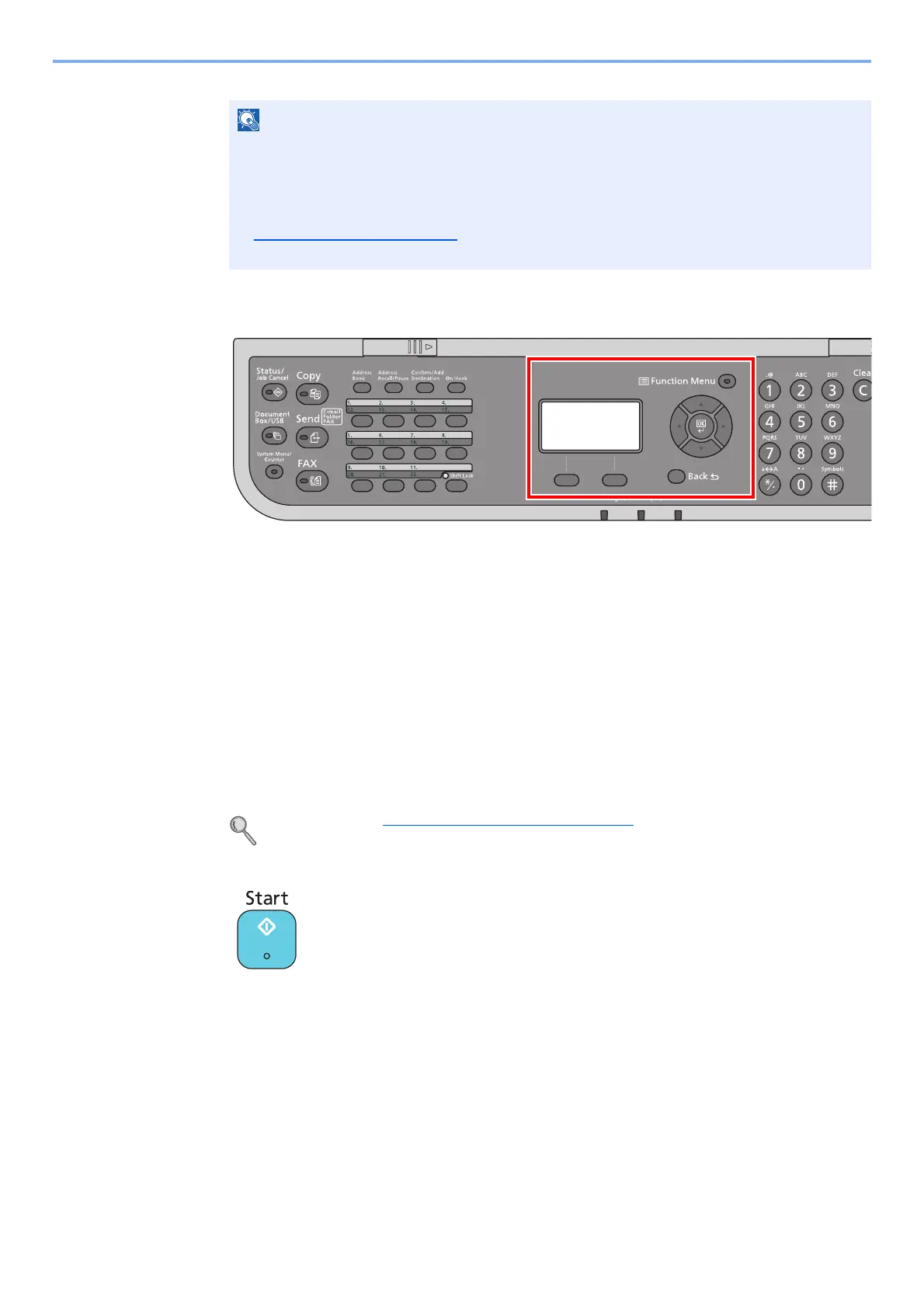
Selecting the functions.
The following functions can be set for FAX transmission.
•Density page 3-24
• Original Image page 3-20
•Duplex page 3-24
• Original Size page 3-20
• FAX Resolution page 3-21
• File Name Entry page 3-21
• FAX Delayed Transmission page 3-22
• FAX TX Report page 3-24
• Program page 3-28
For details, refer to Fax transmission functions on page 3-19.
6
Send Start.
Press the [Start] key.
When scanning finishes, transmission starts.
When originals are placed in the document processor
After originals placed in the document processor are scanned and stored in the memory, the
receiving system is dialed.
When originals are placed on the glass surface
After originals placed on the glass surface are scanned and stored in the memory, the
receiving system is dialed.
Up to 64 digits can be entered as the fax number of the receiving system.
Pressing the [Address Recall/Pause] key adds about three seconds of waiting time during
dialing. For example, when dialing the receiving system on an external line, you can use this
method to insert a pause before resuming dialing after you dial a specific number.
If Dest. Entry(FAX)
on page 8-7 is set to [Prohibit], it is not possible to directly enter a fax
number. Select the destination from the Address Book or the One Touch Keys.



 To Next Page