Setup and Registration
OPERATION GUIDE 6-19
6
Registering Permit ID No.
NOTE: Up to 25 Permit ID numbers can be registered.
1 Press the System Menu key.
2 Press [FAX], [Next] of TX/RX Restriction and then
[Register/Edit] of Permit ID List.
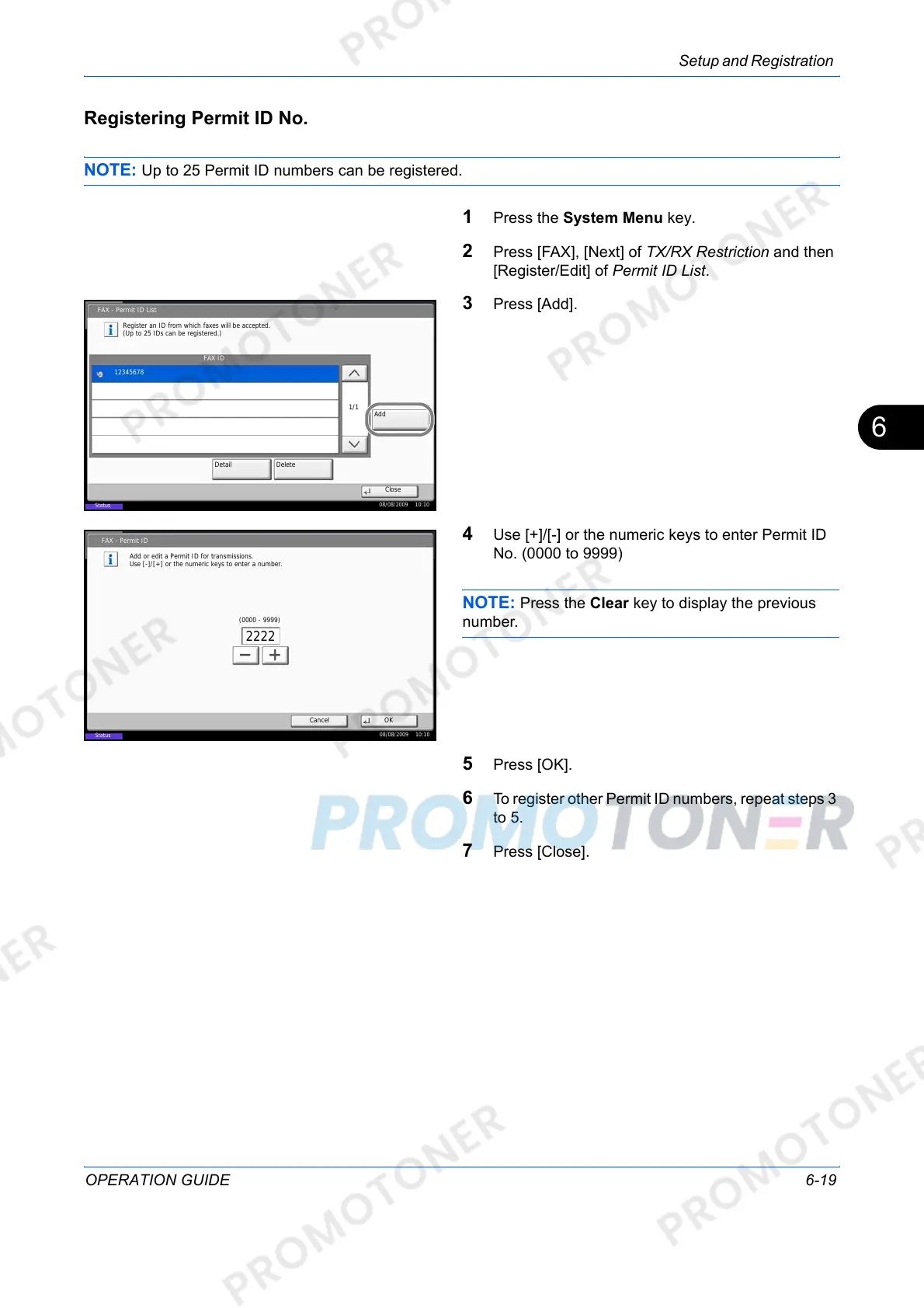
3 Press [Add].
4 Use [+]/[-] or the numeric keys to enter Permit ID
No. (0000 to 9999)
NOTE: Press the Clear key to display the previous
number.
5 Press [OK].
6 To register other Permit ID numbers, repeat steps 3
to 5.
7 Press [Close].
FAX - Permit ID List
FAX ID
Register an ID from which faxes will be accepted.
(Up to 25 IDs can be registered.)
Add
Detail
Delete
12345678
Close
1/1
08/08/2009 10:10
Status
Status
FAX - Permit ID
Add or edit a Permit ID for transmissions.
Use [-]/[+] or the numeric keys to enter a number.
Cancel OK
08/08/2009 10:10
(0000 - 9999)
2222













 To Next Page